Welcome to Building:bit Superkit repository
3.2 Changing Face
Changing Face
Changing Face1. Learning Objectives2. Building Blocks3. Sensor Wiring4. Code analysis5. Write and download the program6. Experimental phenomenon
1. Learning Objectives
In this course, we mainly learn how to make the Face Changing King through Python programming.
2. Building Blocks
For the building block steps, please refer to the installation drawings of [Assembly Course]--[Changing Face] or the building block installation album in the materials.
3. Sensor Wiring
The building block servo wiring is inserted into the Super:bit expansion board S1 interface, and the servo orange wiring is inserted into the yellow pin of S1.
The ultrasonic wave is connected to the P1P2 pin.
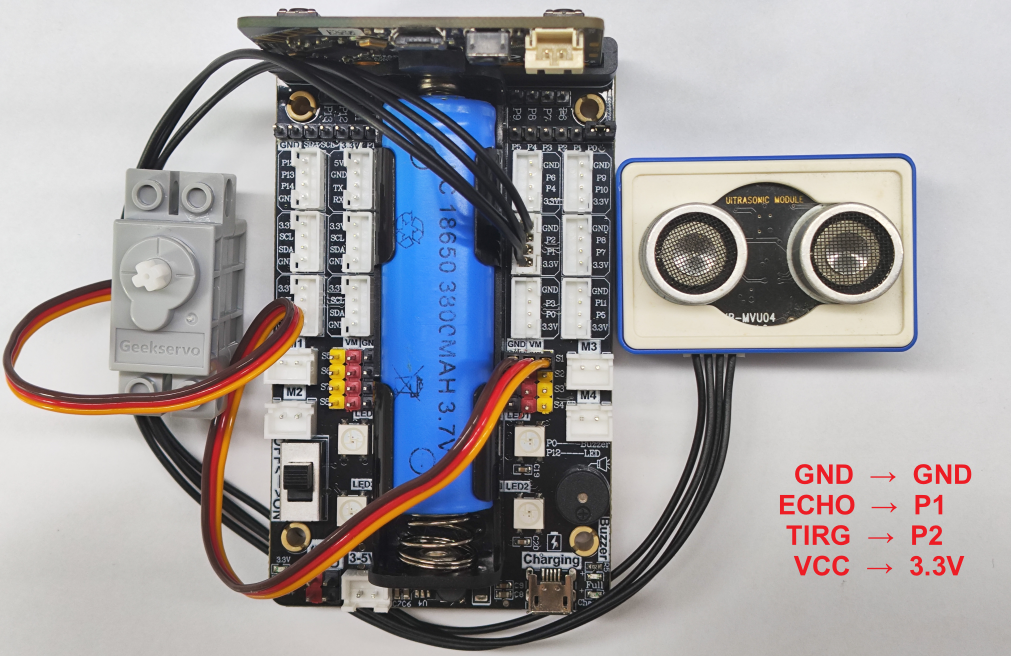
! Notes:
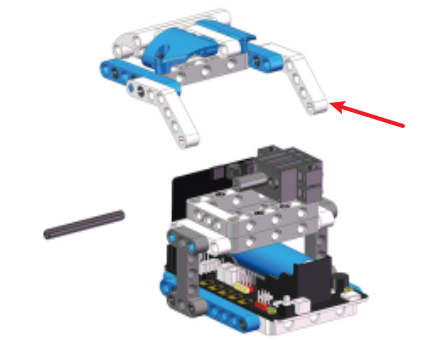
When taking the course related to the building block servo for the first time, we need to remove the white building blocks installed on the servo and upload the program of this course to the micro:bit; then turn on the power switch of the Super:bit expansion board and wait for the building block servo to turn to the initial position; then, we can turn off the power, adjust the mask of the face-changing king to the closed state, as shown in the figure below, and then install the building blocks. (If you have used the program related to the face-changing king and the servo before, you can skip this step)
4. Code analysis
For the program of this course, please see the ChangingFace.py file.
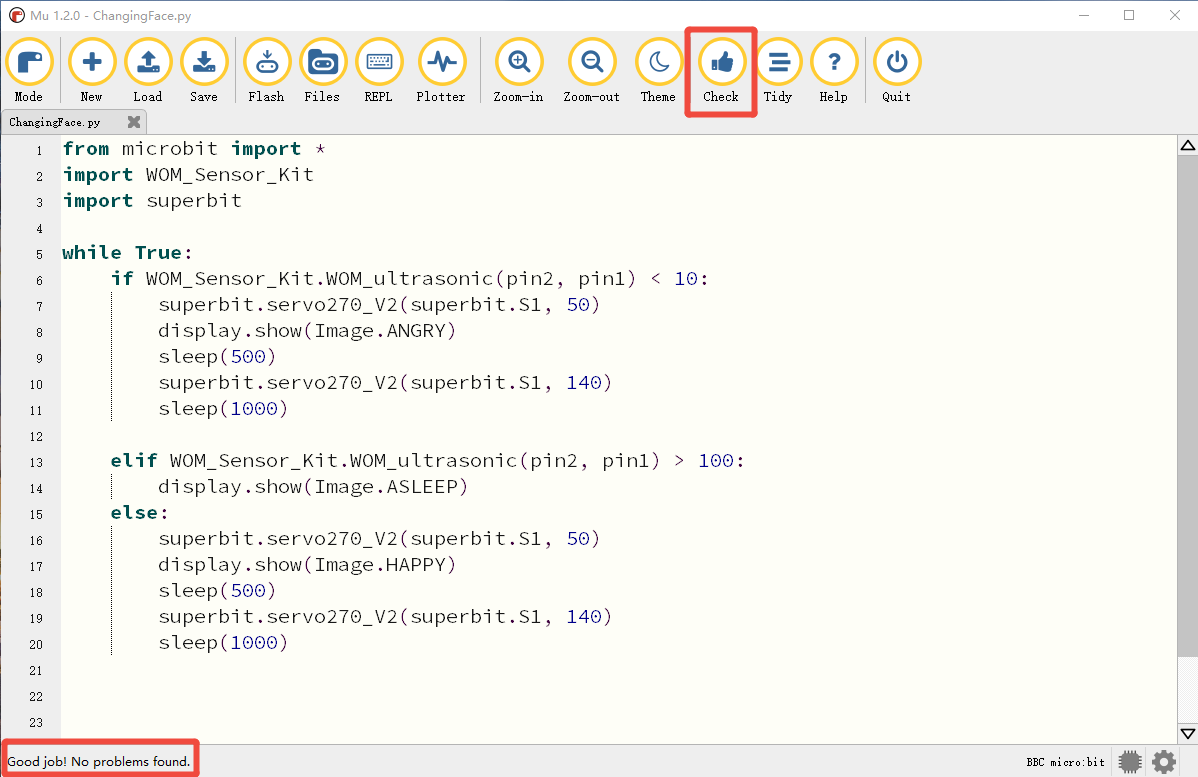
from microbit import *import WOM_Sensor_Kitimport superbitFirst, import the libraries needed for this lesson from microbit: the superbit library is used for the superbit expansion board; the WOM_Sensor_Kit library is used for the sensor
xxxxxxxxxxdisplay.show(Image.HAPPY)Display a smiley face pattern on the microbit dot matrix;
xwhile True:if WOM_Sensor_Kit.WOM_ultrasonic(pin2, pin1) < 10:superbit.servo270_V2(superbit.S1, 50)display.show(Image.ANGRY)sleep(500)superbit.servo270_V2(superbit.S1, 140)sleep(1000)elif WOM_Sensor_Kit.WOM_ultrasonic(pin2, pin1) > 100:display.show(Image.ASLEEP)else:superbit.servo270_V2(superbit.S1, 50)display.show(Image.HAPPY)sleep(500)superbit.servo270_V2(superbit.S1, 140)sleep(1000)The loop continuously measures the distance ahead. If the distance is less than 10 cm, the 270° servo on the S1 port rotates to 50 degrees and displays an angry expression. After 500ms, the 270° servo on the S1 port rotates to 140 degrees. If the distance is greater than 100 cm, the sleeping expression is displayed without action. Otherwise, a set of servo actions are executed by default and a smiling face is displayed.
5. Write and download the program
- Open the Mu software and enter the code in the editing window. Note! All English and symbols should be entered in English mode, use the Tab key for indentation, and the last line ends with a blank program.
- Click the thumb 'Check' button to check whether there are any errors in our code. If a cursor or underline appears in a line, it means a syntax error. Please check and modify it. If there is no error, the lower left corner will prompt that there is no problem with the detection.
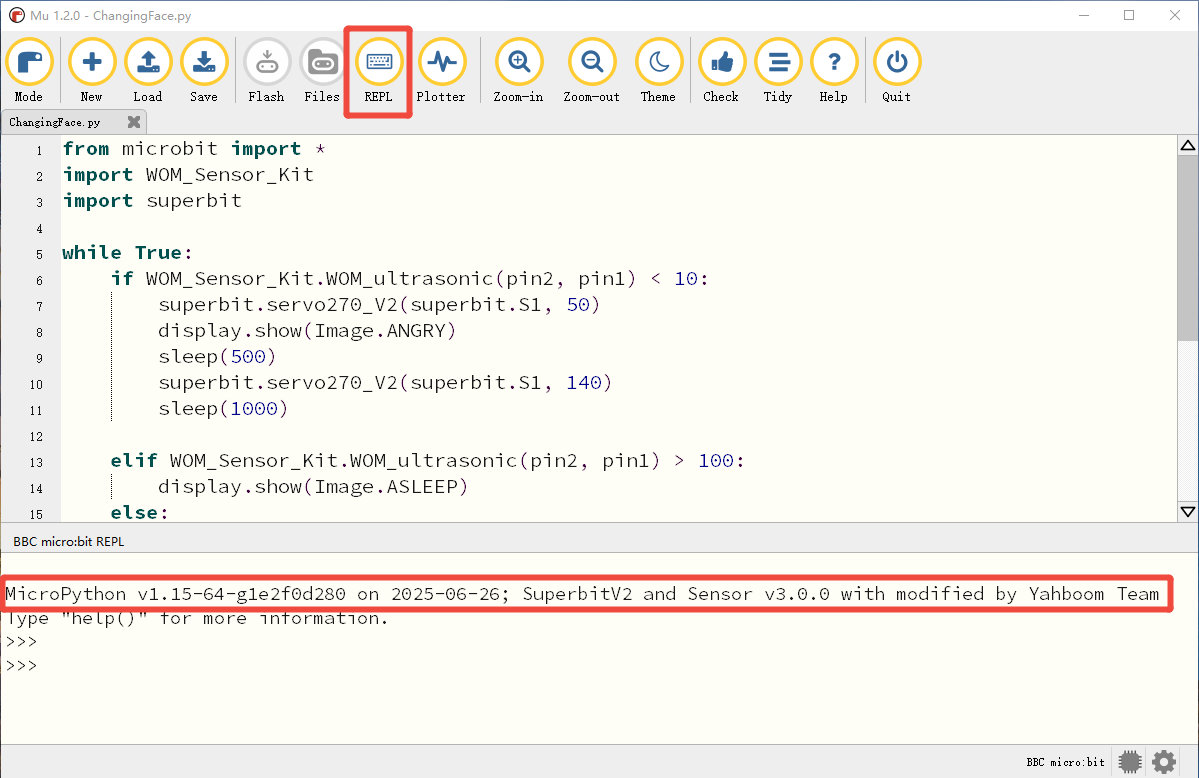
- Click the 'REPL' button to check whether the Superbit library has been downloaded. If not, please refer to [Preparation before class] --> [2.4 Python Programming Guide].
- After the program is written, connect the computer and microbit mainboard with a microUSB data cable, please click the 'Flash' button to download the program to the micro:bit mainboard. (You need to click the 'REPL' button again to turn off the import library file function before you can download the program normally).
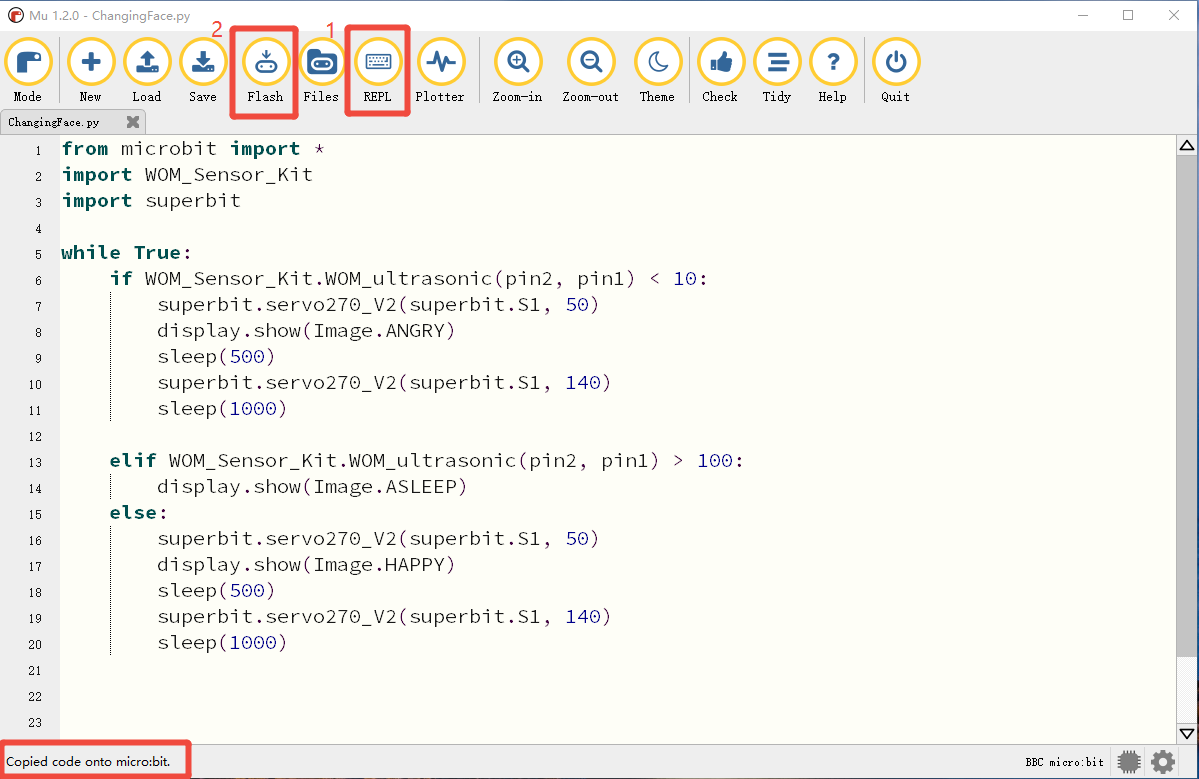
- If the download fails, please confirm whether the microbit is connected to the computer normally via the microUSB data cable and the Superbit Python library has been imported.
6. Experimental phenomenon
After the program runs successfully, turn on the power switch, the screen displays the heart icon, and initializes the servo to 0°, and executes the following program in an infinite loop:
① When the ultrasonic module recognizes that the distance is less than 10cm, the servo will be initialized to 50° (the face-changing mask is closed), and the dot matrix displays the "angry" icon. After 500 milliseconds, the servo will turn to 140° (the face-changing mask is turned on);
② When the ultrasonic module recognizes that the distance is greater than 100cm, the servo will be initialized to 50° (the face-changing mask is closed), and the dot matrix displays the "sleeping" icon. After 500 milliseconds, the servo will turn to 140° (the face-changing mask is turned on);
③ Otherwise, the "happy" icon is displayed.