Welcome to Building:bit Superkit repository
3.5 Swimming robot
Swimming robot
Swimming robot1. Learning Objectives2. Building Blocks3. Sensor Wiring4. Programming4.1 Adding extension packs4.2 Building blocks used4.3 Combining blocks5. Experimental phenomenon
1. Learning Objectives
In this course, we mainly learn how to use MakeCode graphical programming to achieve Water Monster Aerial Object Avoidance.
2. Building Blocks
For the building block steps, please refer to the installation drawings or building block installation brochures of [Assembly Course]--[Swimming robot avoid objects] in the materials.
3. Sensor Wiring
The left motor wiring of the car is inserted into the M1 interface of the Super:bit expansion board, and the black wire is close to the battery side;
The right motor wiring of the car is inserted into the M3 interface of the Super:bit expansion board, and the black wire is close to the battery side;
The infrared module is connected to the P1P2 interface.

4. Programming
Method 1 Online Programming:
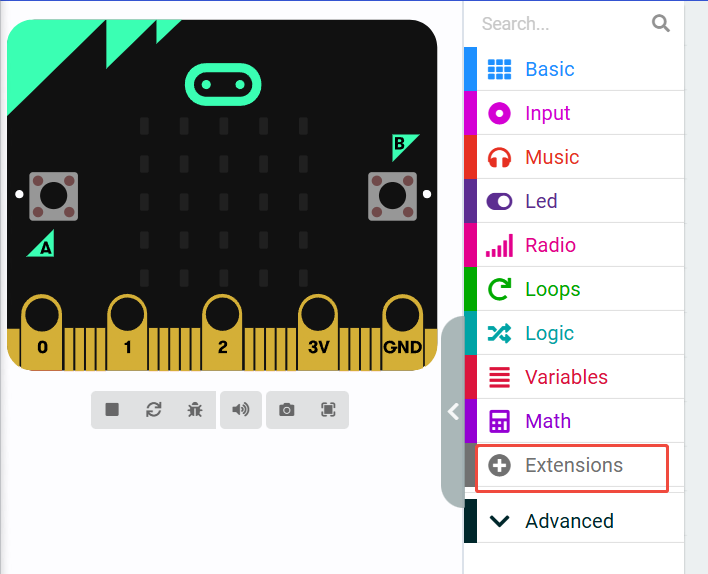
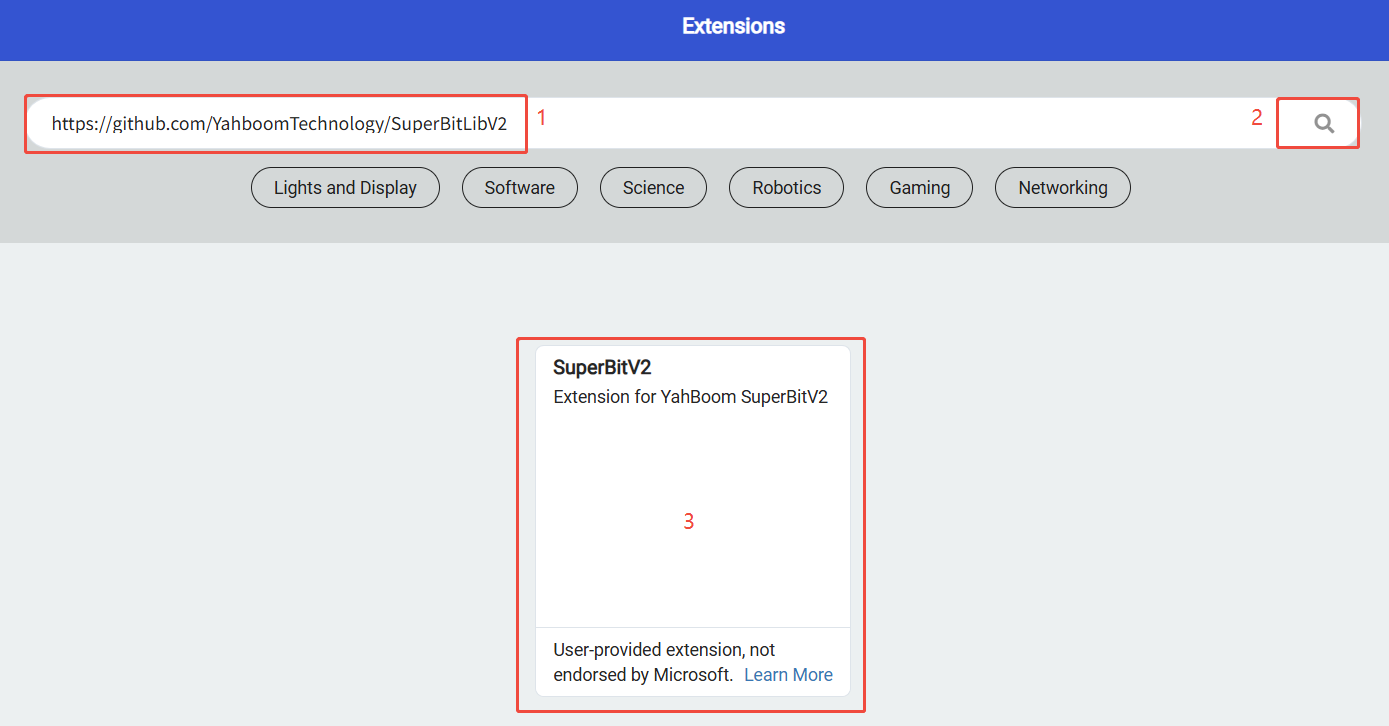
First, connect micro:bit to the computer via a USB data cable. The computer will pop up a U disk. Click the URL in the U disk: https://makecode.microbit.org/ to enter the programming interface. Then, add the Yahboom software package https://github.com/YahboomTechnology/SuperBitLibV2 to start programming.
Method 2 Offline Programming:
Open the offline programming software MakeCode and enter the programming interface. Click [New] and add the Yahboom software package https://github.com/YahboomTechnology/SuperBitLibV2 to start programming.
4.1 Adding extension packs
4.2 Building blocks used
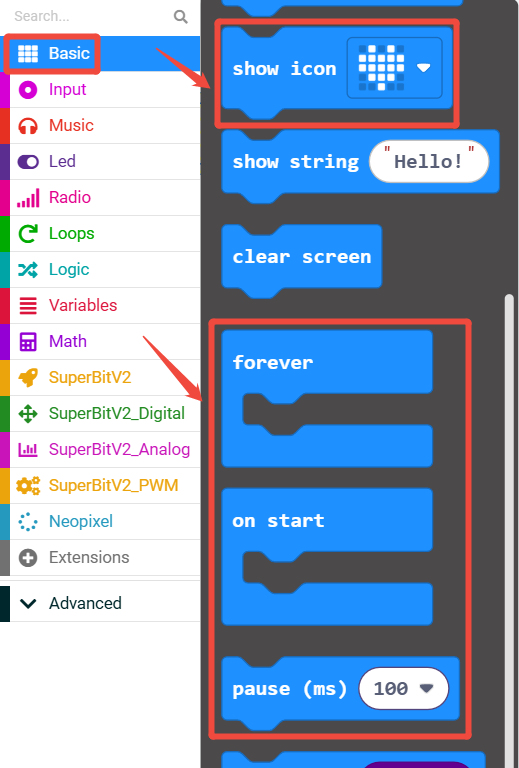
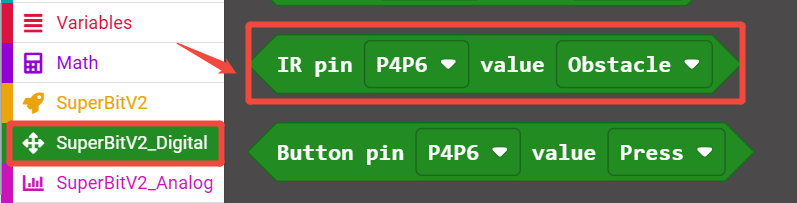
The locations of the building blocks required for this programming are shown in the figure below.
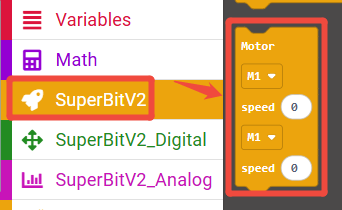
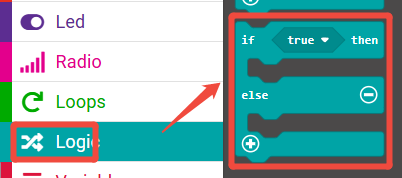
4.3 Combining blocks
The summary program is shown in the figure below.
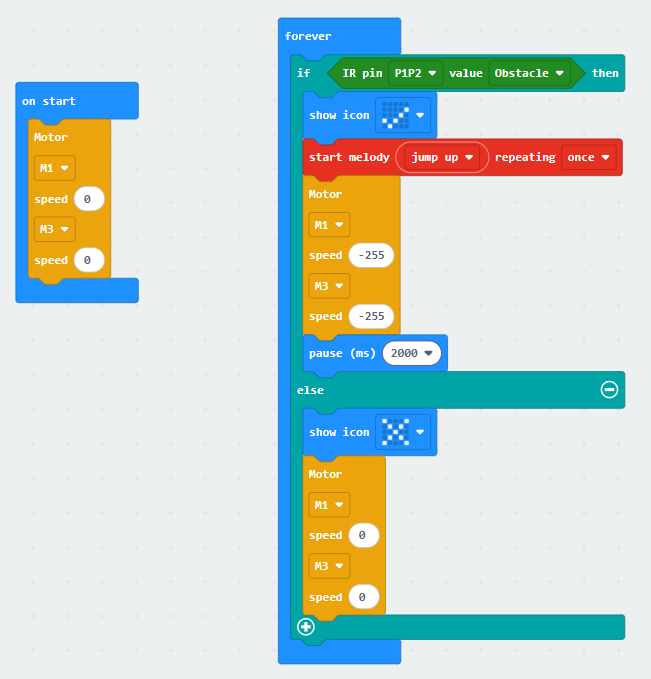
You can also directly open the Swimming-robot.hex file provided in this experiment and drag it into the browser that opens the URL, and the program diagram of this project source code will be automatically opened.
5. Experimental phenomenon
After the program runs successfully, the microbit dot matrix displays ×. When the infrared module of the water monster detects an object above, the dot matrix displays √, the water monster issues a jump up alarm and paddles forward for 2 seconds, otherwise the water monster is in a motionless state and the microbit dot matrix displays ×.