Welcome to MicroROS-Pi5 repository
当製品の日本語版マニュアル資料は、こちらからご取得ください。
3. Connect to MicroROS agent
Connect to microROS agent
After configuring the parameters of the MicroROS control board, the following is the connection of the agent. The connection to the agent is for the microros extended version to communicate with other ros in the same LAN.
1. Start the agent
After successfully opening the Raspberry Pi 5, you can enter in the terminal:
sh ~/start_agent_rpi5.sh
2. Connection agent
Turn on the power switch of the car and automatically connect to the agent. The connection is successful as shown in the figure below.
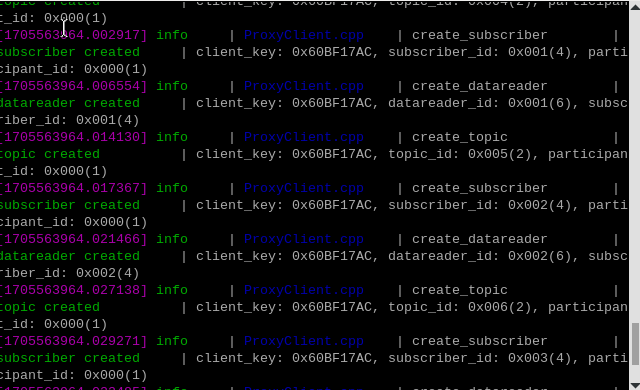
Note: If the connection is not successful, please check the configuration parameters of the robot to see if the device /dev/ttyUSB0 can be recognized normally.
3. Enter the car docker
Open another terminal and enter the following command to enter docker:
xxxxxxxxxx./ros2_humble.sh
When the following interface appears, you have successfully entered docker. You can now control the car through commands.

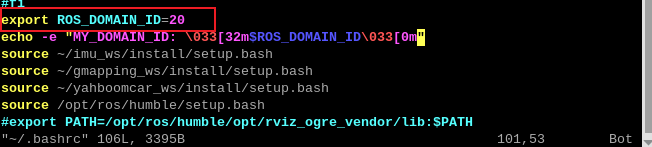
It should be noted that this ID needs to be consistent with the ID configured in the MicroROS control board parameters in the previous section, so that synchronous communication can be performed to control the car. Enter the following command to test whether communication is successful.
xxxxxxxxxxros2 node list

If the question change/YB_Car_Node does not appear, you need to check whether the IDs are the same.
If they are inconsistent, you can enter the command in the docker terminal.
xxxxxxxxxxvi ~/.bashrc
Change it to the corresponding ID.