Welcome to MicroROS-Pi5 repository
当製品の日本語版マニュアル資料は、こちらからご取得ください。
1. Lidar avoid
Lidar avoid
Note: The ROS_DOMAIN_ID of the Raspberry Pi and the microROS control board need to be consistent. You can check [MicroROS Control Board Parameter Configuration] to set the microROS control board ROS_DOMAIN_ID. Check the tutorial [Connect MicroROS Agent] to determine whether the IDs are consistent.
1、Program function description
After the car is connected to the agent, it will publish sensor data such as radar and imu. You can run commands in the supporting virtual machine/Raspberry Pi 5 to query this information. You can also publish control data of sensors such as speed and buzzer.
2、Query car information
2.1、Start and connect to the agent
After the Raspberry Pi is successfully powered on, open the terminal and enter the following command to open the agent.
sh ~/start_agent_rpi5.sh

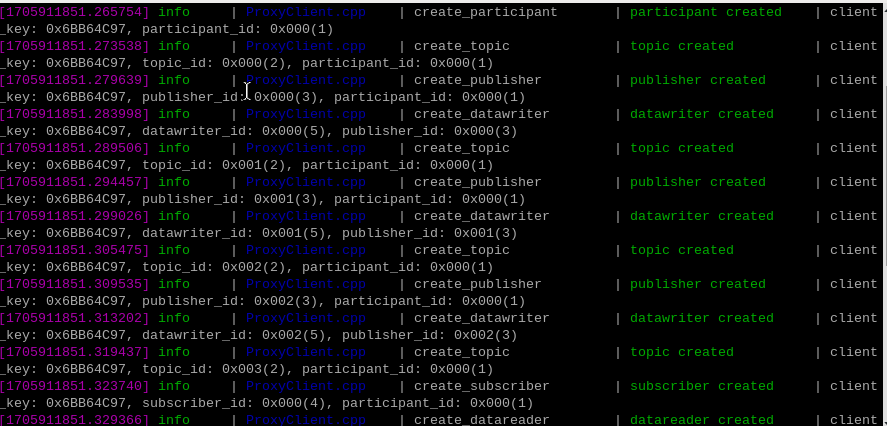
Press the reset button on the microROS control board and wait for the car to connect to the agent. The connection is successful as shown in the figure below.
2.2、Enter the car docker
Open another terminal and enter the following command to enter docker.
xxxxxxxxxxsh ros2_humble.sh
When the following interface appears, you have successfully entered docker. Now you can control the car through commands.

Enter the following command in the terminal to query the agent node.
xxxxxxxxxxros2 node list

3、starting program
Enter the following command in the terminal to start.
xxxxxxxxxxros2 run yahboomcar_laser laser_Avoidance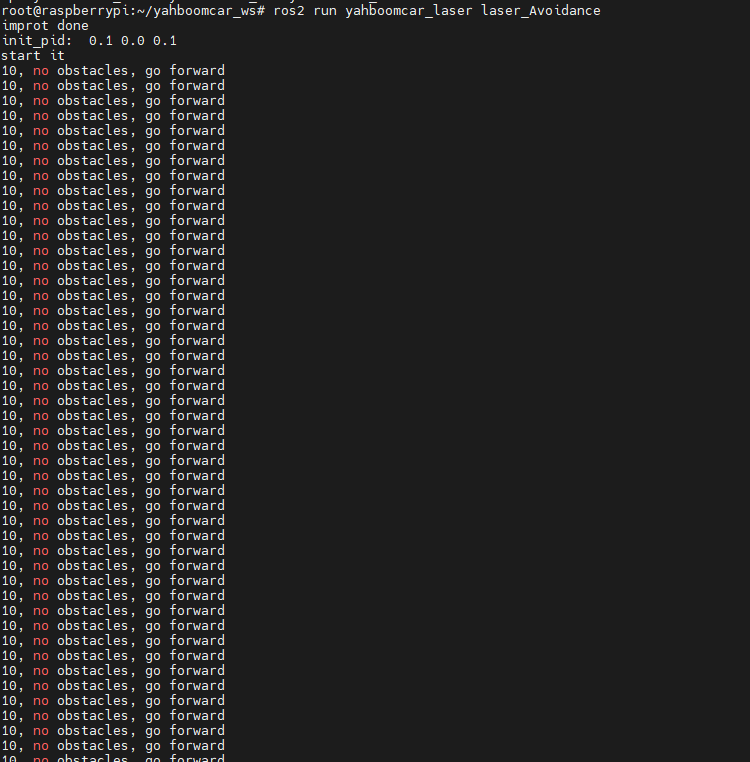
As shown in the picture above, if the radar on the car does not detect an obstacle, it will move forward. You can set some parameters through the dynamic parameter adjuster and enter the following commands on the terminal.
xxxxxxxxxxros2 run rqt_reconfigure rqt_reconfigure
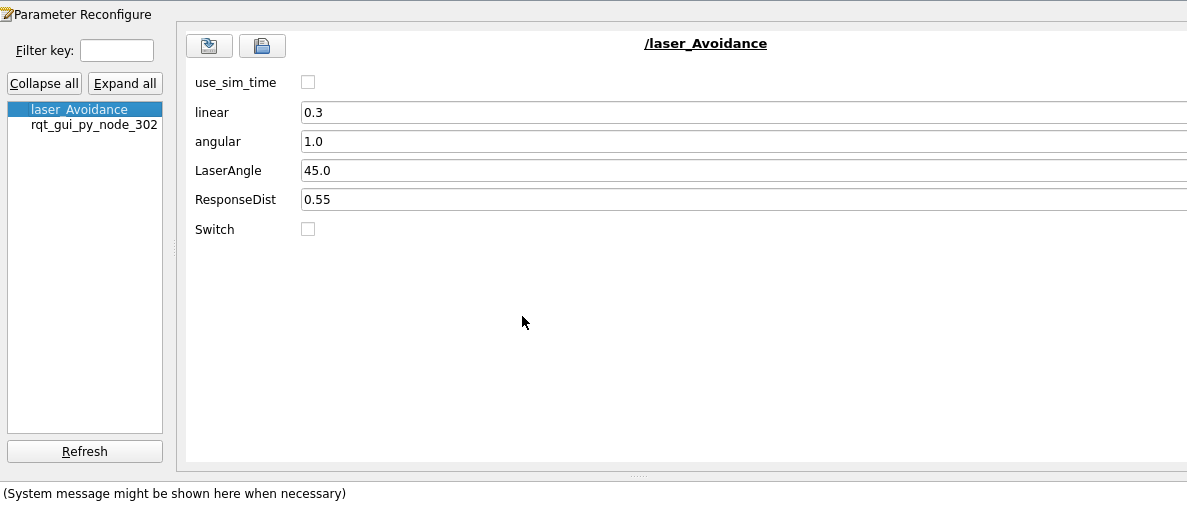
Note: There may not be the above nodes when you first open it. You can see all nodes after clicking Refresh. The displayed laser_Avoidance is the node of radar obstacle avoidance.
The above parameters are explained as follows.
linera:Linear speed
angular:The magnitude of the angular velocity
LaserAngle:Radar detection angle
ResponseDist:The detection distance of obstacle detection. When the detected object is within this range, it is considered an obstacle.
Switch:Turn on the function switch
After modifying the above parameters, you need to click on the blank space to transfer the parameters into the program.
4、Code analysis
Source code reference path:
xxxxxxxxxx/root/yahboomcar_ws/src/yahboomcar_laser/yahboomcar_laserlaser_Avoidance,The core code is as follows,
x
#Create a radar subscriber to subscribe to radar data and remote control data and a speed publisher to publish speed dataself.sub_laser = self.create_subscription(LaserScan,"/scan",self.registerScan,1)self.sub_JoyState = self.create_subscription(Bool,'/JoyState', self.JoyStateCallback,1)self.pub_vel = self.create_publisher(Twist,'/cmd_vel',1)#Radar callback function: processes subscribed radar dataranges = np.array(scan_data.ranges)for i in range(len(ranges)): angle = (scan_data.angle_min + scan_data.angle_increment * i) * RAD2DEG#Determine whether there are obstacles in front, left or right according to the set radar detection angle and obstacle detection distance.if angle > 180: angle = angle - 360if 20 < angle < self.LaserAngle: if ranges[i] < self.ResponseDist*1.5: self.Left_warning += 1if -self.LaserAngle < angle < -20: if ranges[i] < self.ResponseDist*1.5: self.Right_warning += 1if abs(angle) <= 20: if ranges[i] <= self.ResponseDist*1.5: self.front_warning += 1#According to the detected obstacles, the speed of the car is released so that the car can avoid the obstacles.if self.front_warning > 10 and self.Left_warning > 10 and self.Right_warning > 10: print ('1, there are obstacles in the left and right, turn right') twist.linear.x = self.linear twist.angular.z = -self.angular self.pub_vel.publish(twist) sleep(0.2) elif self.front_warning > 10 and self.Left_warning <= 10 and self.Right_warning > 10: print ('2, there is an obstacle in the middle right, turn left') twist.linear.x = self.linear twist.angular.z = self.angular self.pub_vel.publish(twist) sleep(0.2).....