Welcome to MicroROS-Pi5 repository
当製品の日本語版マニュアル資料は、こちらからご取得ください。
2. Close the self-starting handle control process
Close the self-starting handle control process
Note: The ROS_DOMAIN_ID of the Raspberry Pi and the microROS control board need to be consistent. You can check [MicroROS Control Board Parameter Configuration] to set the microROS control board ROS_DOMAIN_ID. Check the tutorial [Connect MicroROS Agent] to determine whether the IDs are consistent.
1. Program function description
The car connects to the agent, connects the handle's receiver to the Raspberry Pi 5 port, and enters docker. It provides methods for temporarily closing docker and permanently closing it.
2. Start and connect to the agent
After successfully starting the Raspberry Pi, enter the following command to start the agent,
sh ~/start_agent_rpi5.sh
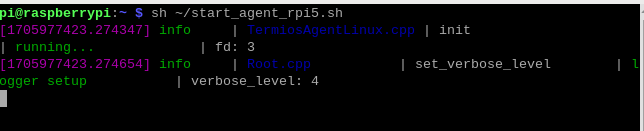
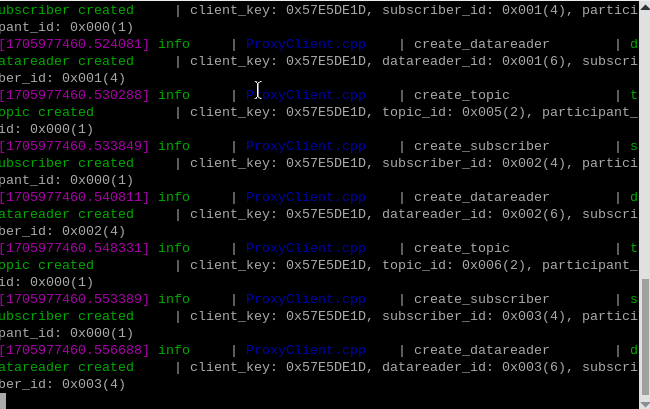
Then, turn on the car switch and wait for the car to connect to the agent. The connection is successful, as shown in the figure below.
3. Enter the car docker
Open another terminal and enter the following command to enter docker:
xxxxxxxxxxsh ros2_humble.sh
When the following interface appears, you have successfully entered docker. Now you can control the car through commands.

Enter the following command in the terminal to check whether the controller is mounted normally.
xxxxxxxxxxls /dev/input*
When this interface appears, it means it was successfully mounted.

4. Start the handle control program
4.1、Temporarily turn off the controller auto-start function
Because the handle control function has been automatically activated at boot, if we need to manually enable handle control, we need to turn off the auto-start process at boot. This is also a way to temporarily turn off the self-starting handle control.
Terminal input command:
xxxxxxxxxxps -A
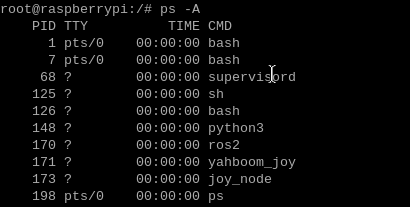
You can see that the processes of the handle control node and the handle node are 171 and 173. Turn off these two processes to manually start the handle control.
xxxxxxxxxxkill -9 171kill -9 173
This will turn off the handle function.
4.2. Permanently turn off the auto-start function of the handle
Permanently close the script file that needs to be modified into docker
Open a Raspberry Pi terminal and enter,
xxxxxxxxxxvi ros2_humble.sh
This interface appears
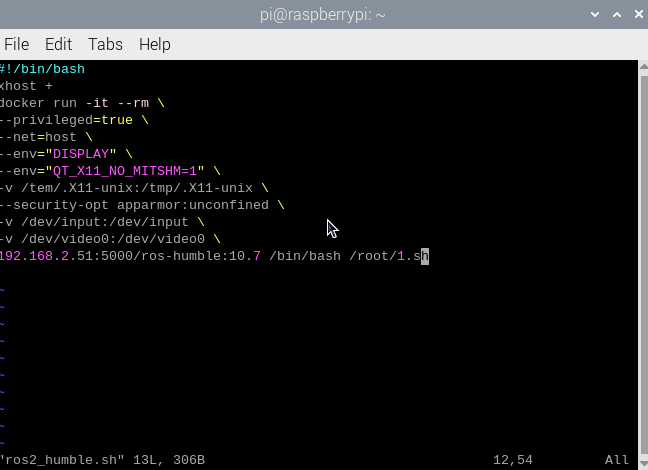
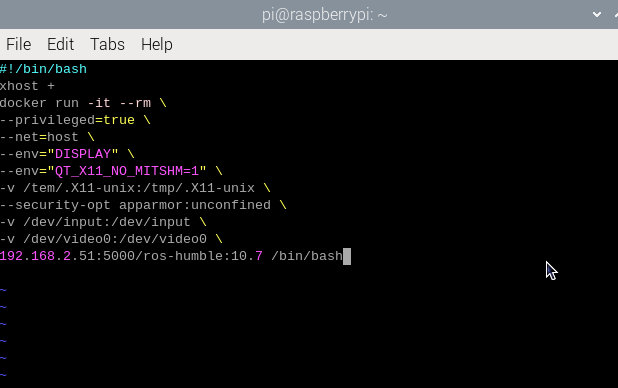
To turn off the self-starting handle at boot, you only need to delete the /root/1.sh command. If you want to restore the self-starting handle after turning it off, just add it.
The script file in the picture below will not automatically start the controller control when the computer is turned on.