Welcome to RDK X5 Board repository
3.AR vision
3.AR vision
3.1 Overview
Augmented Reality (AR), abbreviated as "AR", is a technology that cleverly integrates virtual information with the real world. It widely uses various technological means such as multimedia, 3D modeling, real-time tracking and registration, intelligent interaction, and sensing. After simulating computer-generated virtual information such as text, images, 3D models, music, videos, etc., it is applied to the real world. The two types of information complement each other, thus achieving "enhancement" of the real world.
The AR system has three prominent features:
Integration of information between the real world and the virtual world;
Real time interactivity;
Add positioning virtual objects in three-dimensional scale space.
Augmented reality technology includes new technologies and methods such as multimedia, 3D modeling, real-time video display and control, multi-sensor fusion, real-time tracking and registration, scene fusion, etc.
There are a total of 12 AR effects in this case, which are:,
["Triangle", "Rectangle", "Parallelogram","WindMill","TableTennisTable","Ball","Arrow", "Knife", "Desk","Bench", "Stickman", "ParallelBars"]3.2、Start command
Code path:
xxxxxxxxxx~/orbbec_ws/src/yahboomcar_visual/yahboomcar_visual/simple_AR.pyInput following command:
xxxxxxxxxxros2 launch astra_camera gemini.launch.xmlros2 run yahboomcar_visual simple_AR
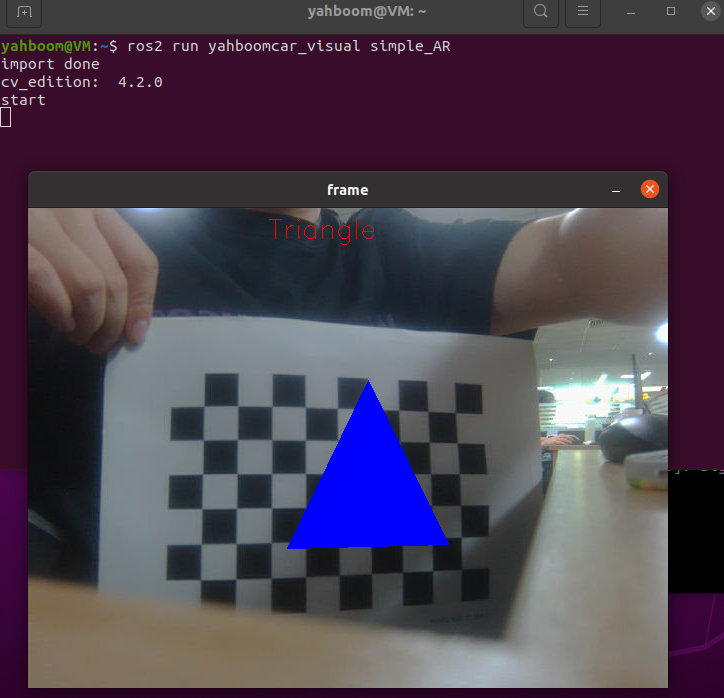
【f】 Switch between different effects.
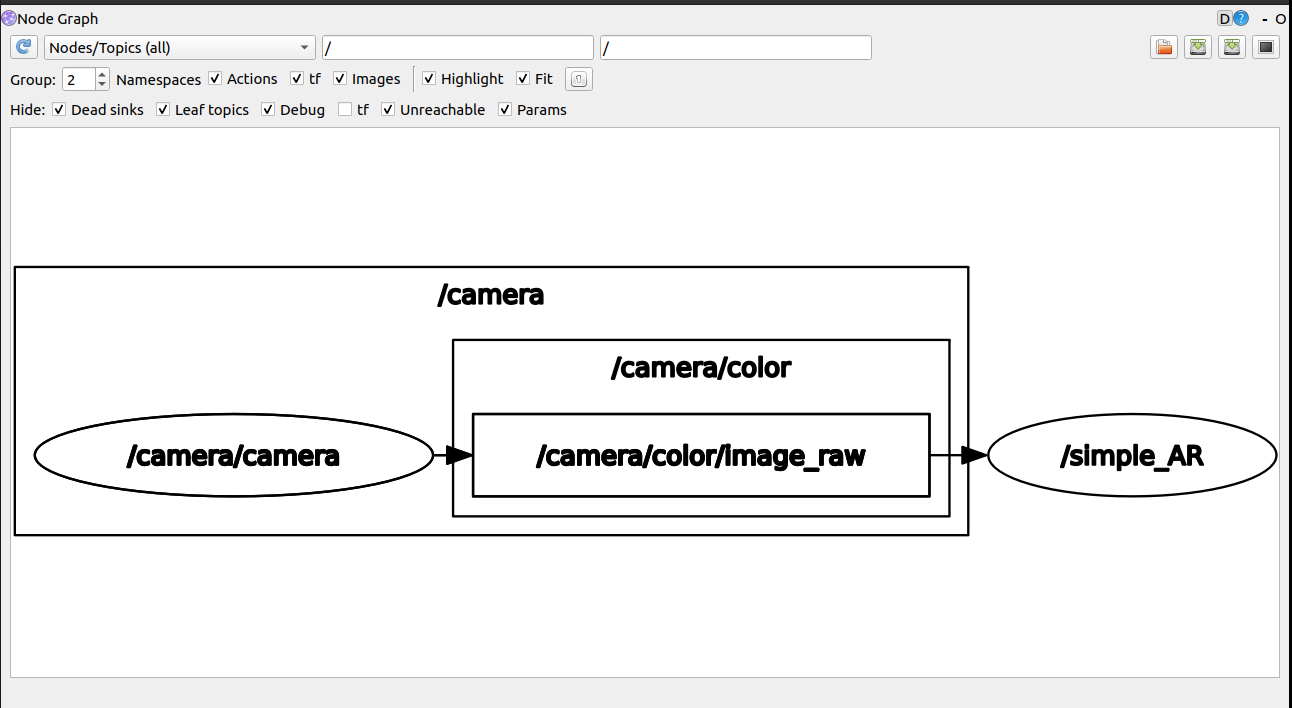
View communication between topics, terminal input,
xxxxxxxxxxros2 run rqt_graph rqt_graph
View the list of topic data.
Input following command in the terminal.
xxxxxxxxxxros2 topic list
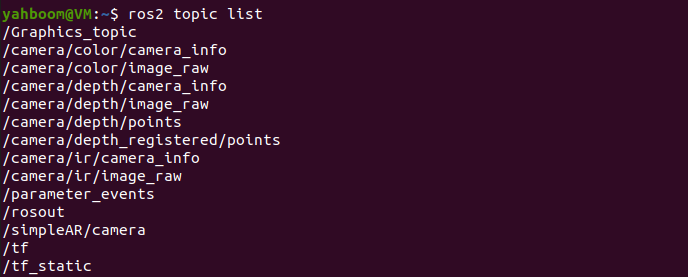
/Graphics_topic: The topic name of the effect, the effect that the subscription needs to recognize.
/sampleAR/camera: The topic name for the image, publish the image.
To modify the effect, you can use the following commands, such as changing it to Desk, terminal input, etc.
xxxxxxxxxxros2 topic pub /Graphics_topic std_msgs/msg/String "data: Desk"
To view the published image, you can use rqt_image_view.
Input following command in the terminal.
xxxxxxxxxxros2 run rqt_image_view rqt_image_view
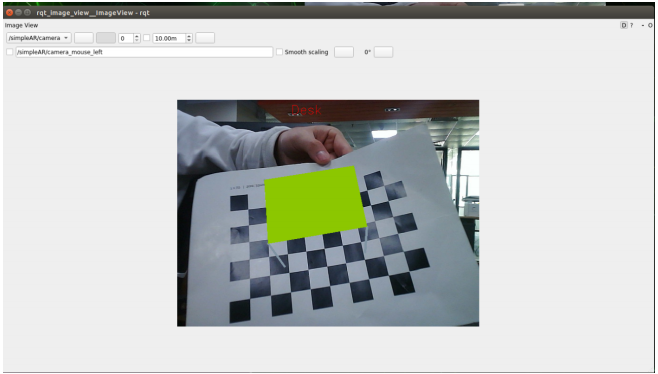
To view the image, select the topic/sampleAR/camera in the upper left corner.