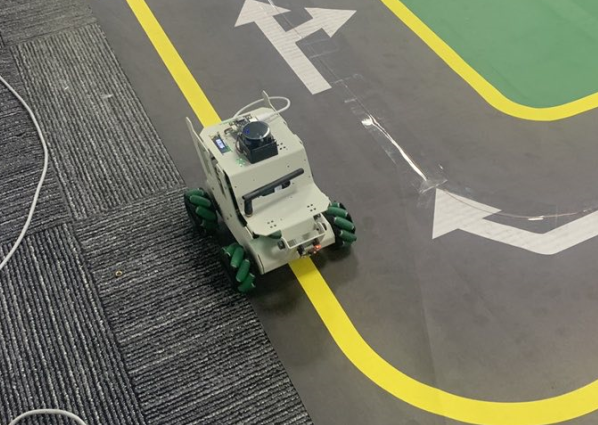
Welcome to RDK X5 Robot repository
9. Visual line patrol-OpenCV
Visual Line Patrol-OpenCV
Visual Line Patrol-OpenCV1. Program Function Description3. Program Reference Path4. Program Startup4.1. Modify HSV Value4.2, Start line patrol
1. Program Function Description
After the program is started, the car will read the set HSV value and automatically follow the path line of the corresponding color.
The [L1] key on the handle can lock/open the motion control of the car. When the motion control is turned on, the function will be locked; when the motion control is locked, the function can be turned on.
Note: This case needs to be run as root user, and administrator privileges are required to call the MIPI camera!
Switch to root user
xxxxxxxxxxsu root
Password: yahboom
3. Program Reference Path
After SSH connects to the car, the source code of this function is located at,
/home/sunrise/yahboomcar_ws/src/yahboomcar_linefollower/yahboomcar_linefollower/linefollower.py4. Program Startup
4.1. Modify HSV Value
After SSH connects to the car, the terminal runs,
xxxxxxxxxxsudo vim /home/sunrise/yahboomcar_ws/src/yahboomcar_linefollower/yahboomcar_linefollower/LineHSV.txtEnter the range of HSV values in the format:
xxxxxxxxxxH_min,S_min,V_min,H_max,S_max,V_maxFor example, enter the range of black lines:
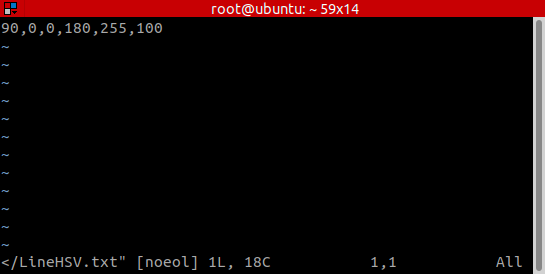
Save and exit.
4.2, Start line patrol
Appropriately adjust the angle of the MIPI camera so that it can recognize the path line and the background is not cluttered.
After SSH connects to the car, run the terminal,
xxxxxxxxxxros2 launch yahboomcar_linefollower linefollower_launch.pyYou can see that the car can follow the black path line.
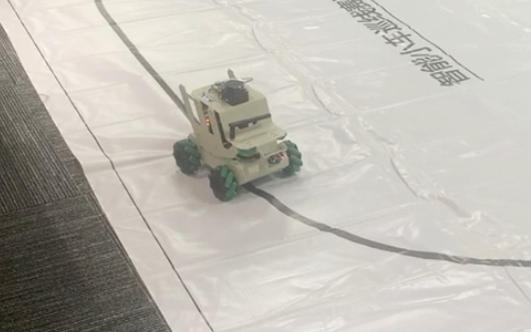
You can modify HSV to the yellow range:
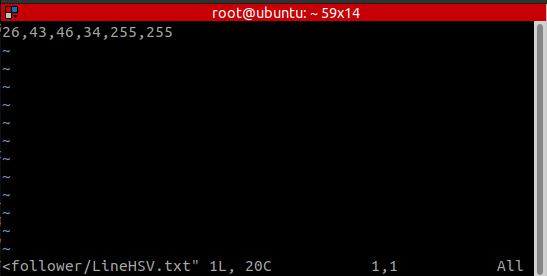
Then the car can follow the yellow path line.