Welcome to Jetson AGX Thor repository
01.Jetson board introduction
Jetson board introduction
Jetson board introduction1. Jetson AGX Thor Development Kit2. Jetson AGX Thor module parameters3. Motherboard Power Supply
1. Jetson AGX Thor Development Kit
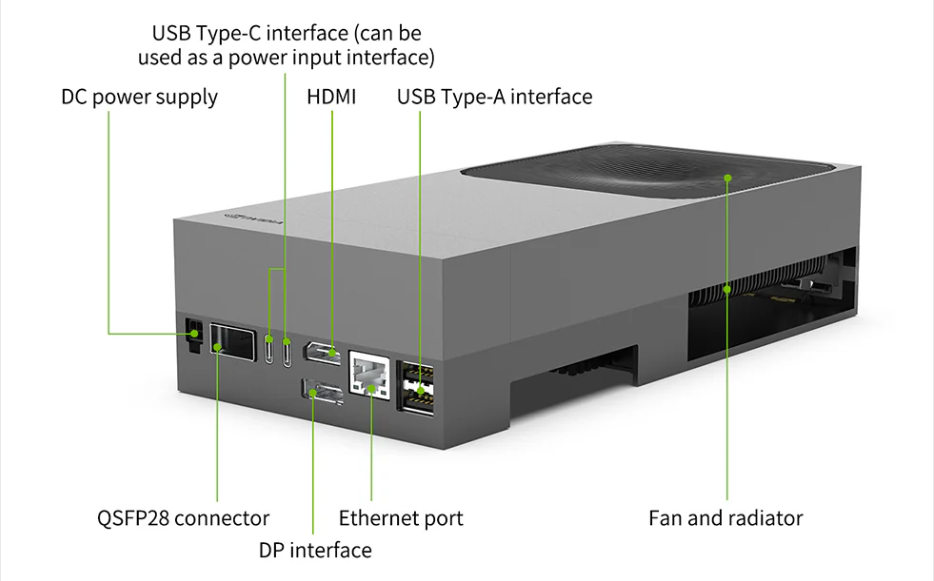
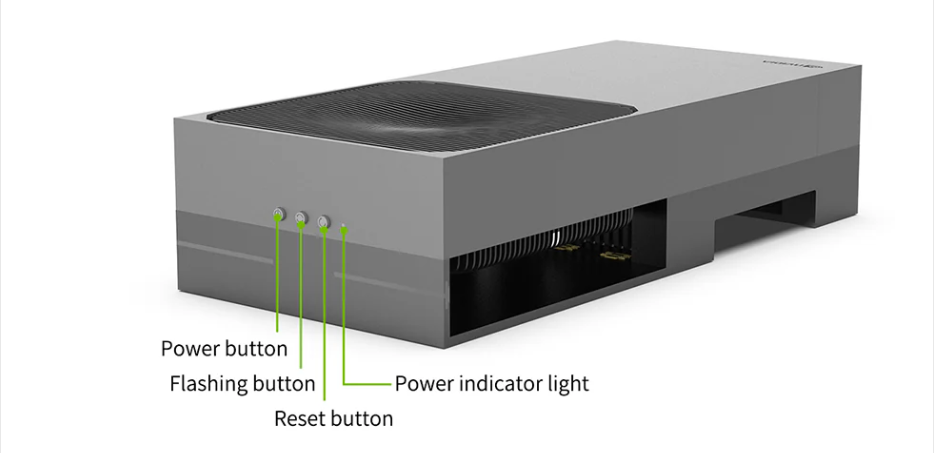
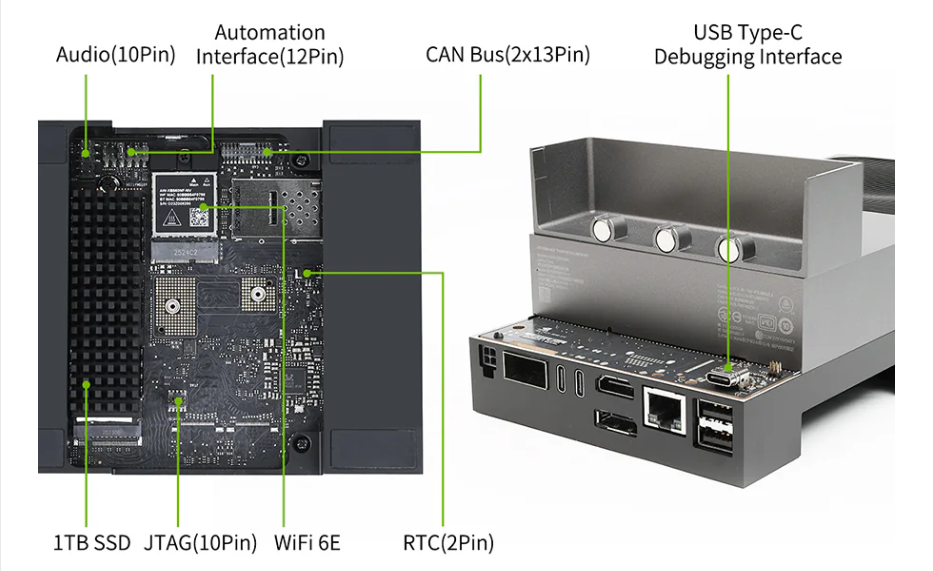
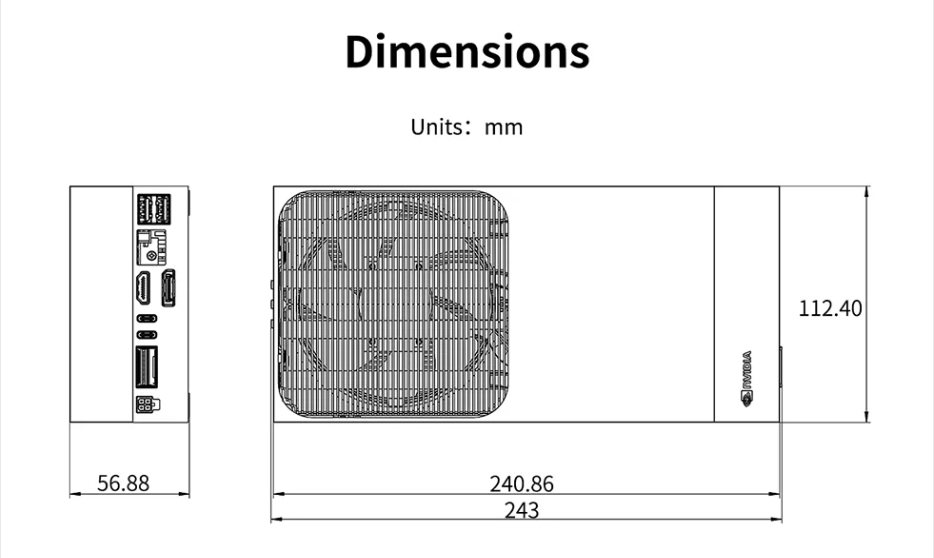
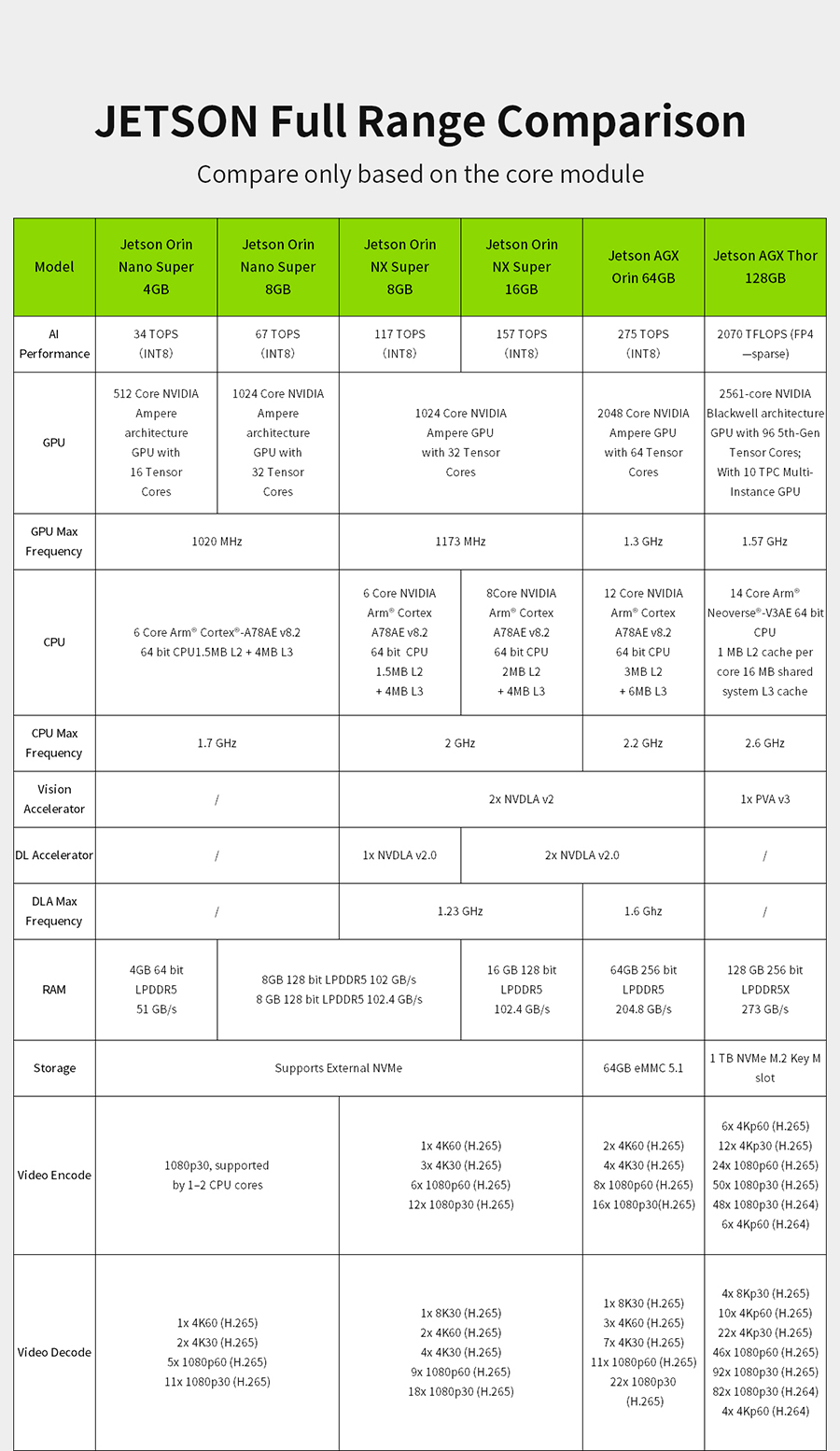
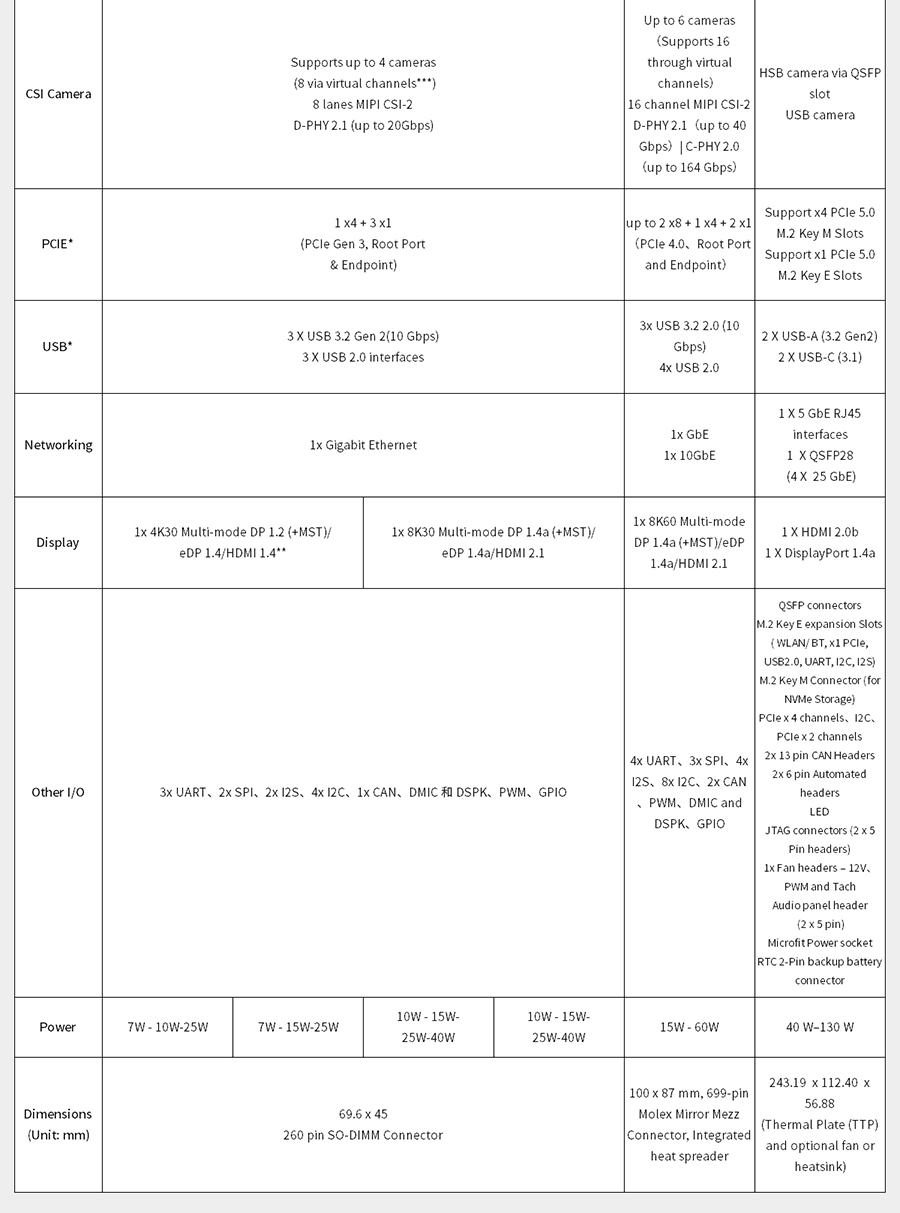
2. Jetson AGX Thor module parameters
3. Motherboard Power Supply
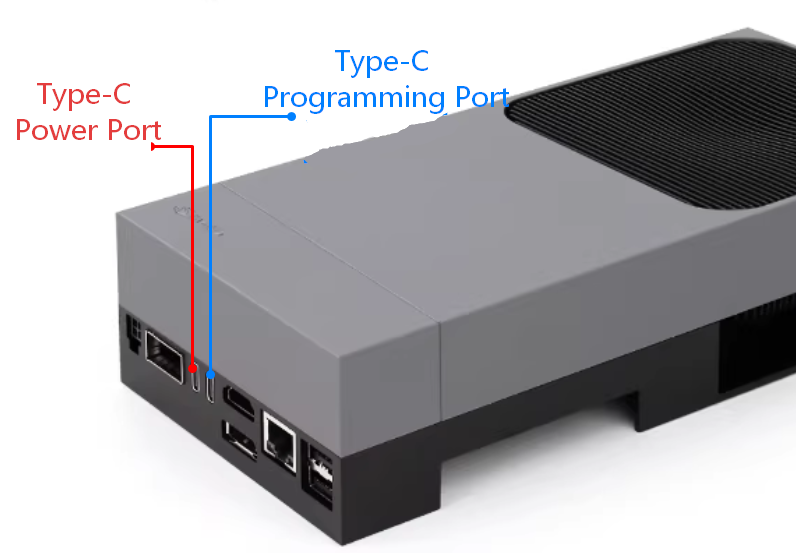
Jetson AGX The official Thor kit includes a Type-C power adapter (maximum 240W). Both Type-C ports on the motherboard can be used as power inputs, but only the one closer to the HDMI port (blue text) can be used for system flashing. Therefore, generally, the Type-C port closer to the QSFP28 port (red text) is used for power, and the Type-C port closer to the HDMI port (blue text) is used for flashing.
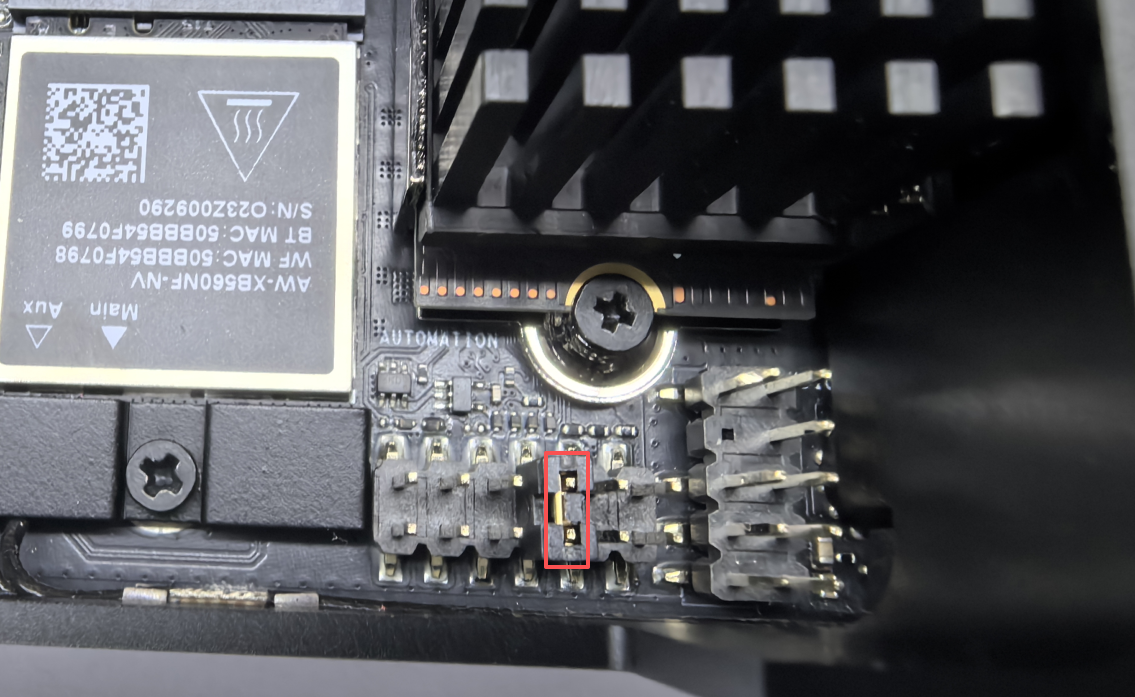
By default, the AUTOMATION header located at the bottom of the motherboard is configured as shown in the image below; with this configuration, the system will automatically power on and boot into the OS immediately upon being plugged in. If this jumper cap is removed, the system will not power on automatically when connected to power; instead, you will need to press the power button manually to turn it on.
The Jetson AGX Thor motherboard requires a connected display to properly render the system desktop. For first-time use, it is recommended to connect an external monitor, mouse, and keyboard.