Welcome to Jetson AGX Thor repository
03.Use JetCam
JetCam Usage
JetCam is an easy-to-use Python library developed by NVIDIA for the Jetson platform for integrating and operating USB cameras or CSI cameras. CSI cameras are currently unavailable.
1. JetCam Installation
The factory image already has the driver installed; please skip the installation steps.
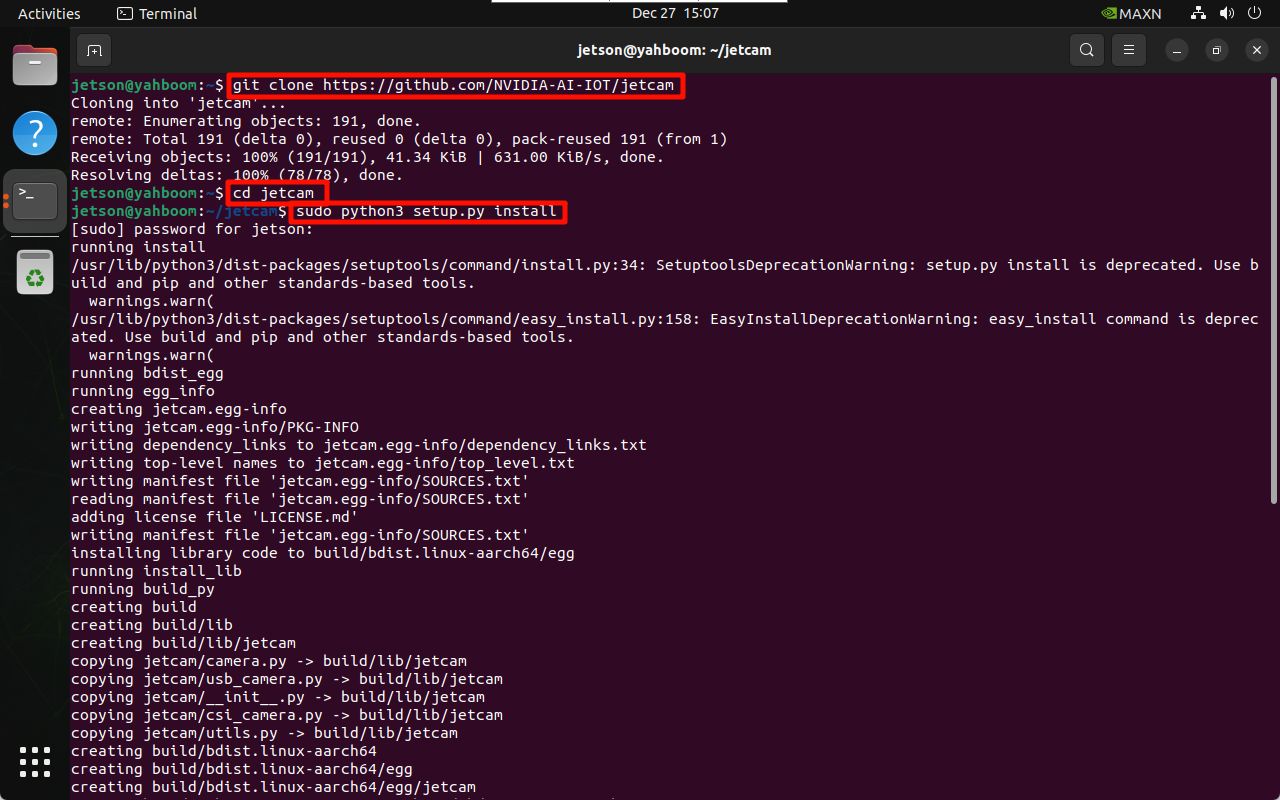
xxxxxxxxxxcd ~/git clone https://github.com/NVIDIA-AI-IOT/jetcam
xxxxxxxxxxcd jetcamsudo python3 setup.py install
2. JetCam Usage
JetCam provides typical sample programs to demonstrate how to use a USB camera.
xxxxxxxxxxThis example requires Jupyter Lab to run. Using our factory image system, you can directly access it via the motherboard IP:8888!
USB Camera
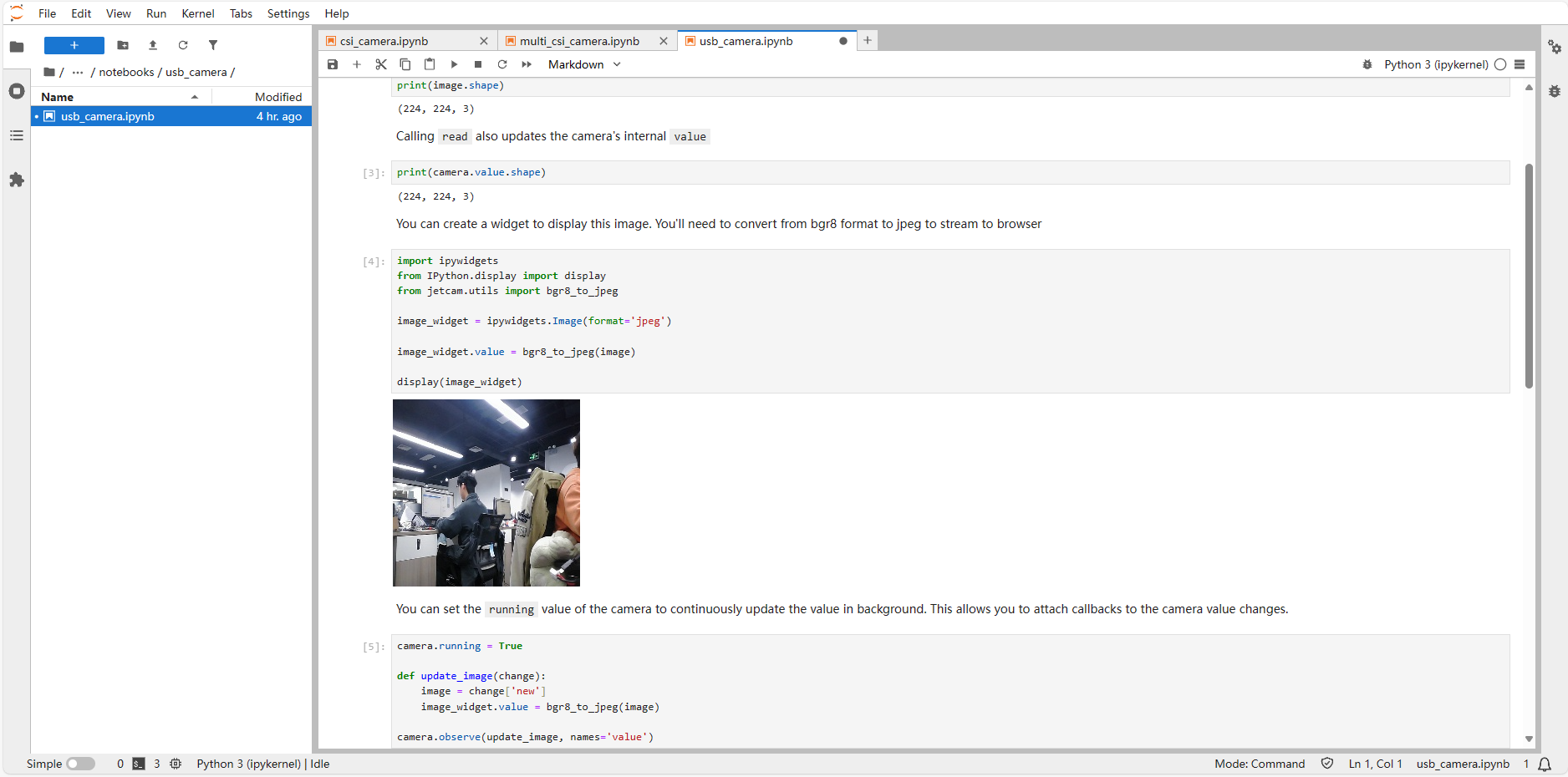
Open Jupyter Lab in your browser, navigate to the folder containing the USB camera, and open the file. The factory image system folder path is:
xxxxxxxxxxjetcam/notebooks/usb_camera
Note that when initializing the USBCamera, the capture_device parameter needs to be changed to the camera's device number. The default is usually 0.
xxxxxxxxxxcamera = USBCamera(width=224, height=224, capture_width=640, capture_height=480, capture_device=0)
Then, follow the prompts to run the command lines sequentially to see the results.