Welcome to Jetson AGX Thor repository
03.Homework tutor
Homework Tutor
Homework Tutor1. Feature Introduction2. Hardware Connections and Setup3. Code Analysis4. Running the Code5. Experimental Results
1. Feature Introduction
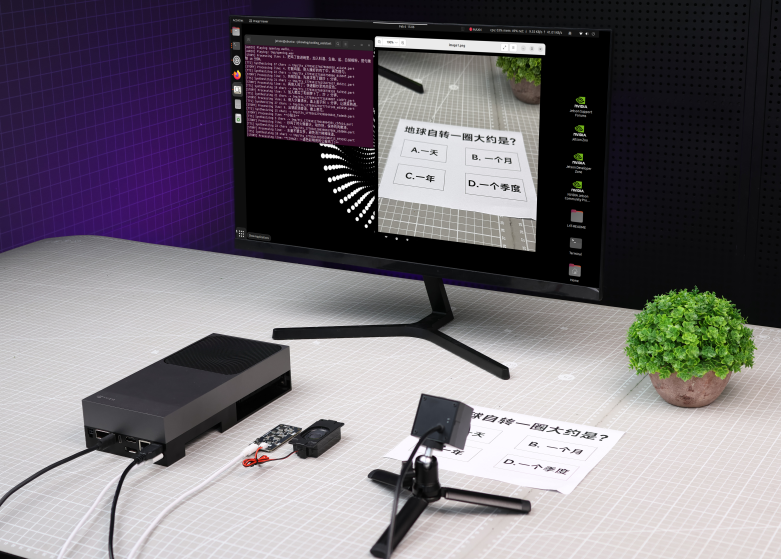
This example routine utilizes a camera to capture images of elementary or junior high school homework problems. An AI then generates a key-point analysis of the problem and a detailed step-by-step reasoning process, ultimately summarizing and outputting the correct answer.
2. Hardware Connections and Setup
This example routine requires not only connecting a power adapter but also connecting a USB camera. Additionally, you will need to connect a DP monitor, mouse, and keyboard to display the interface and perform operations, or alternatively, log in via remote desktop to control the system.
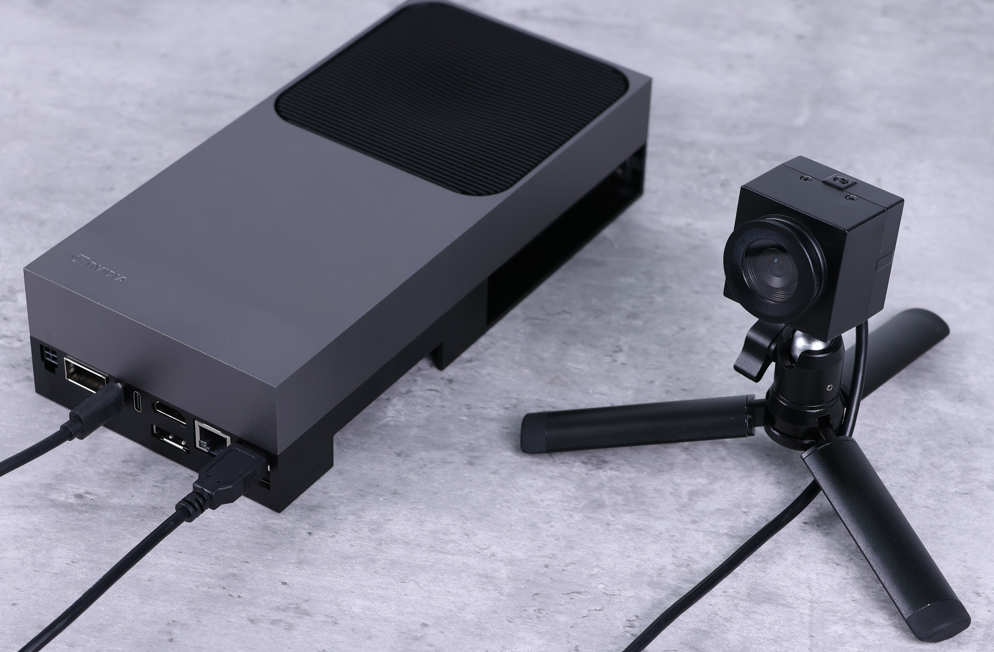
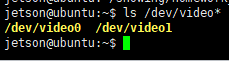
Open the system terminal and enter the following command to verify the camera device ID.
ls /dev/video*
3. Code Analysis
Source Code Path:
xxxxxxxxxx/home/jetson/showing/homework_tutor/homework_tutor.py
If you wish to use a different image, please place the image file in the same directory as the program script and modify the IMAGE_NAME variable accordingly.
xxxxxxxxxxIMAGE_NAME = "image.jpg"
If you wish to modify the prompt text, you can edit the PROMPT variable.
xxxxxxxxxxPROMPT = "Please provide the correct answer to the problem. First, analyze the key information within the problem; then, provide an accurate and detailed reasoning process; finally, summarize the solution."
If you wish to use a different model file, you can modify the MODEL_NAME variable. The selected model must support image understanding capabilities.
xxxxxxxxxxMODEL_NAME = "qwen3-vl"
If the problem is particularly complex and the computation times out, you can adjust the duration specified in the MODEL_TIMEOUT variable. The unit is seconds, and the default value is 120 seconds.
xxxxxxxxxxMODEL_TIMEOUT = 120
4. Running the Code
Since this program utilizes Ollama, please ensure that the Ollama service is running correctly beforehand. The factory-provided system image is pre-configured to automatically start the Ollama service upon boot.
Open the system terminal and enter the following command to launch the program.
xxxxxxxxxxcd showing/homework_tutor/python homework_tutor.py

5. Experimental Results
Upon launching the program, the camera feed automatically activates. Position the camera to frame the entire problem clearly, then press the Spacebar. The program will capture an image—saving it as image.jpg—and pass it to a large language model to initiate the inference process. The resulting output is then printed directly to the terminal. The output content includes a key-point analysis of the problem, a detailed step-by-step reasoning process, and the final correct answer.