Welcome to ROSMASTER R2 repository
11.Expand LLaVA
LLaVA
LLaVAModel sizePull LLaVAUse LLaVARun LLaVAHave a conversationEnd the conversationMemory optimizationReferences
Demo Environment
Development board: Jetson Orin series motherboard
SSD: 128G
Tutorial application scope: Whether the motherboard can run is related to the available memory of the system. The user's own environment and the programs running in the background may cause the model to fail to run
| Motherboard model | Ollama | Open WebUI |
|---|---|---|
| Jetson Orin NX 16GB | √ | √ |
| Jetson Orin NX 8GB | √ | √ |
| Jetson Orin Nano 8GB | √ | × |
| Jetson Orin Nano 4GB | × | × |
LLaVA (Large-scale Language and Vision Assistant) is a multimodal model designed to achieve general vision and language understanding by combining visual encoders and large-scale language models.
Model size
| Model | Parameters |
|---|---|
| LLaVA | 7B |
| LLaVA | 13B |
| LLaVA | 34B |
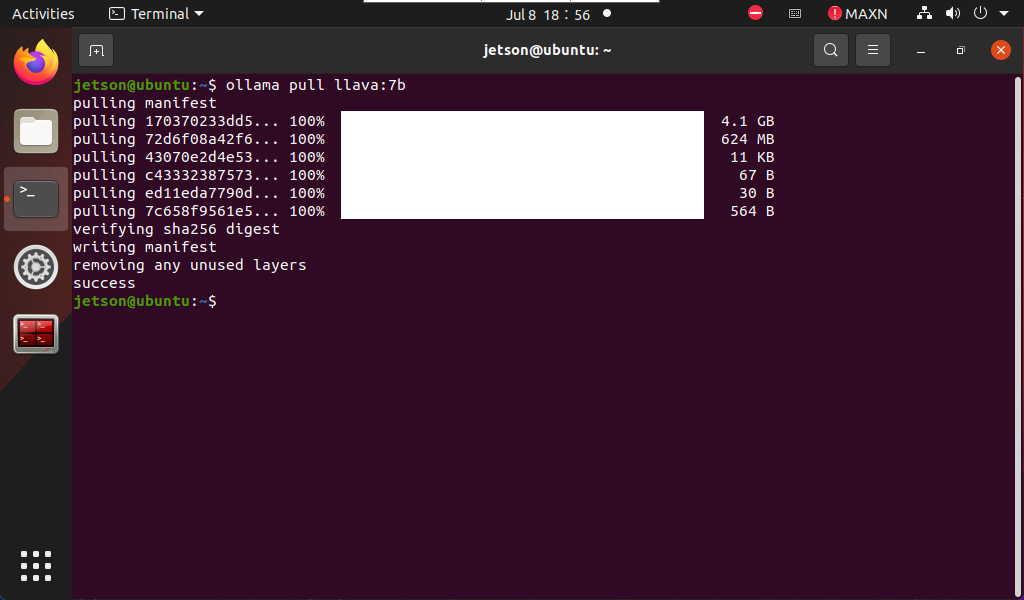
Pull LLaVA
Using the pull command will automatically pull the model of the Ollama model library:
xxxxxxxxxxollama pull llava:7b
Use LLaVA
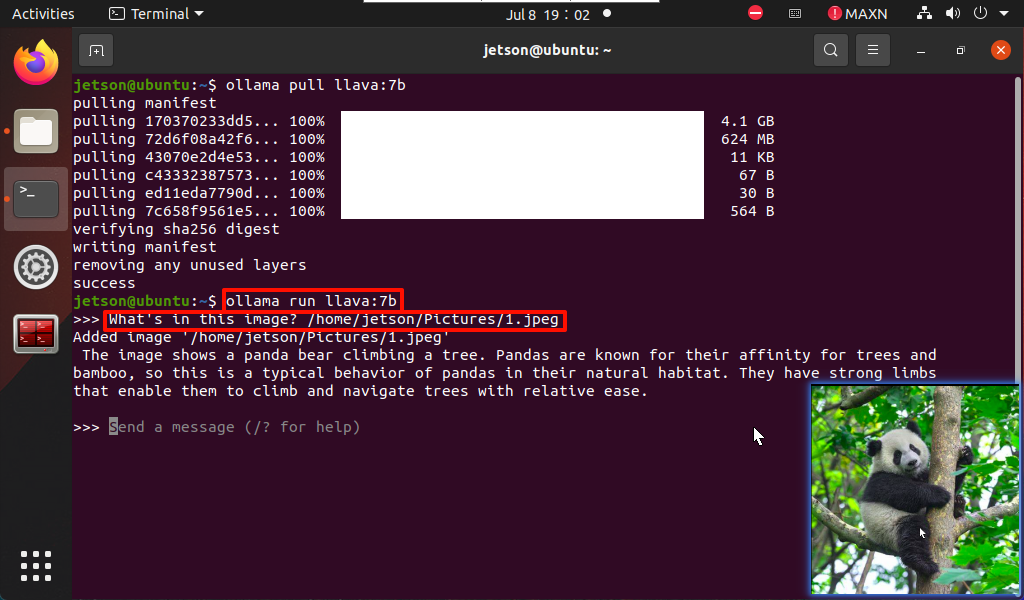
Use LLaVA to recognize local image content.
Run LLaVA
If the system does not have a running model, the system will automatically pull the LLaVA 7B model and run it:
xxxxxxxxxxollama run llava:7b
Have a conversation
xxxxxxxxxxWhat's in this image? /home/jetson/Pictures/1.jpeg
The time to reply to the question depends on the hardware configuration, so be patient!
xxxxxxxxxxIf the image does not have a corresponding image, you can download the image yourself (the resolution should not be too large) and put the image path after the question!
End the conversation
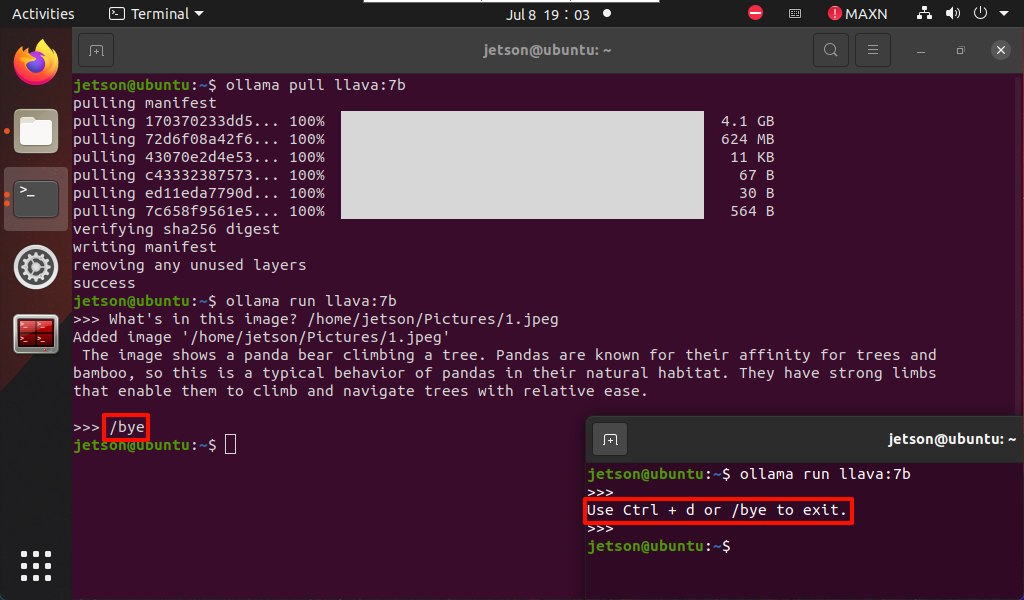
Use the Ctrl+d shortcut key or /bye to end the conversation!
Memory optimization
Since the local model has very high memory requirements, those who cannot run the model can follow the tutorial below to close the graphical interface and run the model in command line mode.
xxxxxxxxxxFor users without a display screen, the command line mode requires knowing your motherboard IP in advance
- Command line mode
xxxxxxxxxxsudo systemctl set-default multi-user.target
After running, restart the system to take effect, and then use SSH remote system to run the model.
- Desktop mode (graphic interface)
xxxxxxxxxxsudo systemctl set-default graphical.target
After running, restart the system to take effect and restore desktop mode.
References
Ollama
Official website: https://ollama.com/
GitHub: https://github.com/ollama/ollama
LLaVA
GitHub: https://github.com/haotian-liu/LLaVA
Ollama corresponding model: https://ollama.com/library/llava