Welcome to ROSMASTER R2 repository
6. Patrol line autopilot
6、line patrol automatic driving
1、Program function specification
After the program starts, adjust the pitch Angle of the camera, move the camera down, so that the camera can see the line, then click the image window, press the [r] key to enter the color selection mode; Then in the area of the line in the screen, frame the color of the line that needs to be toured, and the processed image will be automatically loaded after releasing the mouse; Finally, press the space bar to enable the line patrol function. In the process of running, the car will stop and the buzzer will sound when encountering obstacles; After opening the handle control program, the [R2] key on the handle can suspend the car movement.
2、Source code path reference
Raspberry Pi PI5 master control needs to enter the docker container first, Orin master control does not need to enter,
The code path in:
x~/yahboomcar_ros2_ws/yahboomcar_ws/src/yahboomcar_linefollow/yahboomcar_linefollow
3、Program start
3.1、run command
According to the actual robot and radar type, enter the docker container and input in terminal
x# The underlying driverros2 run yahboomcar_bringup Mcnamu_driver_X3
# Activating A1 radarros2 launch sllidar_ros2 sllidar_launch.py# Activating S2 radarros2 launch sllidar_ros2 sllidar_s2_launch.py
# Handle controlros2 run yahboomcar_ctrl yahboom_joy_X3ros2 run joy joy_node# line patrol programros2 run yahboomcar_linefollow follow_line_a1_X3A1 radar and S2 radar have the same structure and can be shared.
Take the blue line for example
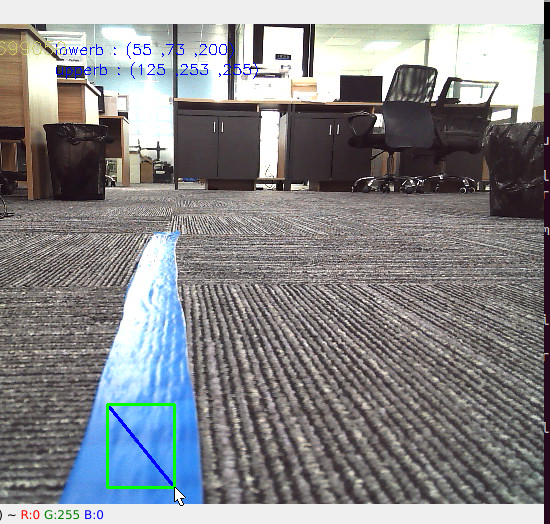
After pressing the [r] key, select the blue line area as shown in the figure above, and release the mouse after selecting.
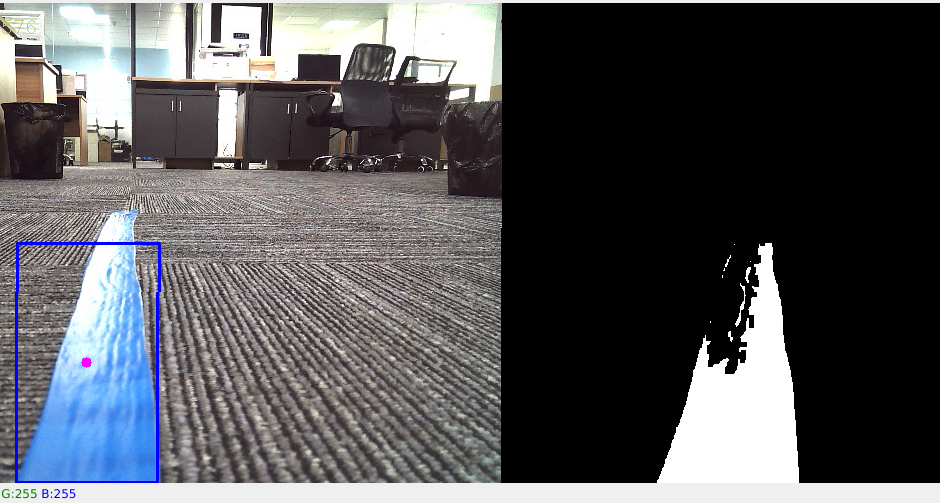
As shown above, the processed image shown on the right shows the blue line. Then press the space bar to calculate the speed, the car patrol line automatic driving.
3.2、Dynamic parameter adjuster
Set the size of parameters through the dynamic parameter adjuster
docker terminal input:
xxxxxxxxxxros2 run rqt_reconfigure rqt_reconfigure
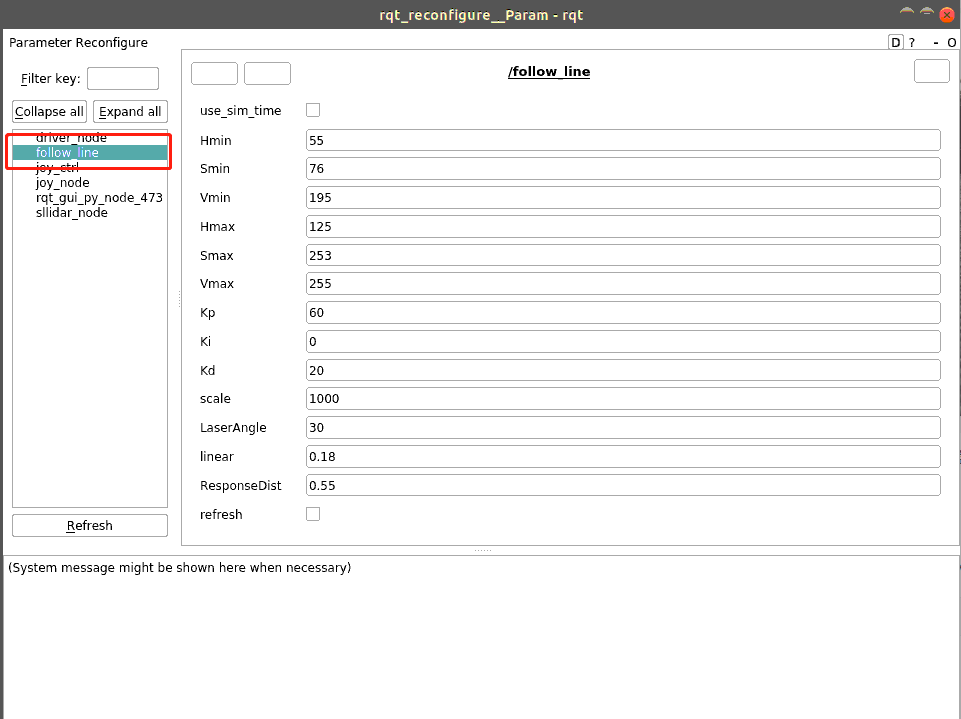
The meaning of each parameter is as follows
| Parameter name | Parameter meaning |
|---|---|
| Kp | Proportional of PID |
| Ki | Integral of PID |
| Kd | Differential of PID |
| scale | PID adjusts the proportional coefficient |
| LaserAngle | Radar detects angles |
| linear | Line speed |
| ResponseDist | Obstacle detection distance |
| refresh | Refresh parameter button |
4、Core source code analysis
Let's start with the principle of the patrol, through
Calculate the offset between the center coordinates of the line and the center of the image,
Calculate the value of the angular velocity according to the coordinate offset,
Publish speed drive dolly.
Calculate the center coordinates,,
xxxxxxxxxx# Calculate the hsv valuergb_img, self.hsv_range = self.color.Roi_hsv(rgb_img, self.Roi_init)# Calculate self.circle,calculate the coordinates and radius values of X# A radius value of 0 indicates that no line is detected and a parking message is ppublishedrgb_img, binary, self.circle = self.color.line_follow(rgb_img, self.hsv_range)Calculate the value of the angular velocity,
# 320 is the value of the x coordinate of the center point, and by the deviation of the x value of the resulting image from 320, it's possible to calculate "how far I am from the center now" and then calculate the value of the angular velocity[z_Pid, _] = self.PID_controller.update([(point_x - 320)*1.0/16, 0])s