Welcome to ROSMASTER R2 repository
6.8 Expansion tutorial
8. Expansion tutorial
8.1. Problems
After using a TF larger than the image memory to burn the image, a part of the free memory cannot be used, resulting in an error of insufficient space, or failure to run a large project.
Note: This tutorial is only for users who burn the image by themselves. If there is a factory image in the sd, you can skip this tutorial. The expansion method of U disk and SD card is the same. This section takes SD card as an example.
8.2. Solutions
Install the expansion software and use the expansion software to expand the capacity.
sudo apt install gparted
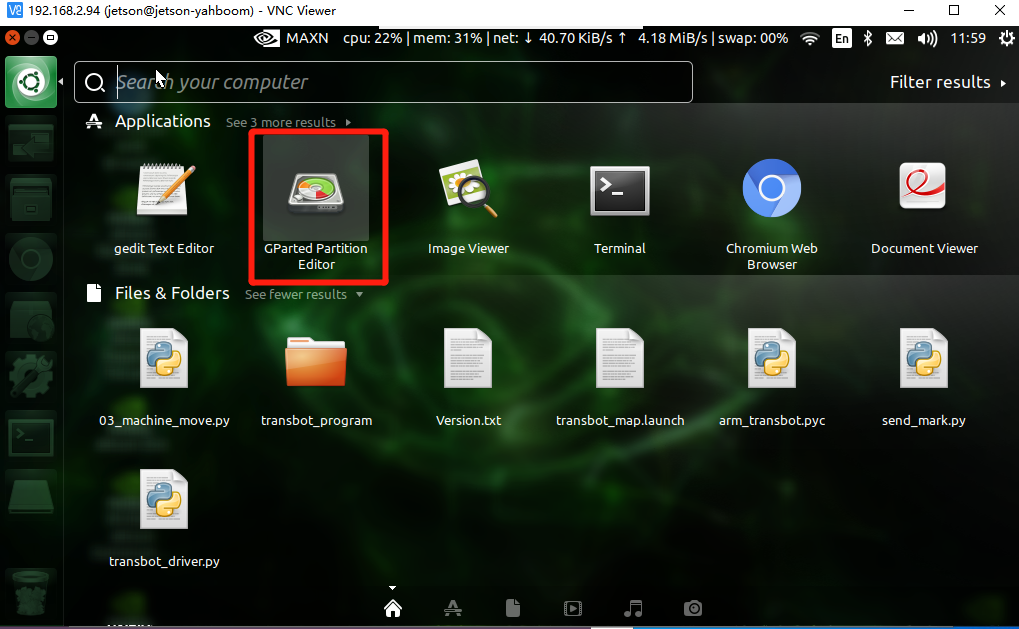
Open the software
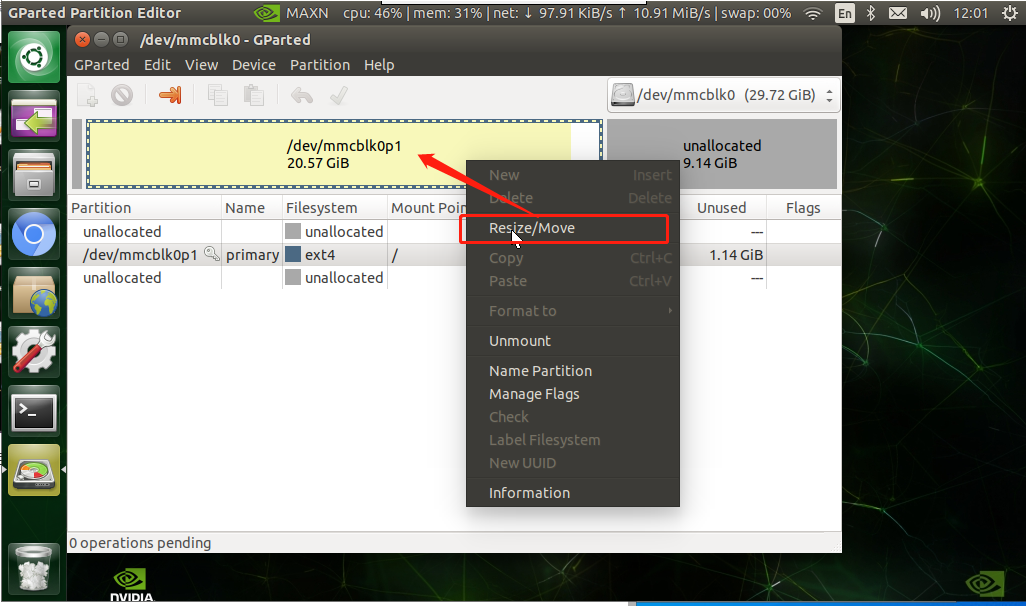
Right click【/dev/mmcblk0p1】->Resize/Move
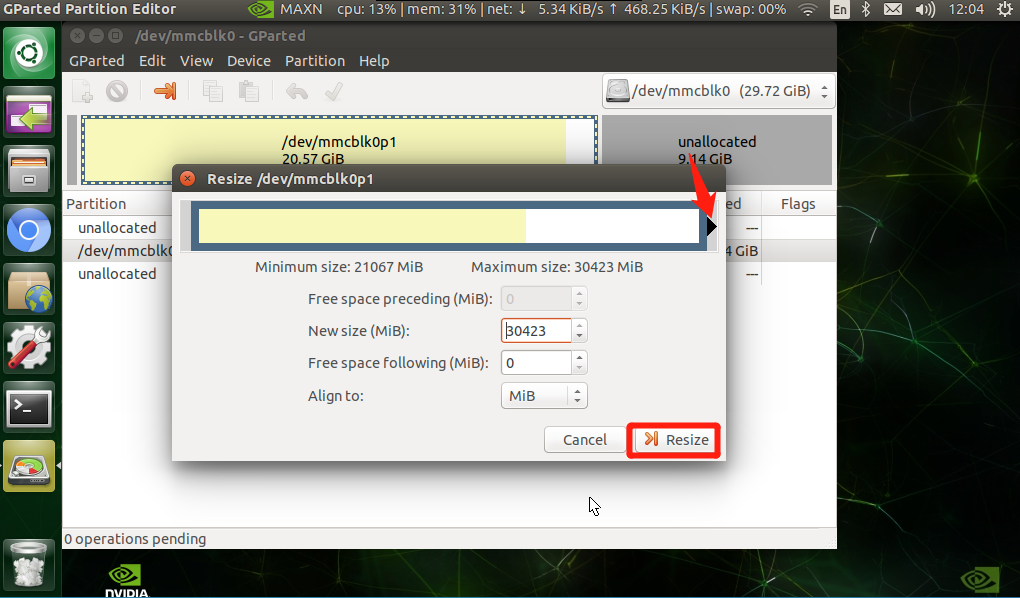
Pull the box on the right to the top until the gray area becomes completely white->Resize
Click √ -> Apply at the bottom of the function bar
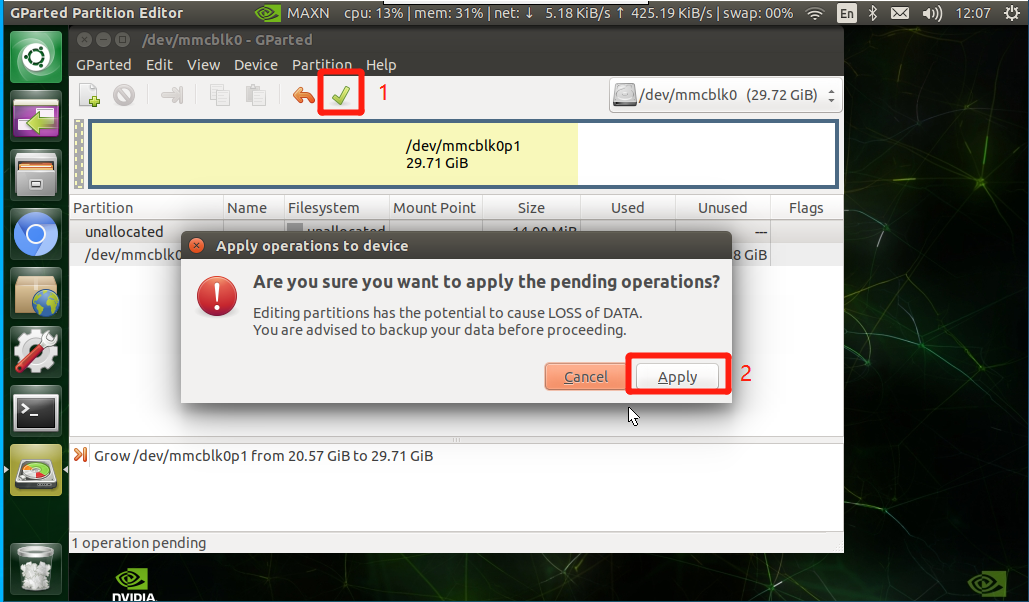
Expansion complete!
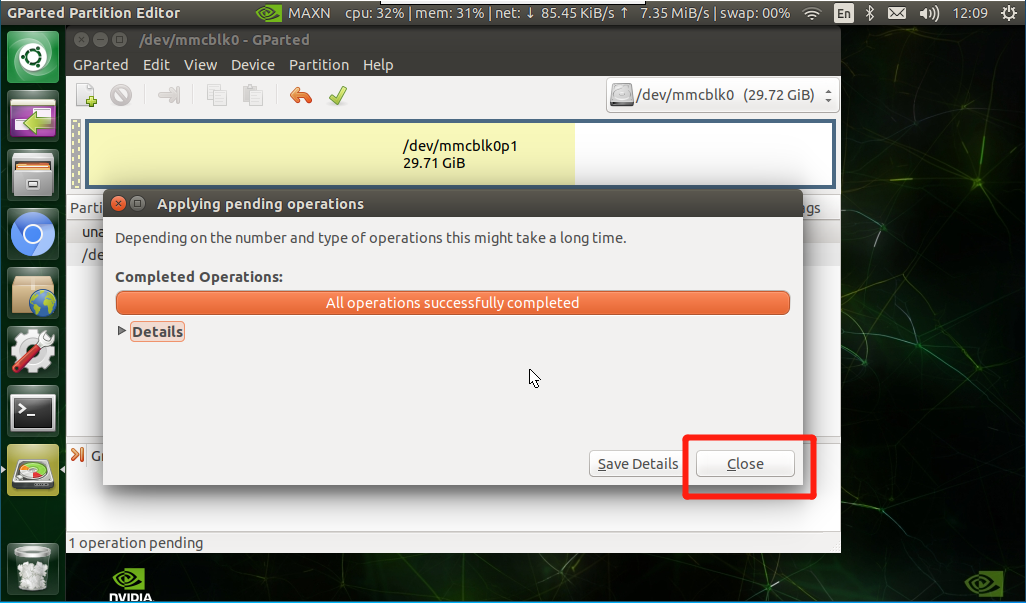
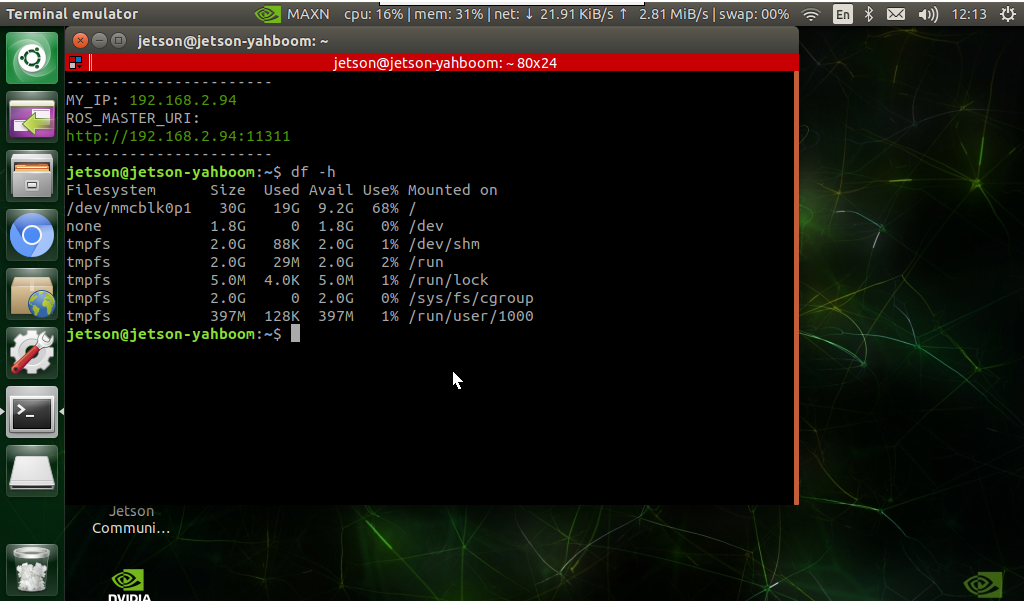
Use the command to perform query verification in the terminal
xxxxxxxxxxdf -h
Verify that the expansion is successful, and the expansion information of the 32G card is as follows