Welcome to ROSMASTER R2 repository
5.4 Buzzer whistle
4. Buzzer whistle
4. Buzzer whistle 4.1. Experimental goal 4.2. Experiment preparation 4.3. Experimental operation and phenomenon 4.4. Program source code
4.1. Experimental goal
Control the buzzer switch on the expansion board, the whistle time is 100ms, 300ms, 1s, etc.
4.2. Experiment preparation
The red box in the picture is the buzzer on the expansion board.
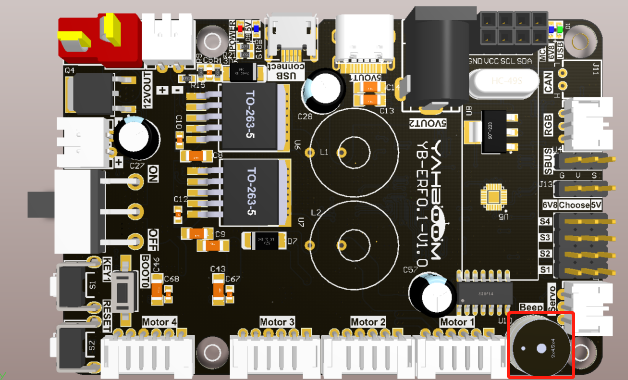
The buzzer on the expansion board is an active buzzer, so it is relatively simple to control, please check the following functions.
Rosmaster_Lib library functions needed to control the buzzer:
set_beep ( on_time )
Parameter explanation: on_time=0: turn off, on_time=1: keep ringing, on_time>=10: turn off automatically after ringing for xx milliseconds (on_time is a multiple of 10).
Return value: None.
4.3. Experimental operation and phenomenon
Check out the course accompanying video.
4.4. Program source code
Power on the robot, and open the browser of the Jetson Nano or remote computer to enter the Jupyter lab editor.
Reference code path: Rosmaster/Samples/4.beep.ipynb