Welcome to ROSMASTER R2 repository
4. FreeRTOS applications
4. FreeRTOS applications
4. FreeRTOS applications4.1 Purpose of the experiment4.2 Configuring FreeRTOS Information4.3. Experimental flow chart analysis4.4 Core Code Explanation4.5. Hardware Connections4.6 Experimental Effect
4.1 Purpose of the experiment
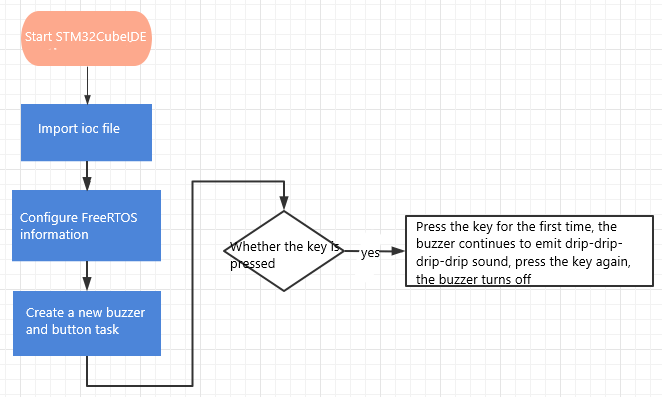
On the basis of the program "Key Control Buzzer Beeping", import the function to run on FreeRTOS system to realize detecting the status of KEY1 on the expansion board and controlling the buzzer beeping. Press the key, the buzzer beeps (once every 200 ms), and press the key again, the buzzer turns off.
4.2 Configuring FreeRTOS Information
As we need to configure the information every time we create a new project, it is quite troublesome, good thing STM32CubeIDE provides the function of importing .ioc file, which can help us save time.
- Import the .ioc file from the BEEP project and name it FreeRTOS.
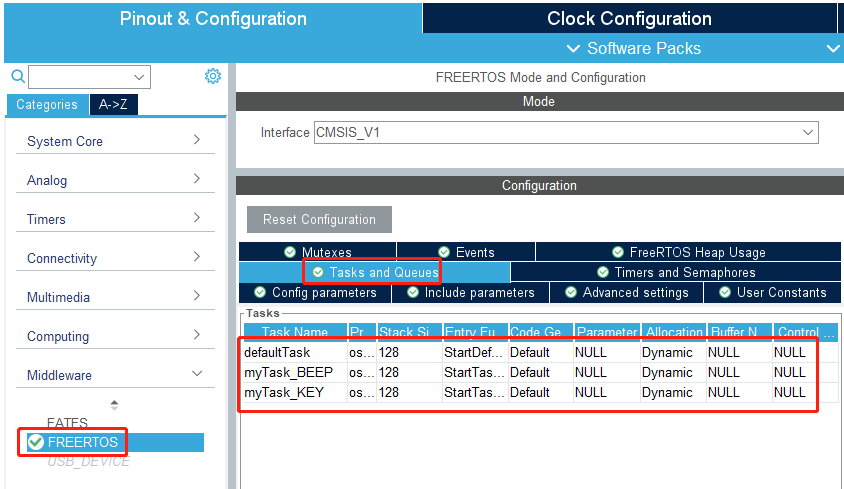
- Click Middleware->FREERTOS, select CMSIS_V1, click Tasks and Queues, there will be one task here by default, and then create two new tasks, one of them manages the buzzer, and the other one manages the keys.
- The buzzer task information is shown below:
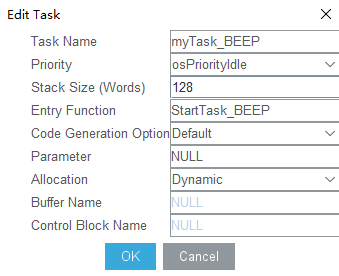
Task Name: the name of the task.
Priority: set the priority.
Stack Size: stack space, can be modified according to the actual size.
Entry Function: Entity of the task function.
Code Generation Option: code generation configuration, default is weak generation task entity, you can choose external not to generate task entity.
Parameter: task parameters.
Allocation: you can choose Dynamic or Static allocation.
Buffer Name:Buff name of static allocation.
Control Block Name: the name of the statically assigned block.
Same for the key task, just different name.
4.3. Experimental flow chart analysis
4.4 Core Code Explanation
- Create a new buzzer driver library bsp_task.h and bsp_task.c file in BSP. Add the following to bsp_task.h:
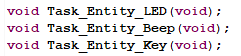
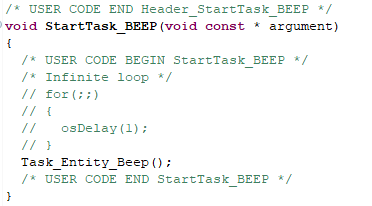
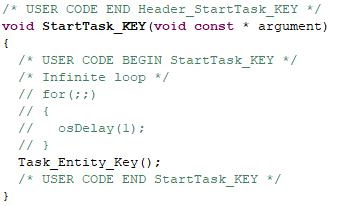
The Task_Entity_LED() function manages the LEDs, Task_Entity_Beep() manages the buzzer, and Task_Entity_Key() manages the keys.
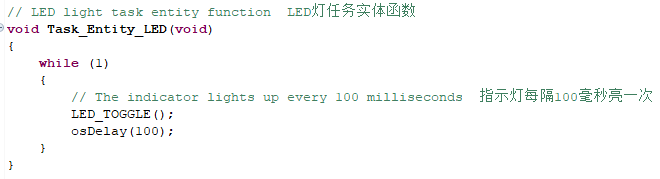
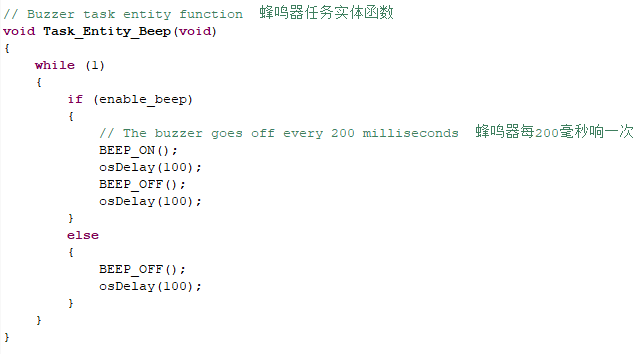
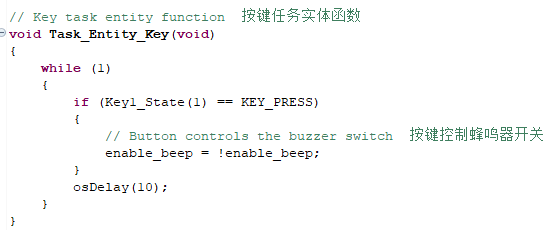
- In freertos.c file to introduce bsp.h, find the corresponding three tasks of the entity function, and respectively call our manually established task function.
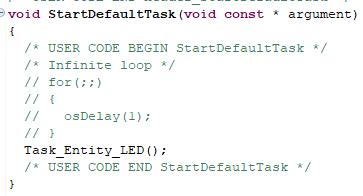
4.5. Hardware Connections
The LEDs, key KEY1 and buzzer in the FreeRTOS application are all on-board components and do not need to be connected manually.
4.6 Experimental Effect
After burning the program, the LED flashes every 200 ms, press the key and the buzzer ticks (every 200 ms), press the key again and the buzzer turns off.