Welcome to Raspberry Pi 5 repository
11. Model prediction
Model prediction
1. CLI usage
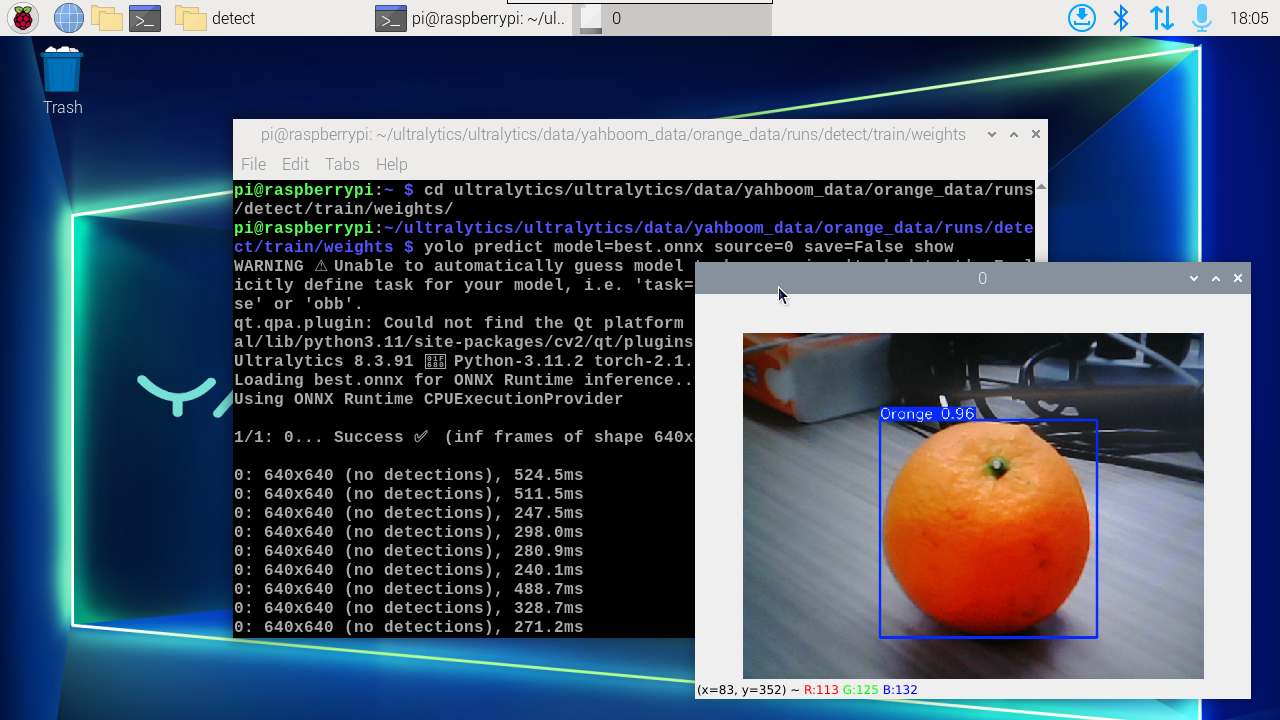
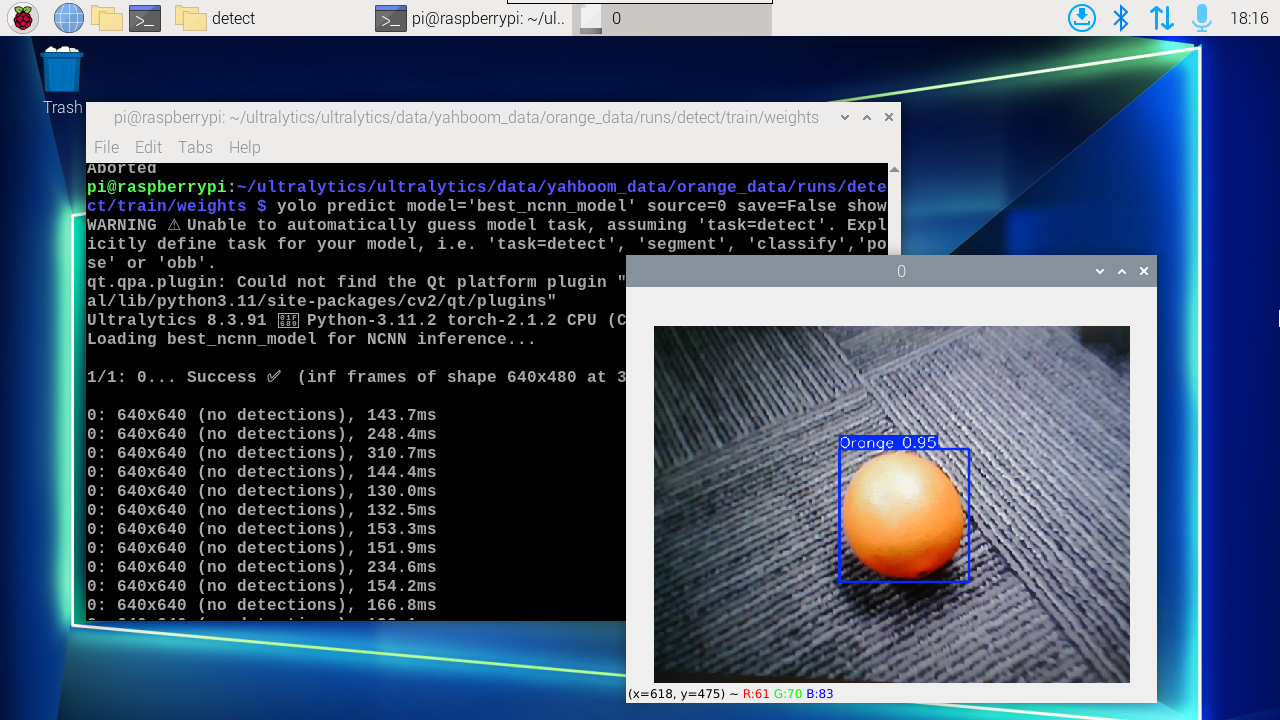
CLI currently only supports calling USB cameras. CSI camera users can directly modify the previous python code to call onnx and ncnn models!
xxxxxxxxxxcd ultralytics/ultralytics/data/yahboom_data/orange_data/runs/detect/train/weightsyolo predict model=best.onnx source=0 save=False show # For multiple cameras, follow the number after the ring sourceyolo predict model='best_ncnn_model' source=0 save=False show
2. Use Python
Use Python to call USB camera and CSI camera to identify oranges.
2.1, USB camera
Use best.engine to predict the camera screen:
xxxxxxxxxxcd /home/pi/ultralytics/ultralytics/yahboom_demo
Run the code: Click the preview screen, press the q key to terminate the program!
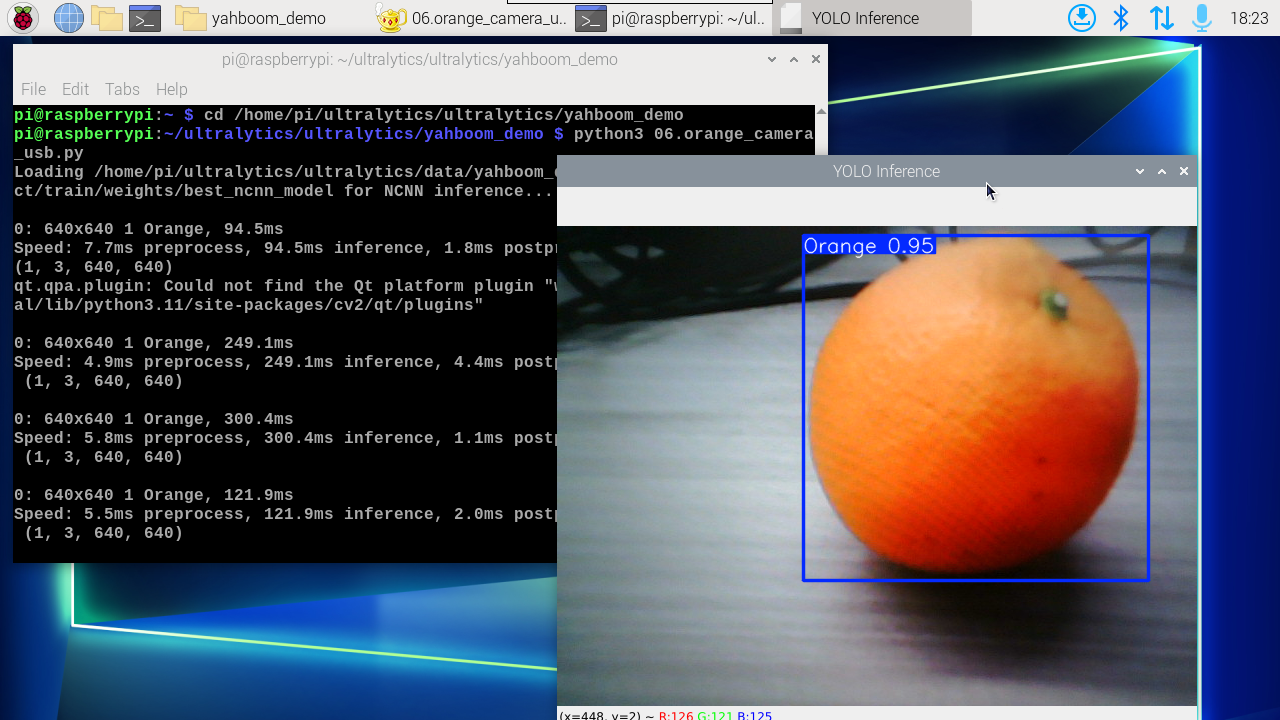
xxxxxxxxxxpython3 06.orange_camera_usb.py
Effect preview
Yolo recognizes the output video location: /home/pi/ultralytics/ultralytics/output/
Sample code:
xxxxxxxxxximport cv2from ultralytics import YOLO# Load the YOLO model# model = YOLO("/home/pi/ultralytics/ultralytics/data/yahboom_data/orange_data/runs/detect/train/weights/best.pt")# model = YOLO("/home/pi/ultralytics/ultralytics/data/yahboom_data/orange_data/runs/detect/train/weights/best.onnx")model = YOLO("/home/pi/ultralytics/ultralytics/data/yahboom_data/orange_data/runs/detect/train/weights/best_ncnn_model")# Open the cammeracap = cv2.VideoCapture(0)# Get the video frame size and frame rateframe_width = int(cap.get(cv2.CAP_PROP_FRAME_WIDTH))frame_height = int(cap.get(cv2.CAP_PROP_FRAME_HEIGHT))fps = int(cap.get(cv2.CAP_PROP_FPS))# Define the codec and create a VideoWriter object to output the processed videooutput_path = "/home/pi/ultralytics/ultralytics/output/06.orange_camera_usb.mp4"fourcc = cv2.VideoWriter_fourcc(*'mp4v') # You can use 'XVID' or 'mp4v' depending on your platformout = cv2.VideoWriter(output_path, fourcc, fps, (frame_width, frame_height))# Loop through the video frameswhile cap.isOpened(): # Read a frame from the video success, frame = cap.read() if success: # Run YOLO inference on the frame results = model(frame) # Visualize the results on the frame annotated_frame = results[0].plot() # Write the annotated frame to the output video file out.write(annotated_frame) # Display the annotated frame cv2.imshow("YOLO Inference", cv2.resize(annotated_frame, (640, 480))) # Break the loop if 'q' is pressed if cv2.waitKey(1) & 0xFF == ord("q"): break else: # Break the loop if the end of the video is reached break# Release the video capture and writer objects, and close the display windowcap.release()out.release()cv2.destroyAllWindows()2.2, CSI camera
Use best.engine to predict the camera screen:
xxxxxxxxxxcd /home/pi/ultralytics/ultralytics/yahboom_demo
Run the code: Click the preview screen, press the q key to terminate the program!
xxxxxxxxxxpython3 06.orange_camera_csi.py
Effect preview
Yolo recognizes the output video location: /home/pi/ultralytics/ultralytics/output/
Sample code:
xxxxxxxxxximport cv2from picamera2 import Picamera2from ultralytics import YOLO# Initialize the Picamera2picam2 = Picamera2()picam2.preview_configuration.main.size = (640, 480)picam2.preview_configuration.main.format = "RGB888"picam2.preview_configuration.align()picam2.configure("preview")picam2.start()# Load the YOLO11 model# model = YOLO("/home/pi/ultralytics/ultralytics/data/yahboom_data/orange_data/runs/detect/train/weights/best.pt")# model = YOLO("/home/pi/ultralytics/ultralytics/data/yahboom_data/orange_data/runs/detect/train/weights/best.onnx")model = YOLO("/home/pi/ultralytics/ultralytics/data/yahboom_data/orange_data/runs/detect/train/weights/best_ncnn_model")# Set up video outputoutput_path = "/home/pi/ultralytics/ultralytics/output/06.orange_camera_csi.mp4"fourcc = cv2.VideoWriter_fourcc(*'mp4v')out = cv2.VideoWriter(output_path, fourcc, 30, (640, 480))# Loop through the video frameswhile True: # Capture frame-by-frame frame = picam2.capture_array() # Run YOLO11 inference on the frame results = model(frame) # Visualize the results on the frame annotated_frame = results[0].plot() # Write the frame to the video file out.write(annotated_frame) # Display the resulting frame cv2.imshow("Camera", annotated_frame) # Break the loop if 'q' is pressed if cv2.waitKey(1) == ord("q"): break# Release resources and close windowspicam2.close()out.release()cv2.destroyAllWindows()