Welcome to Raspberry Pi 5 repository
1. Deployment of large AI model environments
Ollama
Ollama1. Large Language Models (LLM)2. Ollama InstallationScript Installation3. Using Ollama4. Uninstall OllamaReferences
If you are using the factory image we provided, manual installation and configuration are not required.
Demo Environment
Development Board: Raspberry Pi 5
SD (TF) Card: 64G (16G or above - the larger the capacity, the more models you can experience)
Raspberry Pi 5 (16G RAM): Run models with 14B parameters or belowRaspberry Pi 5 (8G RAM): Run models with 8B parameters or belowRaspberry Pi 5 (4G RAM): Run models with 3B parameters or belowRaspberry Pi 5 (2G RAM): Run models with 1B parameters or belowRaspberry Pi 5 (1G RAM): Cannot run offline large models, please refer to the online large model tutorial
Ollama is an open-source tool designed to simplify the deployment and operation of large language models, enabling users to use high-quality language models in a local environment.
1. Large Language Models (LLM)
Large Language Models (LLM) are a class of advanced text generation systems based on AI technology. Their main characteristic is the ability to learn and understand human language through large-scale training data, and generate natural and fluent text.
2. Ollama Installation
Note: Failure to pull ollama is normal. You can try multiple times or use a proxy to pull. How to use a proxy needs to be researched online.
Script Installation
xxxxxxxxxxsudo apt install curl -ysudo curl -fsSL https://ollama.com/install.sh | sh
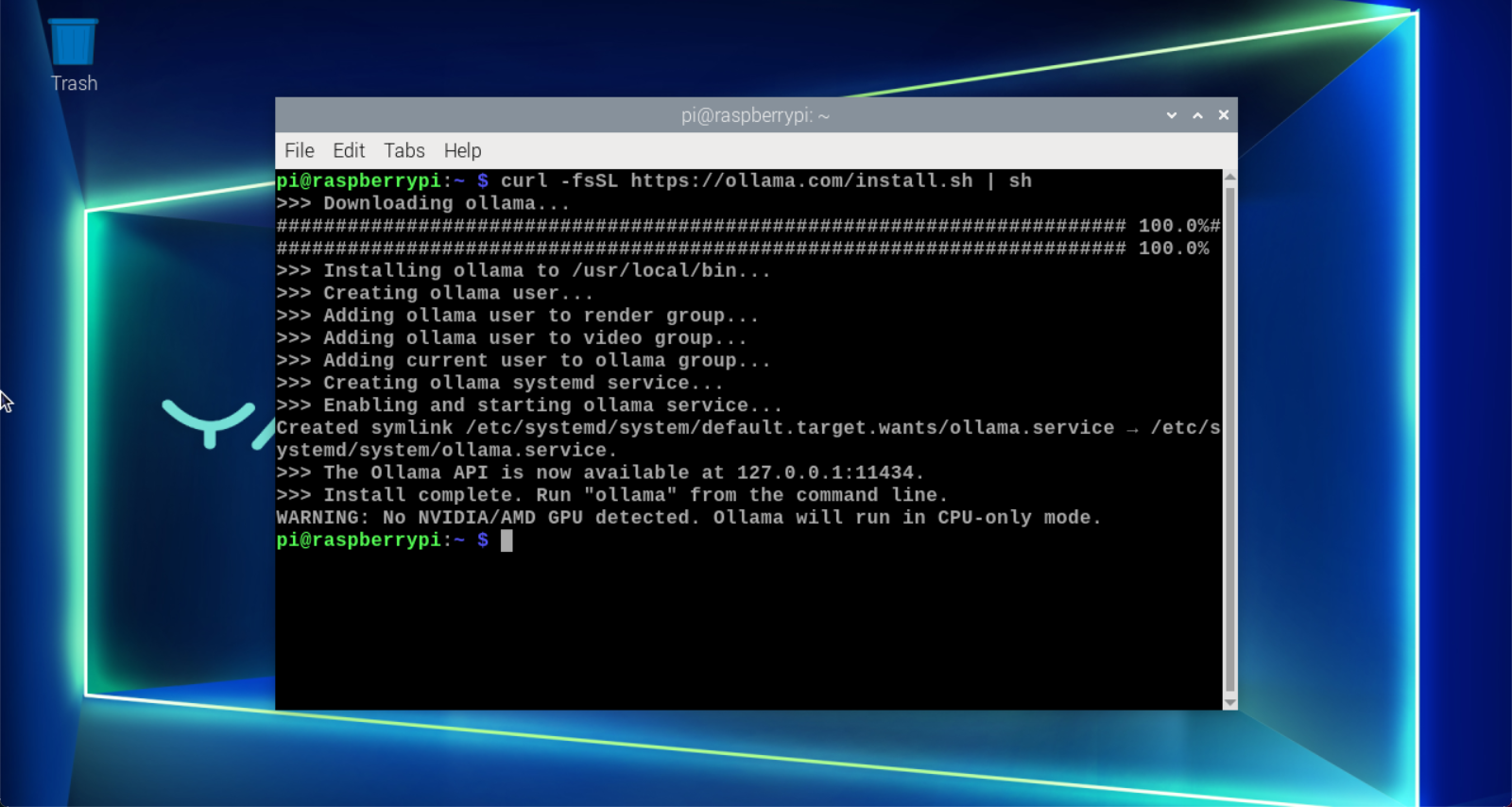
The installation process takes a while, please be patient. When the Raspberry Pi terminal displays "Install complete", Ollama is successfully installed!
xxxxxxxxxxThe warning indicates that NVIDIA/AMD GPU was not detected. Ollama will run in CPU mode. We can directly ignore this warning.
3. Using Ollama
Enter ollama in the terminal to see the prompt:
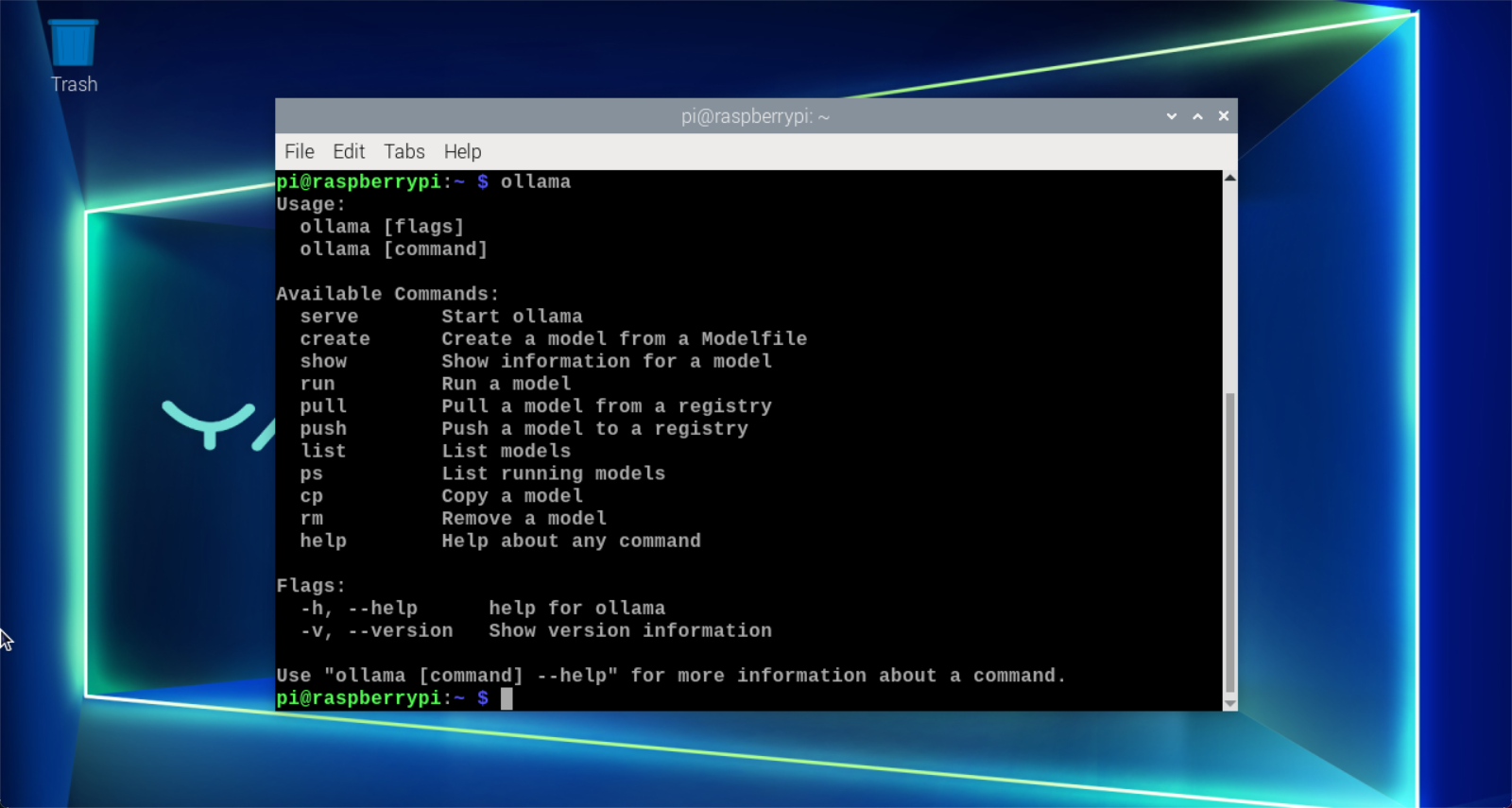
| Command | Description |
|---|---|
| ollama serve | Start ollama |
| ollama create | Create a model from a model file |
| ollama show | Show model information |
| ollama run | Run a model |
| ollama pull | Pull a model from the registry |
| ollama push | Push a model to the registry |
| ollama list | List models |
| ollama ps | List running models |
| ollama cp | Copy a model |
| ollama rm | Delete a model |
| ollama help | Get help information for commands |
4. Uninstall Ollama
Remove service
xxxxxxxxxxsudo systemctl stop ollamasudo systemctl disable ollamasudo rm /etc/systemd/system/ollama.service
Remove files
xxxxxxxxxxsudo rm $(which ollama)
Remove models and service users and groups
xxxxxxxxxxsudo rm -r /usr/share/ollamasudo userdel ollamasudo groupdel ollama
References
Ollama
Website: https://ollama.com/
GitHub: https://github.com/ollama/ollama