Welcome to Raspberry Pi 5 repository
11.Model prediction
Model Prediction
1. CLI Usage
CLI currently only supports calling USB cameras. CSI camera users can directly modify the previous python code to call ncnn models!
xxxxxxxxxxcd /home/pi/ultralytics26/data/yahboom_data/orange_data/runs/detect/train/weightsyolo predict model='best_ncnn_model' source=0 save=False show # For multiple cameras, change the number after source
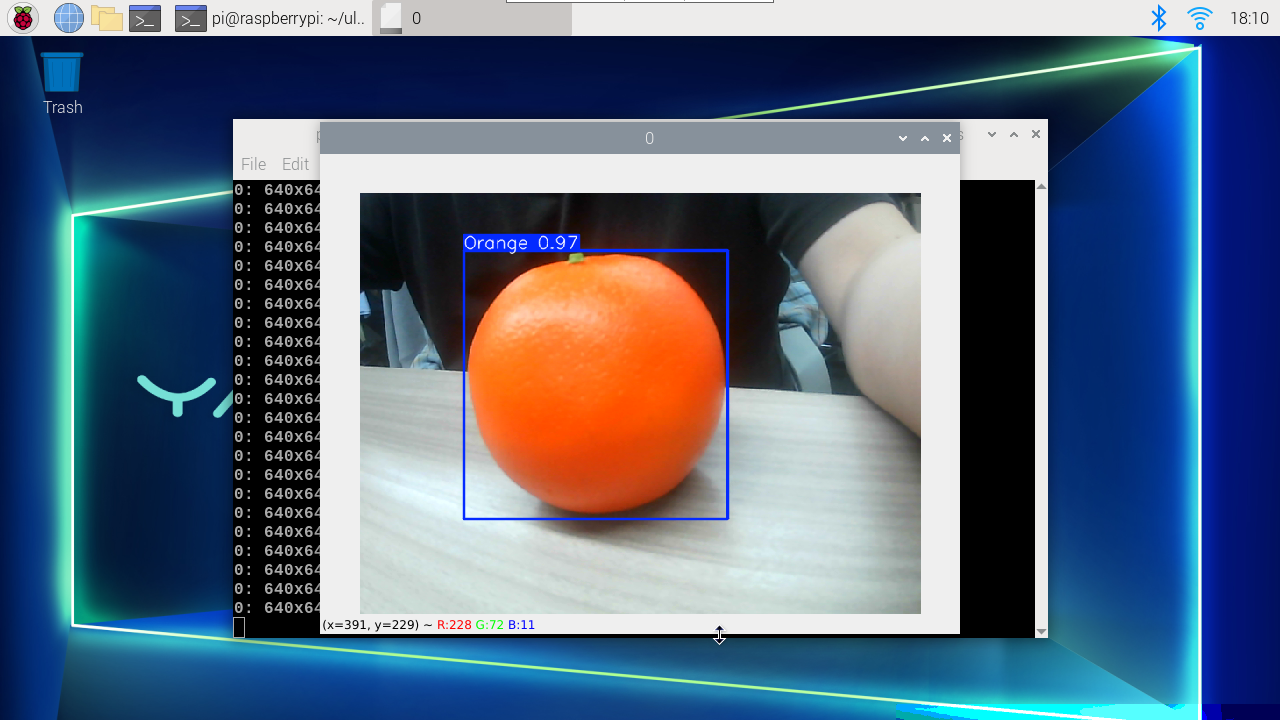
2. Python Usage
Use Python to call USB cameras and CSI cameras to recognize oranges.
2.1 USB Camera
Use best_ncnn_model to predict camera footage:
xxxxxxxxxxcd /home/pi/ultralytics26/yahboom_demo
Run the code: Click on the preview screen, press q key to terminate the program!
xxxxxxxxxxpython3 06.orange_camera_usb.py
Effect Preview
yolo recognition output video location: /home/pi/ultralytics26/output/
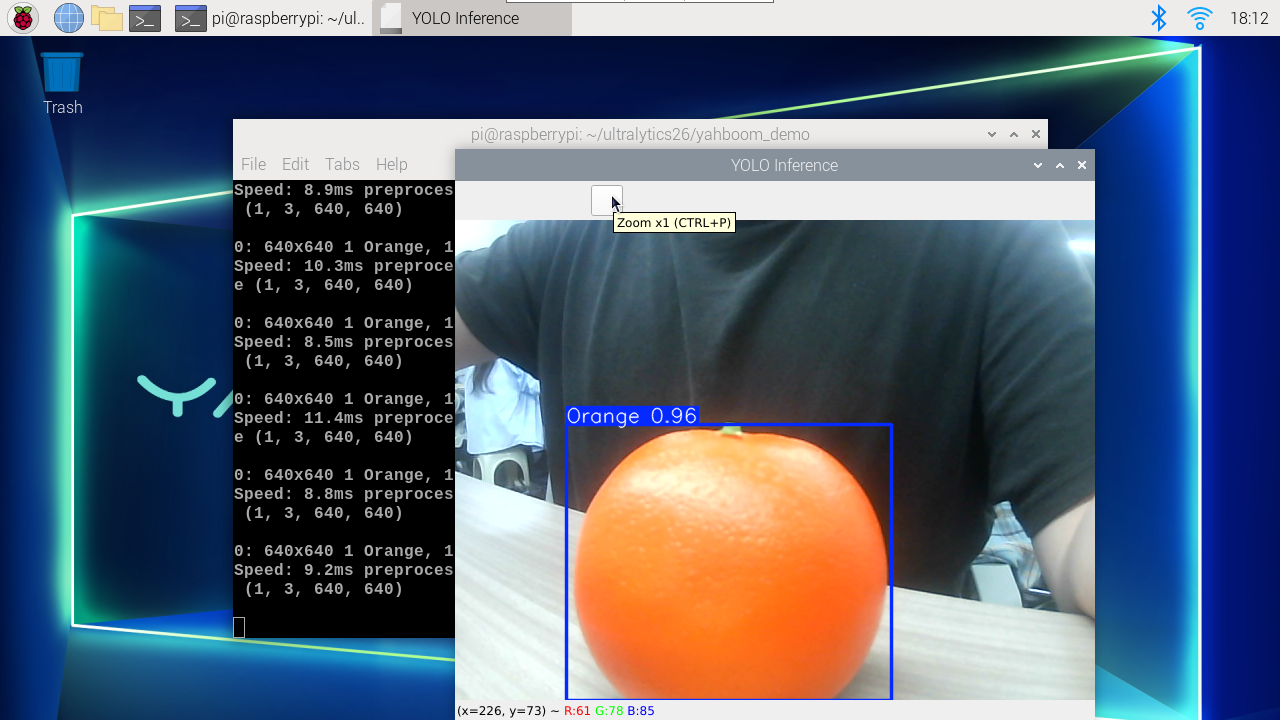
Example code:
xxxxxxxxxximport cv2from ultralytics import YOLO# Load the YOLO model# model = YOLO("/home/pi/ultralytics26/data/yahboom_data/orange_data/runs/detect/train/weights/best.pt")model = YOLO("/home/pi/ultralytics26/data/yahboom_data/orange_data/runs/detect/train/weights/best_ncnn_model")# Open the cameracap = cv2.VideoCapture(0)cap.set(6, cv2.VideoWriter.fourcc('M', 'J', 'P', 'G'))cap.set(cv2.CAP_PROP_FRAME_WIDTH, 640)cap.set(cv2.CAP_PROP_FRAME_HEIGHT, 480)# Get the video frame size and frame rateframe_width = int(cap.get(cv2.CAP_PROP_FRAME_WIDTH))frame_height = int(cap.get(cv2.CAP_PROP_FRAME_HEIGHT))fps = int(cap.get(cv2.CAP_PROP_FPS))# Define the codec and create a VideoWriter object to output the processed videooutput_path = "/home/pi/ultralytics/ultralytics/output/06.orange_camera_usb.mp4"fourcc = cv2.VideoWriter_fourcc(*'mp4v') # You can use 'XVID' or 'mp4v' depending on your platformout = cv2.VideoWriter(output_path, fourcc, fps, (frame_width, frame_height))# Loop through the video frameswhile cap.isOpened(): # Read a frame from the video success, frame = cap.read() if success: # Run YOLO inference on the frame results = model(frame) # Visualize the results on the frame annotated_frame = results[0].plot() # Write the annotated frame to the output video file out.write(annotated_frame) # Display the annotated frame cv2.imshow("YOLO Inference", cv2.resize(annotated_frame, (640, 480))) # Break the loop if 'q' is pressed if cv2.waitKey(1) & 0xFF == ord("q"): break else: # Break the loop if the end of the video is reached break# Release the video capture and writer objects, and close the display windowcap.release()out.release()cv2.destroyAllWindows()2.2 CSI Camera
Use best_ncnn_model to predict camera footage:
xxxxxxxxxxcd /home/pi/ultralytics26/yahboom_demo
Run the code: Click on the preview screen, press q key to terminate the program!
xxxxxxxxxxpython3 06.orange_camera_csi.py
Effect Preview
yolo recognition output video location: /home/pi/ultralytics26/output/
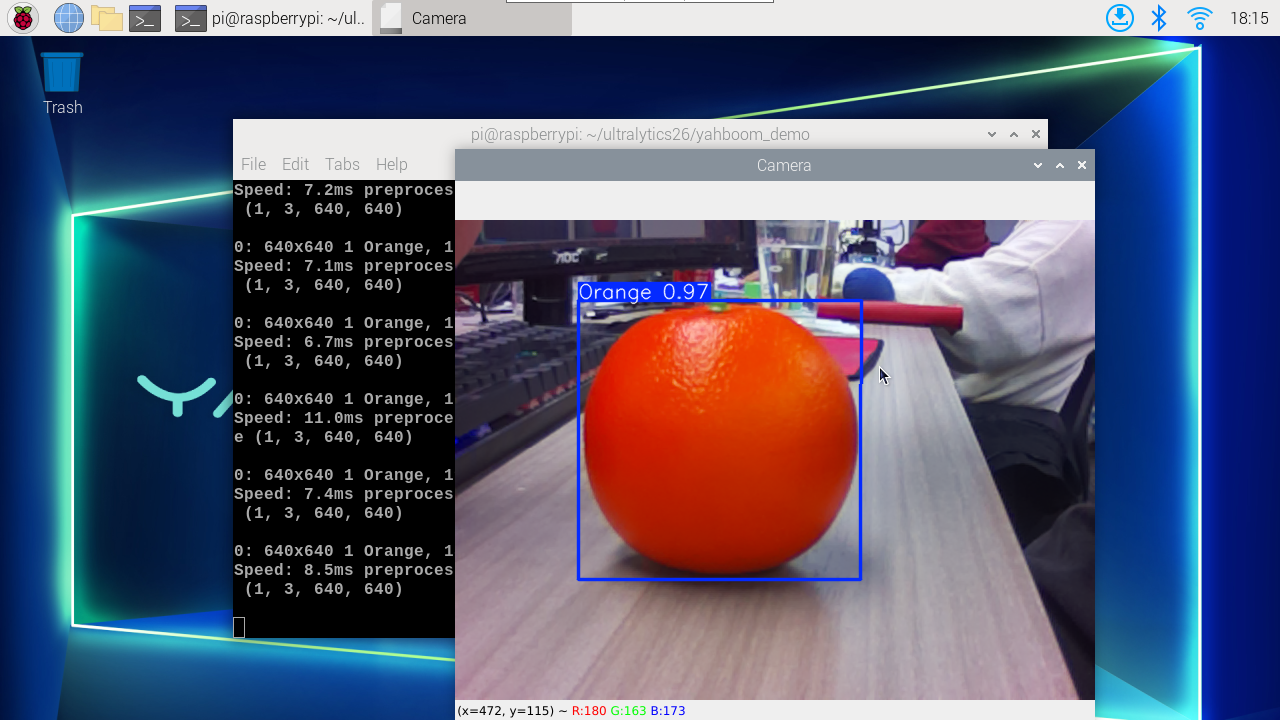
Example code:
xxxxxxxxxximport cv2from picamera2 import Picamera2from ultralytics import YOLO# Initialize the Picamera2picam2 = Picamera2()picam2.preview_configuration.main.size = (640, 480)picam2.preview_configuration.main.format = "RGB888"picam2.preview_configuration.align()picam2.configure("preview")picam2.start()# Load the YOLO model# model = YOLO("/home/pi/ultralytics26/data/yahboom_data/orange_data/runs/detect/train/weights/best.pt")model = YOLO("/home/pi/ultralytics26/data/yahboom_data/orange_data/runs/detect/train/weights/best_ncnn_model")# Set up video outputoutput_path = "/home/pi/ultralytics26/output/06.orange_camera_csi.mp4"fourcc = cv2.VideoWriter_fourcc(*'mp4v')out = cv2.VideoWriter(output_path, fourcc, 30, (640, 480))# Loop through the video frameswhile True: # Capture frame-by-frame frame = picam2.capture_array() # Run YOLO26 inference on the frame results = model(frame) # Visualize the results on the frame annotated_frame = results[0].plot() # Write the frame to the video file out.write(annotated_frame) # Display the resulting frame cv2.imshow("Camera", annotated_frame) # Break the loop if 'q' is pressed if cv2.waitKey(1) == ord("q"): break# Release resources and close windowspicam2.close()out.release()cv2.destroyAllWindows()