Welcome to Raspbot V2 repository
当製品の日本語版マニュアル資料は、こちらからご取得ください。
1.Buzzer control
01. Drive the buzzer
01. Drive the buzzer1. Learning objectives2. Experimental preparation3. Core code analysis4. Experimental phenomenon
1. Learning objectives
Control the buzzer switch on the expansion board.
2. Experimental preparation
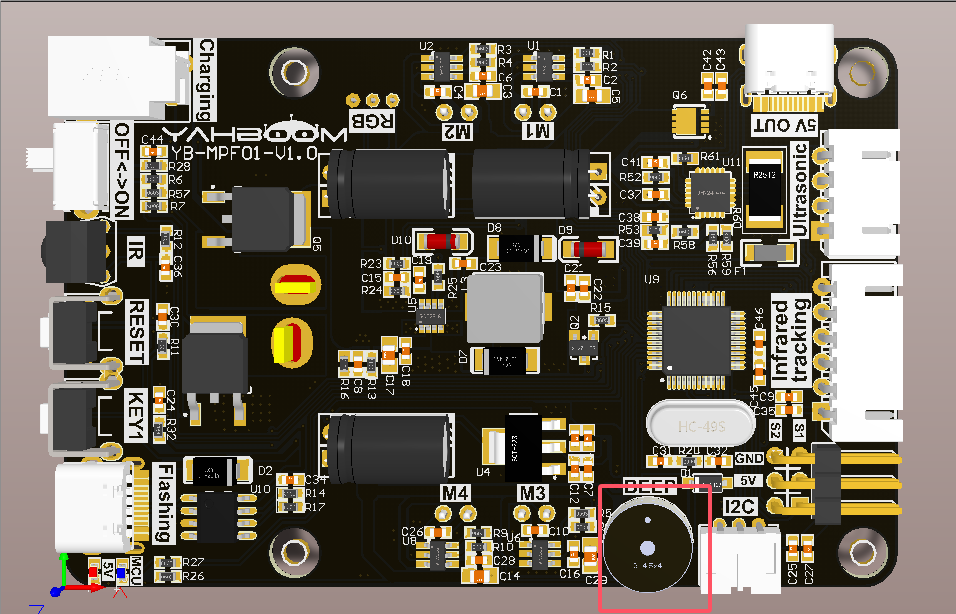
As shown in the figure below, the buzzer is an onboard component, so no external devices are required.
3. Core code analysis
The buzzer on the expansion board is an active buzzer, please refer to the following function.
Raspbot_Lib library function required to control the buzzer:
xCtrl_BEEP_Switch(state)
Parameter explanation: Control the buzzer switch
state=0: off, state=1: always ringing.
Return value: None.
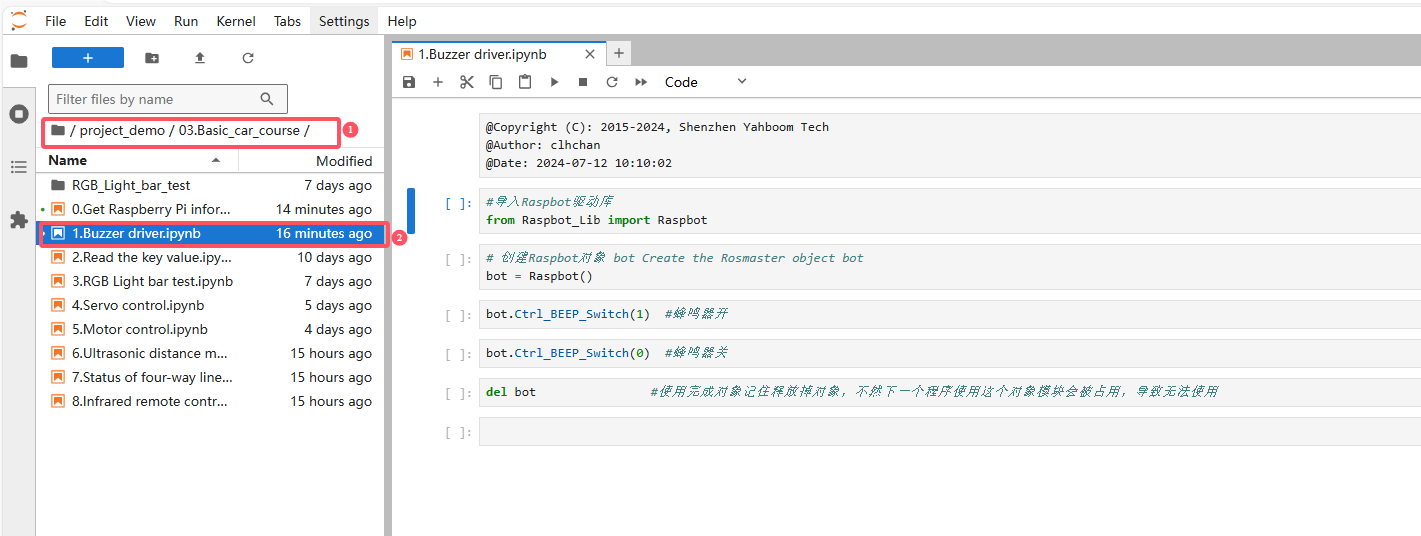
Source code path: project_demo/03.Basic_car_course
4. Experimental phenomenon
Turn on the robot, open the computer browser to enter the Jupyter lab editor
Enter the source code path, double-click the code to be run
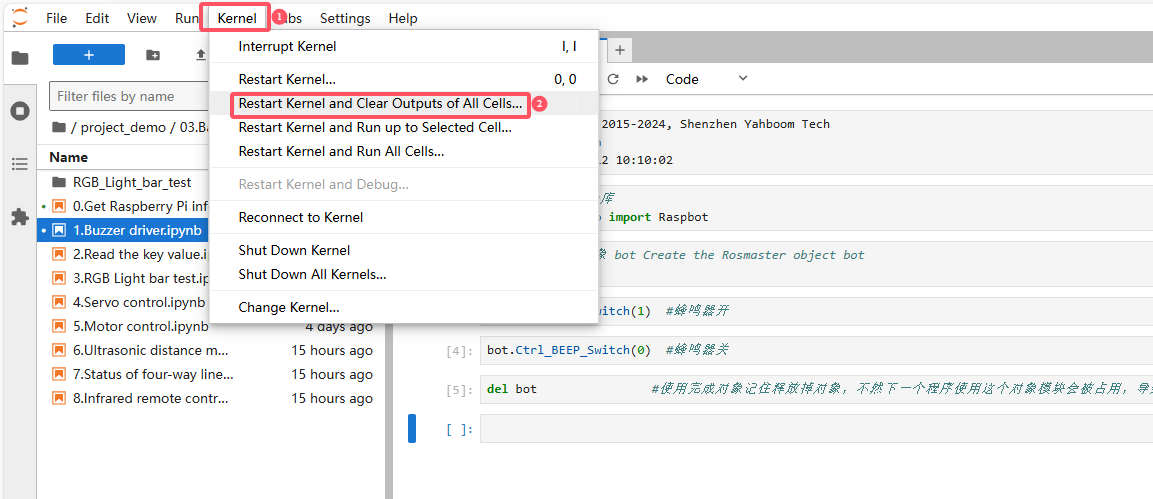
Restart the kernel and clear all outputs
Click the first code block, then click the run button to start running one by one
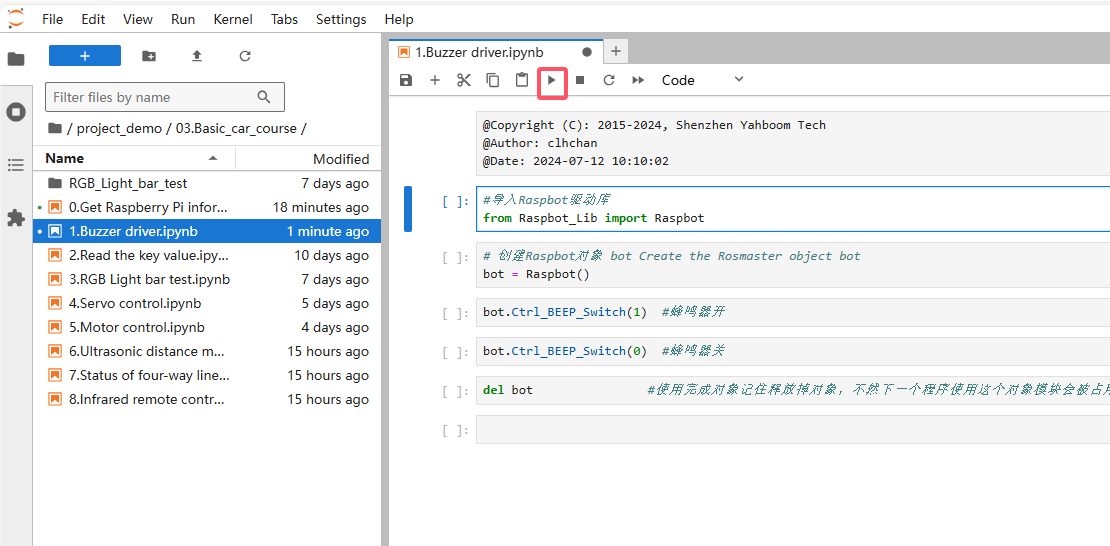
After the program runs, as the code block runs, we can turn on or off the buzzer