Welcome to Raspbot V2 repository
当製品の日本語版マニュアル資料は、こちらからご取得ください。
2. Introduction to raspi-config tool
Introduction to raspi-config tool
Introduction to raspi-config toolOpenOption listSystem OptionsDisplay OptionsInterface OptionsPerformance OptionsLocalization OptionsAdvanced OptionsUpdateAbout raspi-config
raspi-config is a pre-installed configuration tool in the Raspberry Pi OS;
raspi-config provides a simple and convenient command line interface to manage the configuration of the Raspberry Pi system, allowing users to easily customize and optimize their system settings.
If you are using the Raspberry Pi desktop system, you can directly configure the Raspberry Pi system in the applications menu in the upper left corner of the desktop!
Open
To open the raspi-config tool, run the following command in the terminal:
xxxxxxxxxxsudo raspi-config

Option list
Since the version of the raspi-config tool will be continuously updated, the following option list may not be exactly the same.
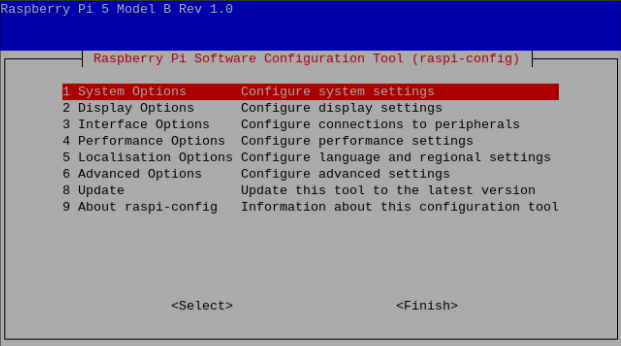
System Options
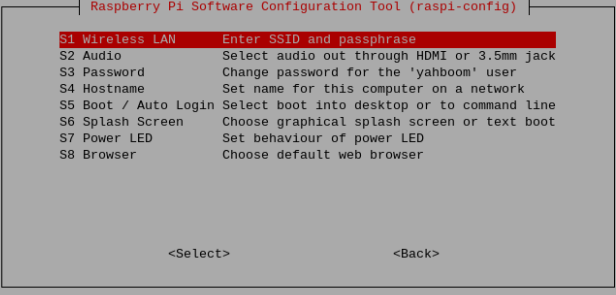
Wireless LAN
Set the wireless LAN SSID and password.
Audio
Specify the audio output destination.
Password
Change the "default" user password.
Hostname
Set the visible name of this Raspberry Pi on the network.
Boot/Autologin
Choose whether to boot to the console or desktop, and whether login is required.
Initial Screen
Enable or disable the content displayed at startup. You can turn on/off this feature to observe the Raspberry Pi startup screen.
Power Indicator
Raspberry Pi 5 does not currently support changing the power indicator option.
Browser
Set the default browser options.
Display Options
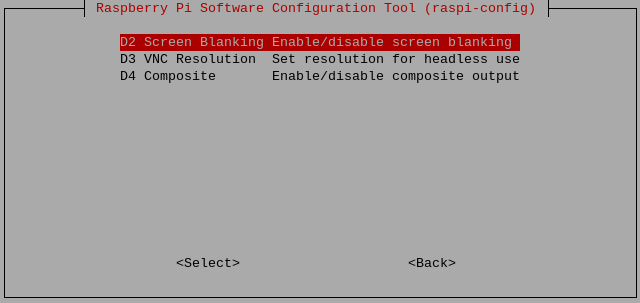
Screen Off
Enable or disable the screen off.
- VNC Resolution
The resolution of the remote display when there is no monitor.
Composite
Set the video output to be transmitted through the composite video output port.
Interface Options
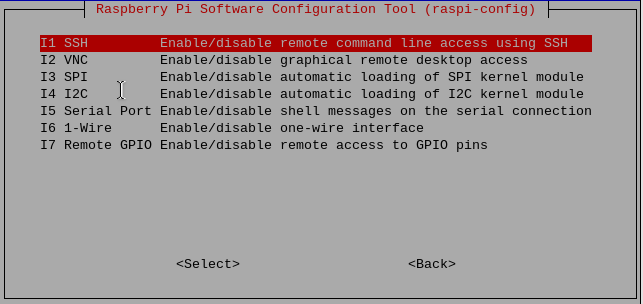
SSH
Enable/disable SSH, which is remote command line access to the Raspberry Pi.
VNC
Enable/disable the WayVNC or RealVNC virtual network computing servers.
SPI
Enable/disable the SPI interface and automatic loading of the SPI kernel module.
I2C
Enable/disable the I2C interface and automatic loading of the I2C kernel module.
Serial Ports
Enable/disable shell and kernel messages on serial connections.
1-Wire
Enable/disable the Dallas 1-wire interface. This is commonly used for DS18B20 temperature sensors.
Remote GPIO
Enable or disable remote access to GPIO pins.
Performance Options
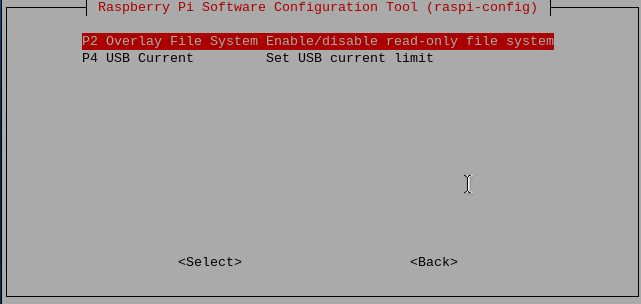
Overlay Filesystem
Enable or disable read-only filesystem.
USB Current
Set the current output of the USB interface.
Localization Options
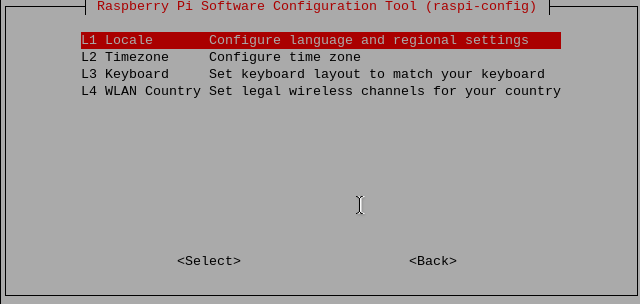
Region
Select a region.
Time Zone
Select a local time zone.
Keyboard
Select a keyboard layout.
WLAN Country
Set the country/region for the wireless network.
Advanced Options
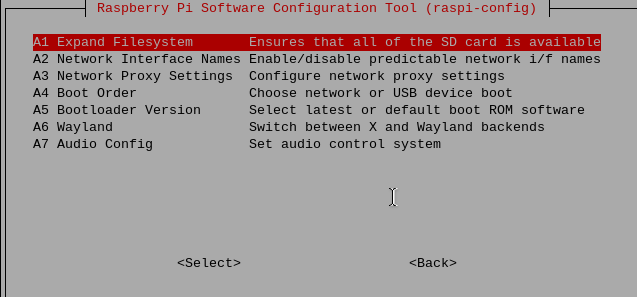
Extend Filesystem
Extend SD card partition.
Network Interface Names
Enable or disable predictable network interface names.
Network Proxy Settings
Configure proxy settings for your network.
Boot Order
Choose between SD card, USB, or network boot.
Bootloader Version
Latest boot ROM software; restore to factory defaults if latest version causes problems.
Wayland
Use this option to switch between X11 and Wayland backends.
Audio Configuration
Use this option to switch between PulseAudio and PipeWire audio backends.
Update
Update this tool to the latest version.
About raspi-config
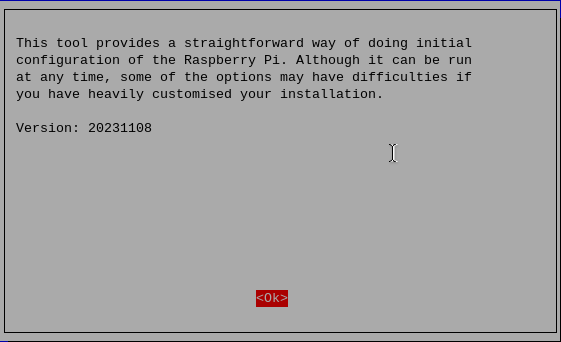
The above is an introduction to the options involved in the raspi-config tool!