Welcome to Raspbot V2 repository
当製品の日本語版マニュアル資料は、こちらからご取得ください。
5. Gesture control car actions
5. Gesture control car actions
1. Program Function Description
After the function is turned on, the camera captures images and recognizes relevant gestures to control the movement of the car.
| Gesture number "5" | Car stops |
|---|---|
| Gesture "yes" | Car moves in a square |
| Gesture "ok" | Car turns in a circle |
| Gesture "rock" (index finger and pinky finger are straight, and the others are bent) | Car moves in an S shape |
| Gesture contempt (clenched fist, thumb extended, thumb facing down) | Car moves forward |
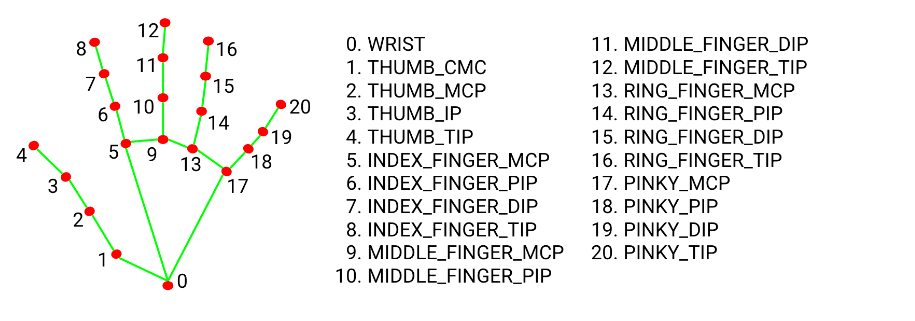
2. Program code reference path
After entering the docker container, the source code of this function is located at,
/root/yahboomcar_ws/src/yahboomcar_mediapipe/yahboomcar_mediapipe/
3. Program startup
3.1. Startup command
Open a terminal and enter the following command to enter docker,
xxxxxxxxxx./docker_ros2.sh
When the following interface appears, you have successfully entered docker

Start chassis
xxxxxxxxxxros2 launch yahboomcar_bringup bringup.launch.py
Open a new terminal and enter the same docker. Change the following da8c4f47020a to the ID displayed in the actual terminal
xxxxxxxxxxdocker ps
xxxxxxxxxxdocker exec -it da8c4f47020a /bin/bash

After entering the docker container, enter in the terminal,
xxxxxxxxxxros2 run yahboomcar_mediapipe FingerCtrl
Turn on this function, then put your hand in front of the camera, the screen will draw the shape of your finger, and after the program recognizes the gesture, it will send the speed to the chassis, thereby controlling the movement of the car.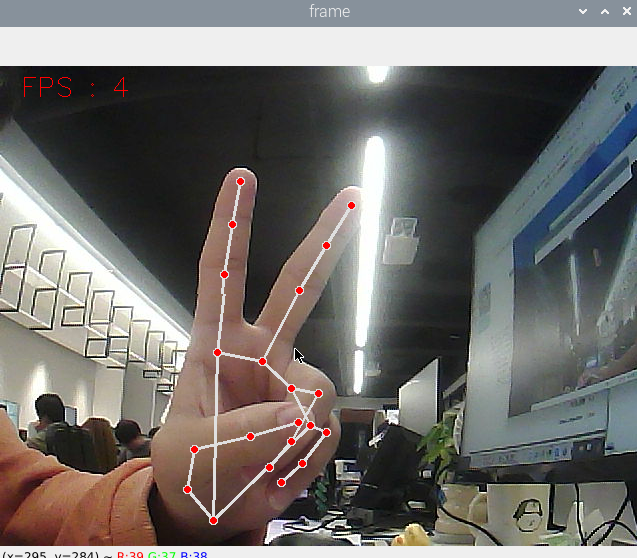
4. Core code
4.1. FingerCtrl.py
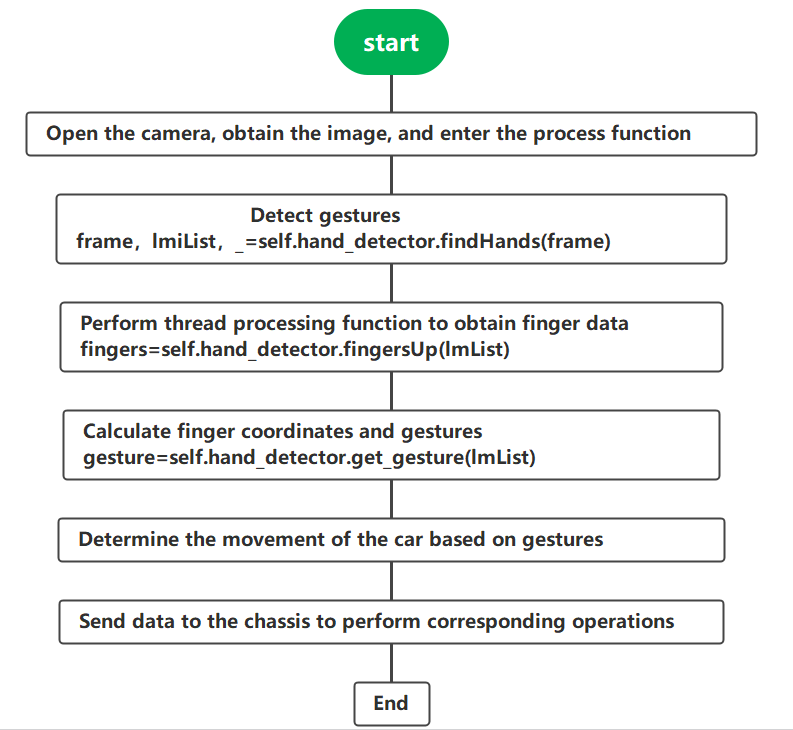
xxxxxxxxxxframe, lmList, bbox = self.hand_detector.findHands(frame) #Detect palmfingers = self.hand_detector.fingersUp(lmList) #Get finger coordinatesgesture = self.hand_detector.get_gesture(lmList) #Get gestureFor the specific implementation process of the above three functions, please refer to the content in media_library.pyThe implementation process here is also very simple. The main function opens the camera to obtain data and then passes it to the process function. It performs "detect palm" -> "get finger coordinates" -> "get gesture" in sequence, and then determines the action to be performed based on the gesture results.
4.2. Flowchart