Welcome to Raspbot V2 repository
当製品の日本語版マニュアル資料は、こちらからご取得ください。
16. Finger control
16. Finger control
16.1. Introduction
MediaPipe is an open-source data stream processing machine learning application development framework developed by Google. It is a graph-based data processing pipeline used to build data sources in various forms, such as video, audio, sensor data, and any time series data.
MediaPipe is cross-platform and can run on embedded platforms (such as Raspberry Pi), mobile devices (iOS and Android), workstations and servers, and supports mobile GPU acceleration. MediaPipe provides cross-platform, customizable ML solutions for real-time and streaming media.
The core framework of MediaPipe is implemented in C++ and provides support for languages such as Java and Objective C. The main concepts of MediaPipe include packets, streams, calculators, graphs, and subgraphs.
Features of MediaPipe:
- End-to-end acceleration: built-in fast ML inference and processing can be accelerated even on ordinary hardware.
- Build once, deploy anywhere: unified solution for Android, iOS, desktop/cloud, web and IoT.
- Ready-to-use solution: cutting-edge ML solution that demonstrates the full capabilities of the framework.
- Free and open source: framework and solution under Apache2.0, fully extensible and customizable.
16.2. Finger control
Source code location:
/home/pi/project_demo/07.AI_Visual_Recognition/mediapipe/16.Finger_control/HandCtrl_USB.py
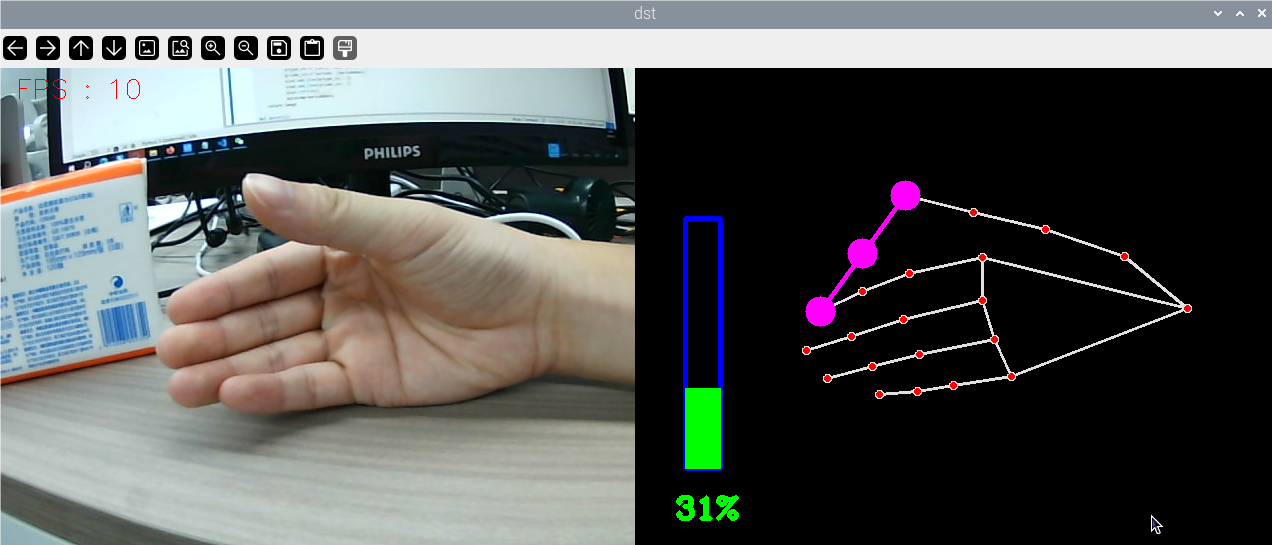
Click [F key] to switch the recognition effect, and control the image effect by the distance between the thumb and index finger (open/close).
xxxxxxxxxxIf you want to exit the program, you can press q in the preview window or press Ctrl+C in the terminal to terminate the program!
Note: The following commands require vnc login to the car to run.
xxxxxxxxxxcd /home/pi/project_demo/07.AI_Visual_Recognition/mediapipe/16.Finger_controlxxxxxxxxxxpython3 FingerCtrl_USB.py