Welcome to Raspbot V2 repository
当製品の日本語版マニュアル資料は、こちらからご取得ください。
7. Perspective Transformation
7. Perspective Transformation
7.1. Perspective transformation
Perspective transformation is also called projection transformation. The affine transformation we often talk about is a special case of perspective transformation. The purpose of perspective transformation is to transform objects that are straight lines in reality into straight lines in the image. Perspective transformation can map rectangles to any quadrilaterals.
cv2. warpPerspective(src, M, dsize[,flag, [,borderMode[,borderValue]]])
src: source image
M: 3X3 transformation matrix
dsize: output image size.
flags: interpolation method, default INTER_LINEAR (bilinear interpolation), when WARP_INVERSE_MAP, it means that M is an inverse transformation, which can achieve an inverse transformation from the target dst to src.
borderMode: border type. The default is BORDER_CONSTANT. When the value is BORDER_TRANSPARENT, the values in the target image are not changed, and these values correspond to the abnormal values in the original image.
borderValue: Boundary value, default is 0.
Like affine transformation, OpenCV still provides a function cv2.getPerspectiveTransform() to provide the transformation matrix above.
The function is as follows:
cv2.getPerspectiveTransform(matSrc, matDst)
matSrc: Four vertex coordinates of the input image.
matDst: Four vertex coordinates of the output image.
7.2. Actual effect display
Code path:
/home/pi/project_demo/06.Open_source_cv_fundamentals_course/B.Geometric_Transformations/07_Perspective_Transformation.ipynb
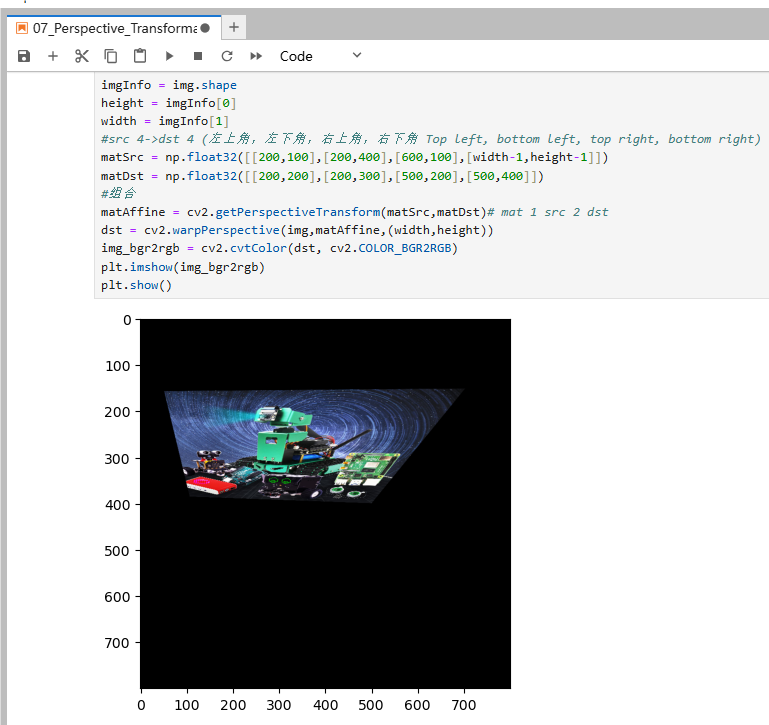
ximport cv2import numpy as npimport matplotlib.pyplot as plt
img = cv2.imread('yahboom.jpg',1)
imgInfo = img.shapeheight = imgInfo[0]width = imgInfo[1]#src 4->dst 4 (左上角,左下角,右上角,右下角 Top left, bottom left, top right, bottom right)matSrc = np.float32([[200,100],[200,400],[600,100],[width-1,height-1]])matDst = np.float32([[200,200],[200,300],[500,200],[500,400]])#组合matAffine = cv2.getPerspectiveTransform(matSrc,matDst)# mat 1 src 2 dstdst = cv2.warpPerspective(img,matAffine,(width,height))img_bgr2rgb = cv2.cvtColor(dst, cv2.COLOR_BGR2RGB)plt.imshow(img_bgr2rgb)plt.show()