Welcome to ROSMASTER M3 repository
09.Custom wake-up response
Custom Wake-Up Response
1. Course Content
- Add audio files to the multi_brains program's audio library to customize the voice response after wake-up.
[!NOTE]
- This section of the tutorial is only for users who need to customize personalized voice responses and does not affect normal use.
- If you do not need to customize personalized responses, you can skip this section.
2. Preparing Audio Files
- The audio materials for voice replies can be downloaded and prepared independently.
- Alternatively, you can generate speech using the system's built-in
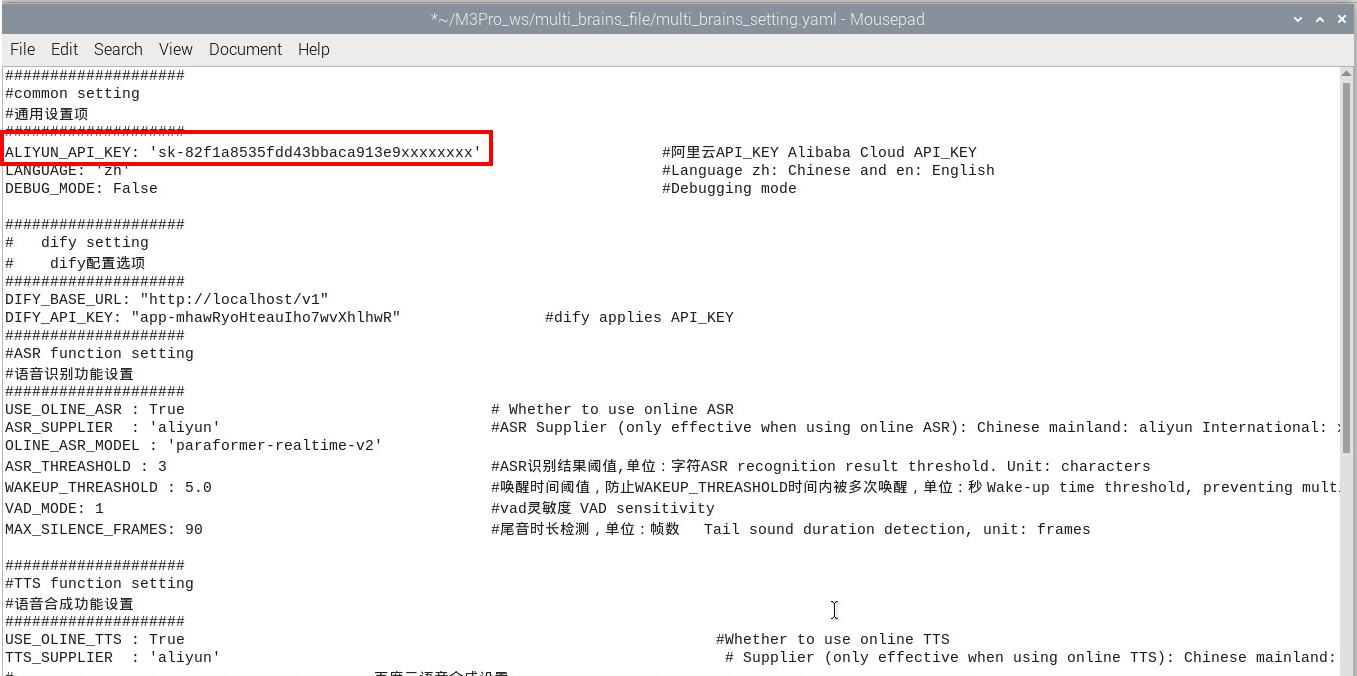
generate_voicecommand. The speech generation uses the speech synthesis model from the Alibaba Cloud Model Studio Platform, so you need to configure theALIYUN_API_KEYfirst, as described in the [02 - Configuring API-KEY] section of this chapter. - Pre-configure the Alibaba Cloud Model Studio Platform API-KEY
- Run the command in the terminal:
xxxxxxxxxxgenerate_vioce --text Hello --language_type English
--textis the startup parameter; replace "Hello" with the text you want to synthesize into speech.
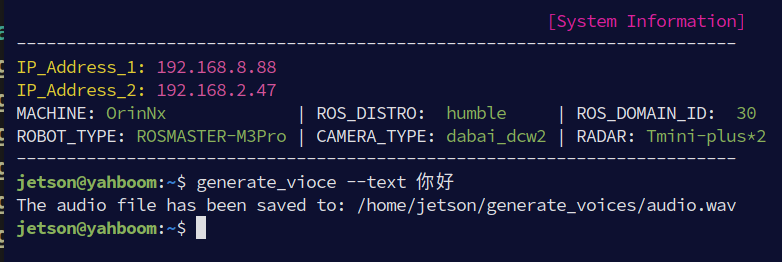
- The audio file will be automatically saved in the
~/generate_voices/directory.
[!NOTE] Other optional startup parameters are as follows:
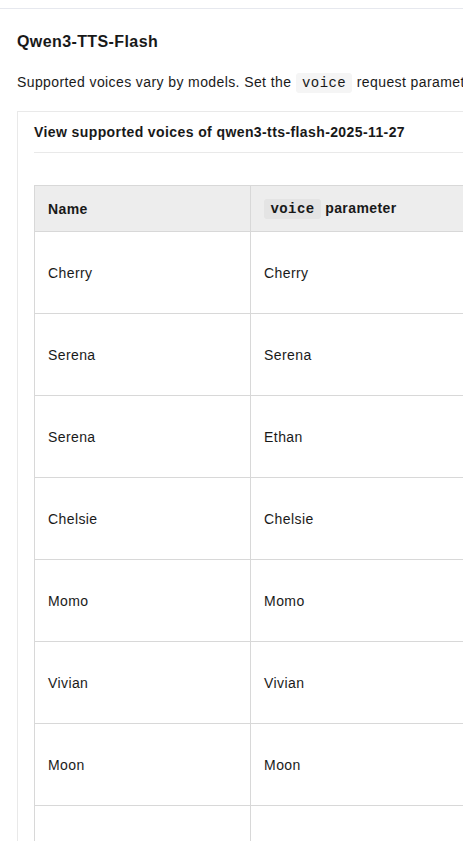
- --voice: Speaker, default
Cherry- --language_type: Language, specify the language of the synthesized audio. Available options include
Chinese,English,German,Italian,Portuguese,Spanish,Japanese,Korean,French, andRussian.- --save_path: Audio file save path, default
~/generate_voices/- --config_file: Configuration file path, default
~/M3Pro_ws/multi_brains_file/multi_brains_setting.yaml- --text: Text to be synthesized audio, default is empty
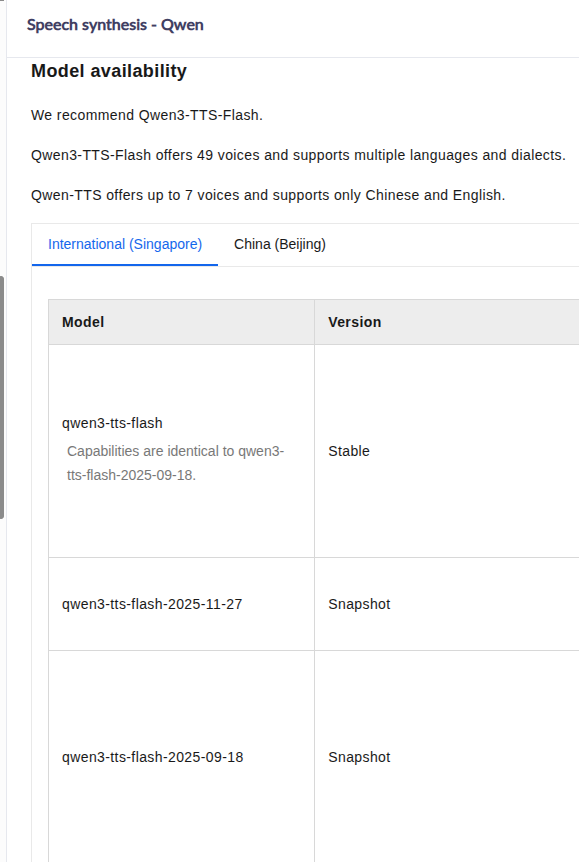
- --model The speech synthesis model defaults to
qwen3-tts-flash.
For available speakers and speech synthesis models, please refer to the dynamic notifications on the Bailian official website: https://bailian.console.aliyun.com/?spm=5176.29619931.J_SEsSjsNv72yRuRFS2VknO.2.74cd10d73l2Pw5&tab=doc#/doc/?type=model&url=2879134
- Reference model:
- Reference Tone
- Supported Languages
Chinese, English, Spanish, Russian, Italian, French, Korean, Japanese, German, Portuguese
3. Loading Audio Files
- multi_brains system audio path:
xxxxxxxxxx~/M3Pro_ws/src/multi_brains/system_vioce

- Where:
zhis the Chinese response voice, suitable for domestic users. Place the prepared audio files in the directory:
~/M3Pro_ws/src/multi_brains/system_vioce/zh/wakeup

enis the English response voice, suitable for international users. Place the prepared audio files in the directory:
xxxxxxxxxx~/M3Pro_ws/src/multi_brains/system_vioce/zh/wakeup

- When the multi_brains program is started, it will automatically load the audio files in the corresponding directory and randomly play personalized response voices when the user wakes the system.