Welcome to ROSMASTER M3 repository
1.Introduction and Quick Start
Introduction to Road Network Planning and Quick Start Case Study
Introduction to Road Network Planning and Quick Start Case Study1. Course Content2. Introduction to Road Network Planning3. Running Road Network Planning Solution Cases
1. Course Content
- Understand road network planning and navigation functions
- Use simulation test cases to quickly understand road network planning and navigation functions
2. Introduction to Road Network Planning
- The core of road network planning and navigation functionality is to use Nav2's route server to help users create, edit, and manage route maps for robot navigation. Route maps represent valid paths that robots can follow in their environment, consisting of nodes (waypoints) and edges (connections between waypoints). Unlike ordinary free space planning, path-based navigation ensures that robots follow specific, predefined paths.
Road network planning and navigation is commonly used in the following scenarios:
Industrial environments where specific routes must be followed
- Application case: Factory AGV robots transport parts along preset road networks, with routes avoiding production lines, personnel passages, and heavy equipment areas.
Warehouse operations requiring structured movement patterns
- Application case: Parts warehouses divide road network zones by material type, with robots following fixed routes to access parts, ensuring first-in-first-out while avoiding shelf collisions.
- Application case: Hotel service robots, where robots deliver goods to different rooms only along specific route networks.
Facilities with restricted areas or priority paths
Large outdoor urban or natural environments
- Application case: Route planning in navigation software is based on urban lane networks, with scenic area autonomous sightseeing vehicles only following fixed park road networks, avoiding ecological protection areas and dangerous road sections.
3. Running Road Network Planning Solution Cases
[!IMPORTANT]
PI5 and RDK mainboards do not support this simulation case!
- This simulation test is designed to help users quickly and intuitively understand the functional effects of road networks
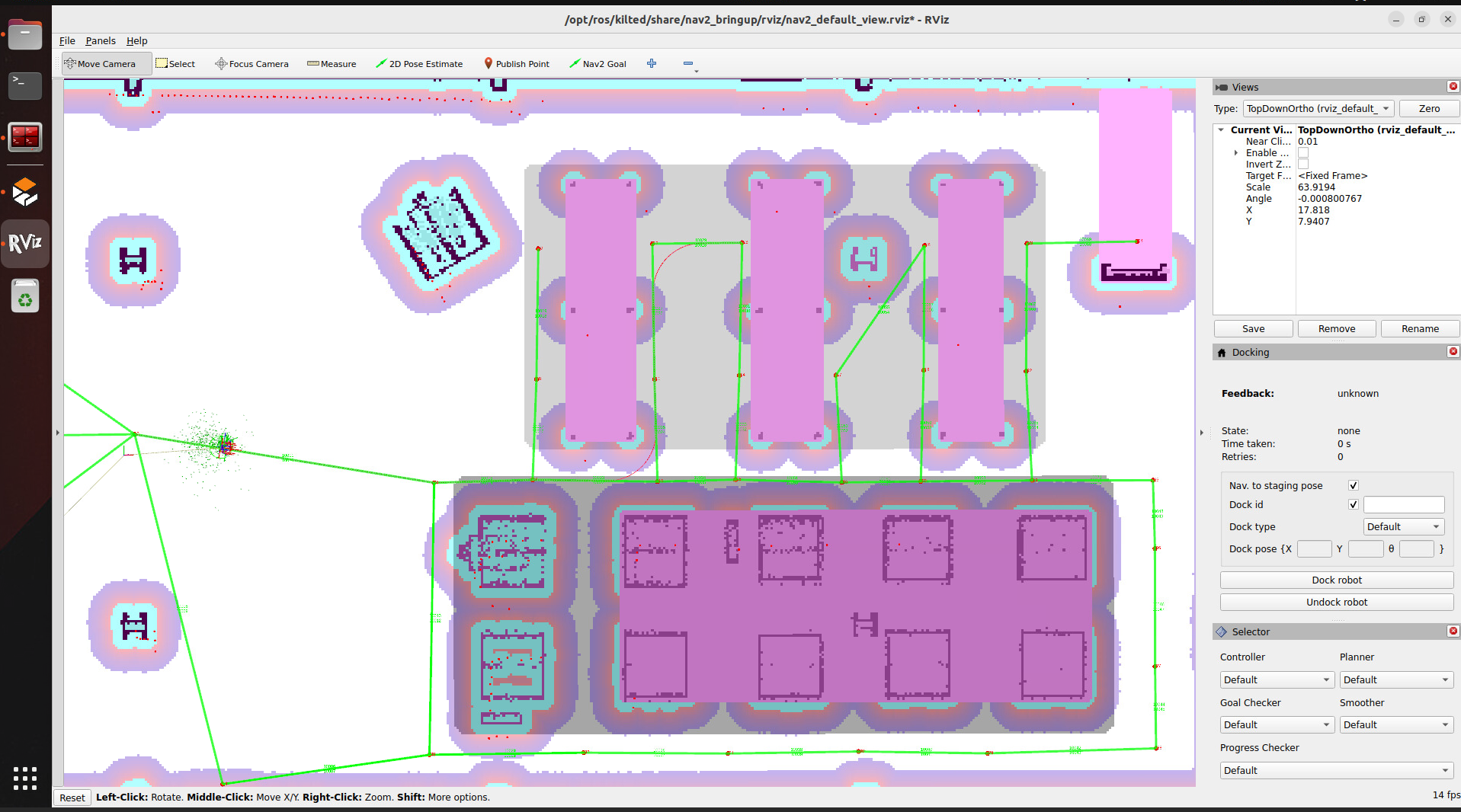
- After running the program, a warehouse road network case will be launched, starting from waypoint 3 and traveling along the road network to waypoint 13
- Start ros2 kilted
bringup_ros2kilted
- Enter ros2 kilted container
xxxxxxxxxxexec_ros2kilted
- Launch road network simulation test case
xxxxxxxxxxros2 launch road_net_route roadnet_sim.launch.pyThe simulated robot will initialize at node 3, then plan a path in the road network and navigate to node 13
- When you no longer need to use the container, use the shortcut command to close the container to save memory resources
xxxxxxxxxxshutdown_ros2kilted