Welcome to ROSMASTER M3 repository
3.Object detection
Object detection
Object detection1. Enable optimal performance of the boardEnable Jetson Clocks2. Target prediction: imageEffect preview3. Target prediction: videoEffect preview4. Target prediction: real-time detectionEffect previewReferences
Using Python to demonstrate Ultralytics: Object Detection in images, videos, and real-time detection.
1. Enable optimal performance of the board
Enable Jetson Clocks
Enabling Jetson Clocks will ensure that all CPU and GPU cores run at maximum frequency:
sudo jetson_clocks
2. Target prediction: image
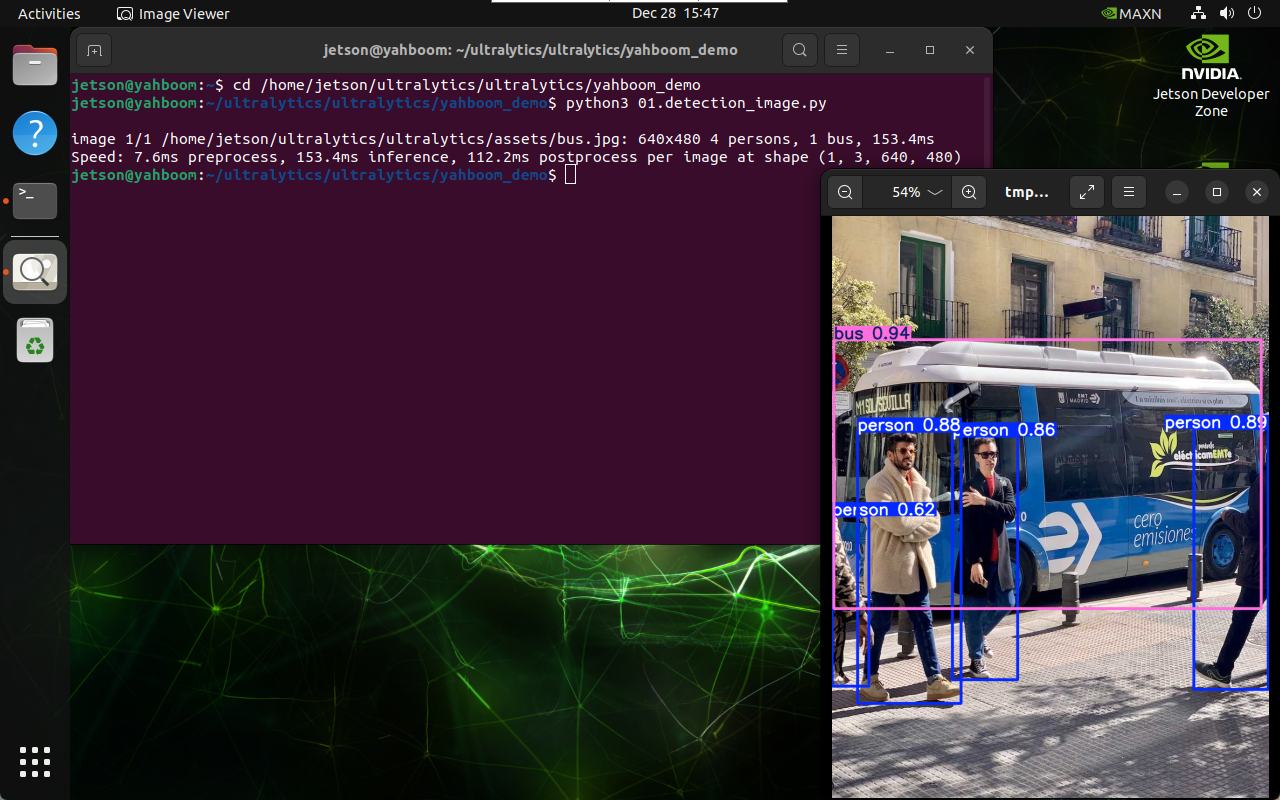
Use yolo11n.pt to predict the images provided by the ultralytics project.
Enter the code folder:
xxxxxxxxxxcd /home/jetson/ultralytics/ultralytics/yahboom_demo
Run the code:
xxxxxxxxxxpython3 01.detection_image.py
Effect preview
Yolo recognition output image location: /home/jetson/ultralytics/ultralytics/output/
Sample code:
xfrom ultralytics import YOLO# Load a modelmodel = YOLO("/home/jetson/ultralytics/ultralytics/yolo11n.pt")# Run batched inference on a list of imagesresults = model("/home/jetson/ultralytics/ultralytics/assets/bus.jpg") # return a list of Results objects# Process results listfor result in results: boxes = result.boxes # Boxes object for bounding box outputs # masks = result.masks # Masks object for segmentation masks outputs # keypoints = result.keypoints # Keypoints object for pose outputs # probs = result.probs # Probs object for classification outputs # obb = result.obb # Oriented boxes object for OBB outputs result.show() # display to screen result.save(filename="/home/jetson/ultralytics/ultralytics/output/bus_output.jpg") # save to disk3. Target prediction: video
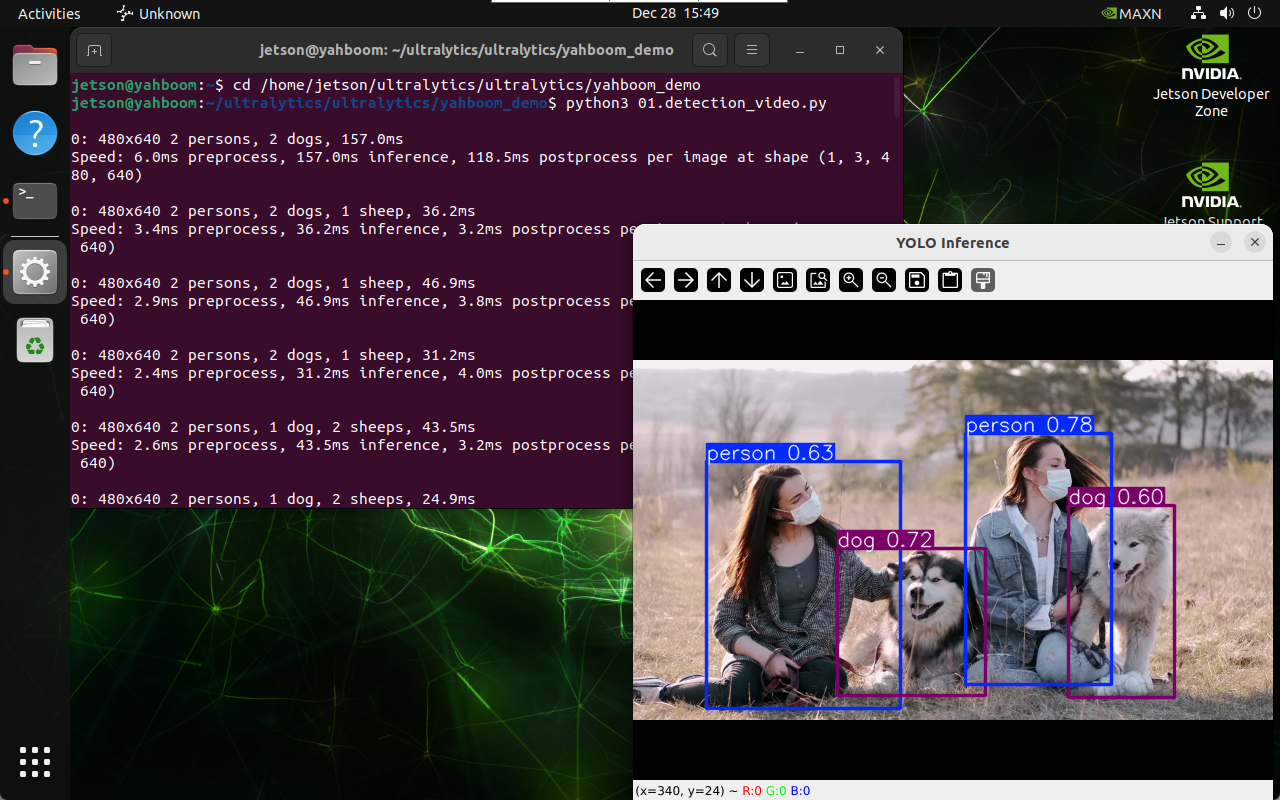
Use yolo11n.pt to predict videos under the ultralytics project (not the videos that come with ultralytics).
Enter the code folder:
xxxxxxxxxxcd /home/jetson/ultralytics/ultralytics/yahboom_demo
Run the code:
xxxxxxxxxxpython3 01.detection_video.py
Effect preview
Video location of yolo recognition output: /home/jetson/ultralytics/ultralytics/output/
Sample code:
xxxxxxxxxximport cv2from ultralytics import YOLO# Load the YOLO modelmodel = YOLO("/home/jetson/ultralytics/ultralytics/yolo11n.pt")# Open the video filevideo_path = "/home/jetson/ultralytics/ultralytics/videos/people_animals.mp4"cap = cv2.VideoCapture(video_path)# Get the video frame size and frame rateframe_width = int(cap.get(cv2.CAP_PROP_FRAME_WIDTH))frame_height = int(cap.get(cv2.CAP_PROP_FRAME_HEIGHT))fps = int(cap.get(cv2.CAP_PROP_FPS))# Define the codec and create a VideoWriter object to output the processed videooutput_path = "/home/jetson/ultralytics/ultralytics/output/01.people_animals_output.mp4"fourcc = cv2.VideoWriter_fourcc(*'mp4v') # You can use 'XVID' or 'mp4v' depending on your platformout = cv2.VideoWriter(output_path, fourcc, fps, (frame_width, frame_height))# Loop through the video frameswhile cap.isOpened(): # Read a frame from the video success, frame = cap.read() if success: # Run YOLO inference on the frame results = model(frame) # Visualize the results on the frame annotated_frame = results[0].plot() # Write the annotated frame to the output video file out.write(annotated_frame) # Display the annotated frame cv2.imshow("YOLO Inference", annotated_frame) # Break the loop if 'q' is pressed if cv2.waitKey(1) & 0xFF == ord("q"): break else: # Break the loop if the end of the video is reached break# Release the video capture and writer objects, and close the display windowcap.release()out.release()cv2.destroyAllWindows()4. Target prediction: real-time detection
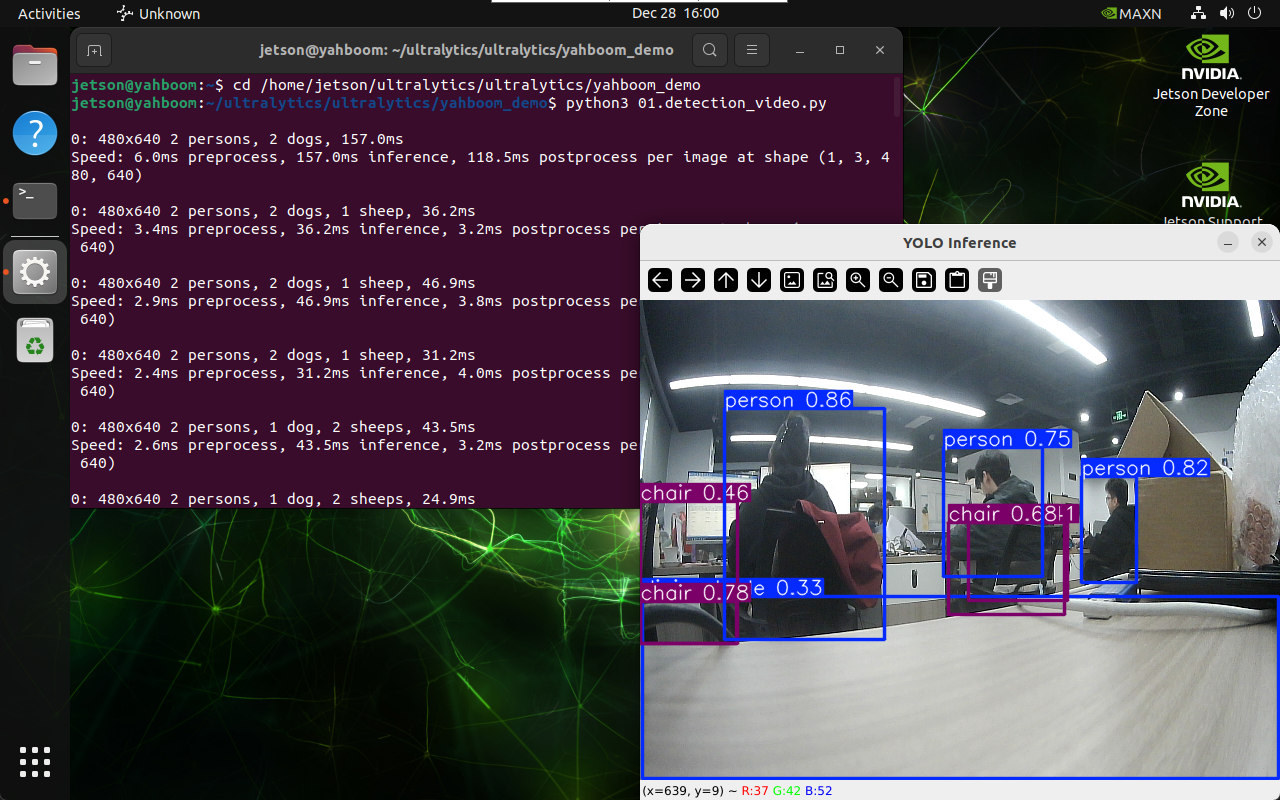
Use yolo11n.engine to predict the camera image.
Start the camera.
xxxxxxxxxx#usb cameraros2 launch usb_cam camera.launch.py #nuwa cameraros2 launch ascamera hp60c.launch.pyEnter the code folder:
xxxxxxxxxxcd /home/jetson/ultralytics/ultralytics/yahboom_demo
Run the code: Click the preview screen and press the q key to terminate the program!
xxxxxxxxxxpython3 01.detection_camera_usb.py
Effect preview
Video location of yolo recognition output: /home/jetson/ultralytics/ultralytics/output/
Sample code:
x
#!/usr/bin/env python3import rclpyfrom rclpy.node import Nodefrom sensor_msgs.msg import Image, CompressedImagefrom cv_bridge import CvBridgeimport cv2from ultralytics import YOLOimport osimport timeclass Image_detection(Node): def __init__(self): super().__init__('Image_detection') self.model = YOLO("/home/jetson/ultralytics/ultralytics/yolo11n.engine") self.camera_type = os.getenv('CAMERA_TYPE', 'usb') self.bridge = CvBridge() if self.camera_type == 'usb': topic_name = '/usb_cam/image_raw' else: topic_name = '/ascamera_hp60c/camera_publisher/rgb0/image' self.subscription = self.create_subscription(Image,topic_name, self.image_callback,10) # Get the video frame size and frame rate frame_width = 640 frame_height = 480 fps = 30 output_path = "/home/jetson/ultralytics/ultralytics/output/01.detection_camera_usb.mp4" fourcc = cv2.VideoWriter_fourcc(*'mp4v') # You can use 'XVID' or 'mp4v' depending on your platform self.out = cv2.VideoWriter(output_path, fourcc, fps, (frame_width, frame_height)) # Initialize time for FPS calculation self.prev_time = 0 def image_callback(self, msg): cv_image = self.bridge.imgmsg_to_cv2(msg, desired_encoding='bgr8') self.proecc(cv_image) # Loop through the video frames def proecc(self,frame): # Run YOLO inference on the frame results = self.model(frame) # Visualize the results on the frame annotated_frame = results[0].plot() # Calculate FPS current_time = time.time() fps = 1 / (current_time - self.prev_time) self.prev_time = current_time # Display FPS on frame cv2.putText(annotated_frame, f"FPS: {fps:.2f}", (10, 30), cv2.FONT_HERSHEY_SIMPLEX, 1, (0, 255, 0), 2) # Write the annotated frame to the output video file self.out.write(annotated_frame) # Display the annotated frame cv2.imshow("YOLO Inference", cv2.resize(annotated_frame, (640, 480))) # Break the loop if 'q' is pressed cv2.waitKey(1) & 0xFF == ord("q") def cancel(self): cv2.destroyAllWindows() self.out.release() def main(args=None): rclpy.init(args=args) node = Image_detection() try: rclpy.spin(node) except KeyboardInterrupt: pass finally: node.cancel() node.destroy_node() rclpy.shutdown()if __name__ == '__main__': main()