Welcome to ROSMASTER M3 repository
12.Machine Code Following
Machine Code Following
Machine Code Following1. Course Content2. Start Agent3. Run Case3.1 Dynamic Parameter Adjustment4. Source Code Analysis
1. Course Content
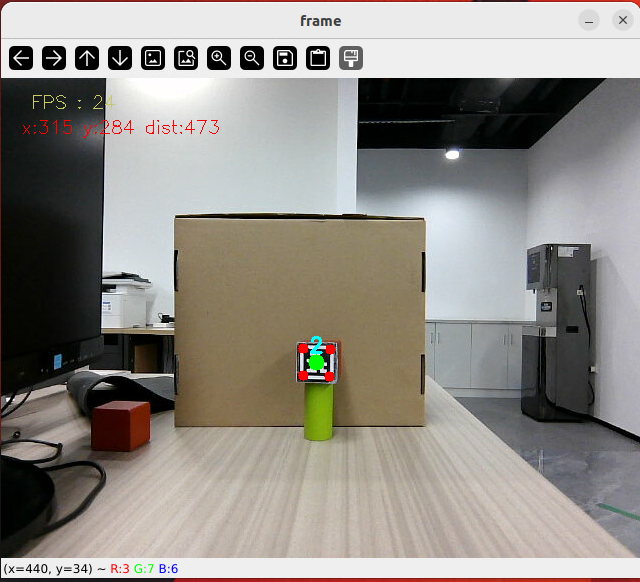
- Run example programs, the car will recognize detected machine codes and frame them, then the car will continuously follow the machine code to keep it in the center of the screen, and maintain a distance of 0.4 meters from the recognized machine code. Press the
q/Qkey to exit the program.
2. Start Agent
Note: If already started, no need to restart
Enter command in the car terminal:
xxxxxxxxxxstart_agentThe terminal prints the following information, indicating successful connection
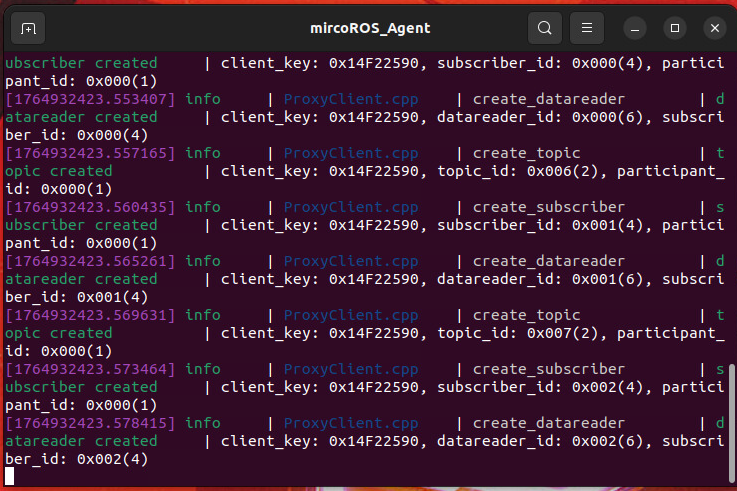
3. Run Case
For Raspberry Pi 5 users, if the ROS container is not started, you need to start the container first,
xxxxxxxxxxbringup_m3Open a terminal inside the container,
xxxxxxxxxxexec_m3- Enter command in terminal:
xxxxxxxxxxros2 launch m3_bringup depthcam_demo.launch.py demo:=apriltagTracker- After the program starts, when a machine code is detected, it will automatically frame the machine code area, and the car will start following.
[!TIP]
If the car runs with poor stuttering effect, you can replace it with a QR code photo that can better obtain depth information. This is because if the QR code depth information is 0, the car will stop
3.1 Dynamic Parameter Adjustment
xxxxxxxxxxros2 run rqt_reconfigure rqt_reconfigure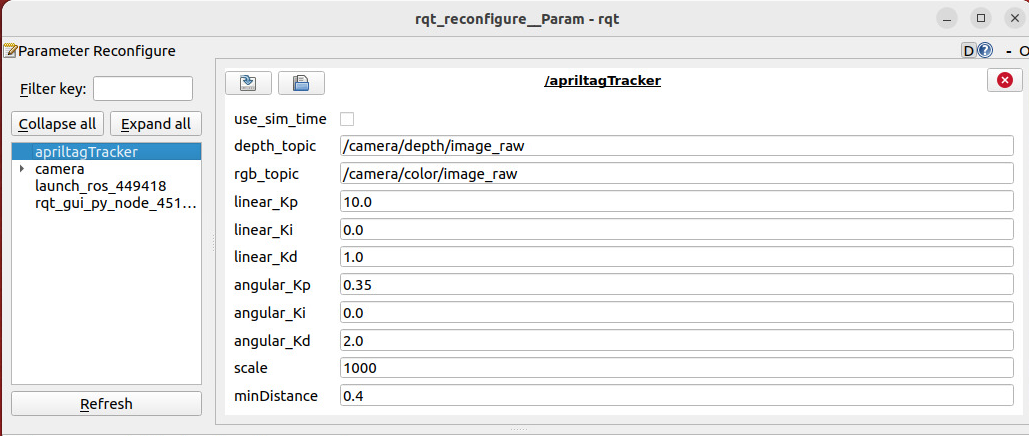
- After modifying parameters, click on the blank area of the GUI to write parameter values. Note that it will only take effect for the current startup. For permanent effect, you need to modify the parameters in the source code.
Parameter analysis:
【linear_Kp】, 【linear_Ki】, 【linear_Kd】: Linear speed PID control during car following process.
【angular_Kp】, 【angular_Ki】, 【angular_Kd】: Angular speed PID control during car following process.
【minDistance】: Following distance, always maintain this distance.
4. Source Code Analysis
apriltagFollow.py source code path:
xxxxxxxxxx~/yahboomM3_ws/code_ws/src/m3_common_demo/m3_common_demo/depthcamera/apriltagFollow.py- This program mainly has the following functions:
- Subscribe to depth camera topics to get topic images;
- Use machine code dt_apriltags library to detect recognized machine codes;
- Process images to get machine code screen center coordinates and depth distance information.
- Calculate distance PID and center coordinate PID to get car forward speed distance and turning angle.
Some core code is as follows,
xxxxxxxxxx#AprilTag detection and processingtags = self.at_detector.detect( cv.cvtColor(result_image, cv.COLOR_BGR2GRAY), # Convert to grayscale False, None, 0.025) # Decoding threshold parametertags = sorted(tags, key=lambda tag: tag.tag_id) # Sort by ID# Draw labels: red corner point, green center pointresult_image = draw_tags(result_image, tags, corners_color=(0,0,255), center_color=(0,255,0))#Machine code detection and processingif len(tags) > 0: tag = tags[0] # Only process the first detected label self.Center_x, self.Center_y = tag.center # Get tag center corners = tag.corners.reshape((-1, 2)) # Calculate bounding boxes x, y, w, h = cv.boundingRect(corners.astype(np.int32)) self.Center_r = w * h // 100 # Area as a radius indicator#Distance calculationpoints = [ (int(self.Center_y), int(self.Center_x)), (int(self.Center_y+1), int(self.Center_x+1)), (int(self.Center_y-1), int(self.Center_x-1)) ]valid_depths = []for y, x in points: # Get depth value (note: OpenCV is row, col is y, x) depth_val = depth_image_info[y][x] if depth_val != 0: # Filter invalid depth valid_depths.append(depth_val)dist = int(sum(valid_depths)/len(valid_depths)) if valid_depths else 0self.dist = dist # Store current distance#Control executionif dist > 0.2: # Effective distance threshold (0.2 meters) self.execute(self.Center_x, dist) # Execution control # Calculate the movement speed and turning angle using the PID algorithm based on the x and y valuesdef execute(self, rgb_img, action): #PID calculation deviation linear_x = self.linear_pid.compute(dist, self.minDist) angular_z = self.angular_pid.compute(point_x,320) # The car is in the parking area and the speed is 0 if abs(dist - self.minDist) < 30: linear_x = 0 if abs(point_x - 320.0) < 30: angular_z = 0 twist = Twist() ... # Publish the calculated speed information self.pub_cmdVel.publish(twist)