Welcome to ROSMASTER M3 repository
3. Meta AI Llama 3.2 model
Llama 3.2
Llama 3.21. Model Size2. Performance3. Using Llama 3.23.1 Running Llama 3.23.2 Starting a Conversation3.3 Ending a Conversation3.4 Chinese DialogueReferences
Demo Environment
Development Boards: Jetson Orin, RDK X5, Raspberry Pi 5 series mainboard
Note: Due to performance limitations, Jetson Orin Nano 4GB, Raspberry Pi 5 2GB/4GB, and RDK X5 4GB versions require a smaller parameter version to run.
Meta Llama 3.2 is a series of advanced open-source large language models (LLMs) developed by the Meta AI department.
1. Model Size
| Model | Size |
|---|---|
| llama3.2:1b | 1.3GB |
| llama3.2:3b | 2.0GB |
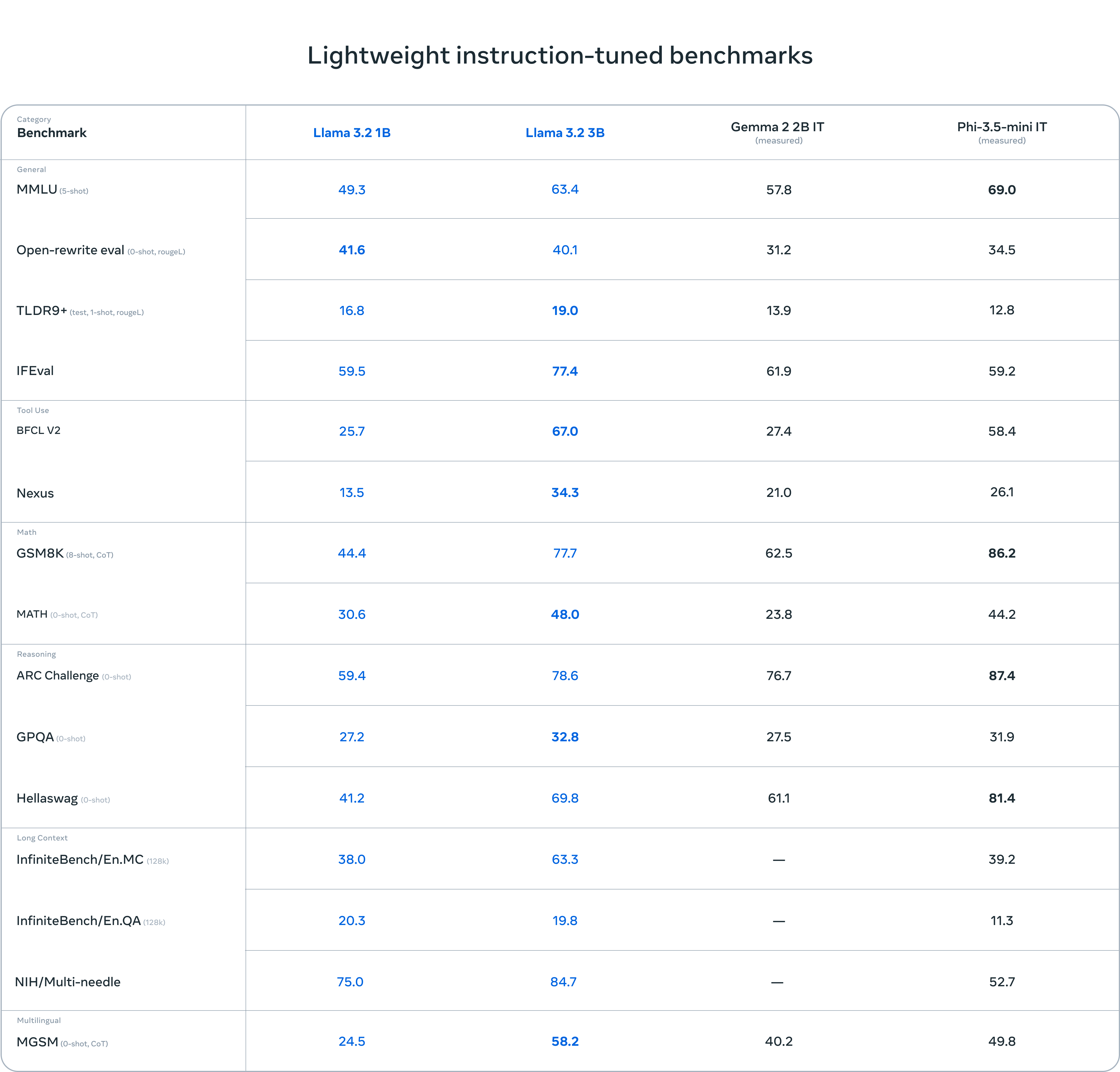
2. Performance
3. Using Llama 3.2
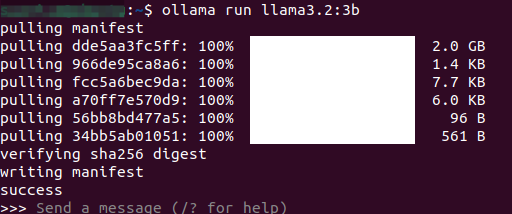
3.1 Running Llama 3.2
Use the run command to start running the model. If you haven't downloaded this model before, it will automatically pull the model from the Ollama model library:
xxxxxxxxxxollama run llama3.2:3b
3.2 Starting a Conversation
xxxxxxxxxxHow many minutes are there in a day?
Response time depends on hardware configuration; please be patient!

3.3 Ending a Conversation
Use the shortcut Ctrl+d or /bye to end the conversation!
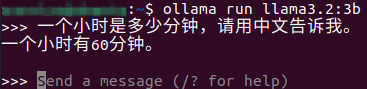
3.4 Chinese Dialogue
For those without a Chinese input method, please refer to the Chinese input method switching tutorial.
Chinese Dialogue:
References
Ollama
Official Website: https://ollama.com/
GitHub: https://github.com/ollama/ollama
Llama 3.2
Official Website: https://www.llama.com/docs/model-cards-and-prompt-formats/llama3_2/
Ollama Corresponding Model: https://ollama.com/library/llama3.2