Welcome to ROSMASTER M1 repository
1.Semantic understand and command follow
Semantic understand and command follow(Text Version)
1. Course Content
- Learn the basics of how the large model understands user instructions.
- After running the large model program, users can interact with the robot through text. The text then generates a large model and uses multimodal visual processing to accurately understand user instructions and speech. Finally, the robot performs the specified actions according to the user's instructions and responds to the user.
2. Preparation
2.1 Content Description
This course uses the Raspberry Pi 5 as an example. For Raspberry Pi and Jetson-nano boards, you need to open a terminal on the host computer and enter the command to enter the Docker container. Once inside the Docker container, enter the commands mentioned in this course in the terminal. For instructions on entering the Docker container from the host computer, refer to [01.Robot Configuration and Operation Guide] -- [5.Enter Docker (For JETSON Nano and RPi 5)]. For RDK X5 and Orin boards, simply open a terminal and enter the commands mentioned in this course.
2.2 Starting the Dify Environment
Open the host machine's terminal,
xxxxxxxxxxsh ~/bringup_dify.sh
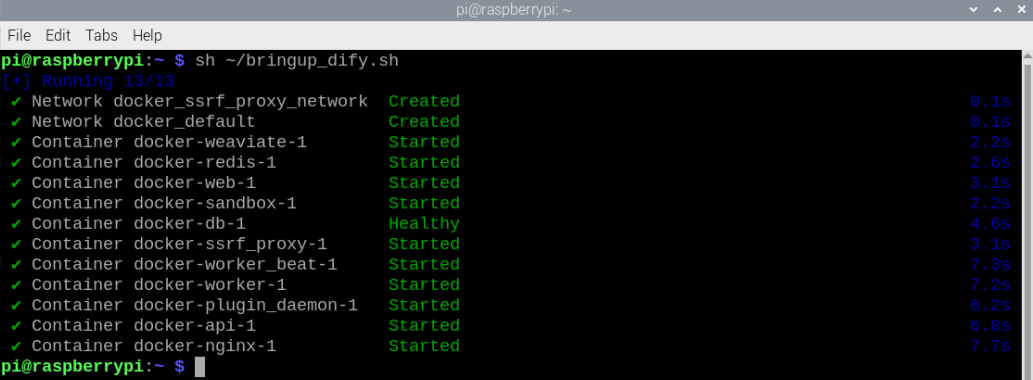
2.3 Entering the Car Docker
Enter the following command in the host terminal to enter Docker:
./run_humble.sh

3. Running the Example
3.1 Launching the Program
For Raspberry Pi 5 and Jetson Nano controllers, you must first enter the Docker container. For RDK X5 and Orin , this is not necessary.
Open a terminal in Docker and enter the command:
xxxxxxxxxxros2 launch multi_brains llm_agent_control.launch.py text_chat_mode:=True
After initialization, the following content will be displayed:
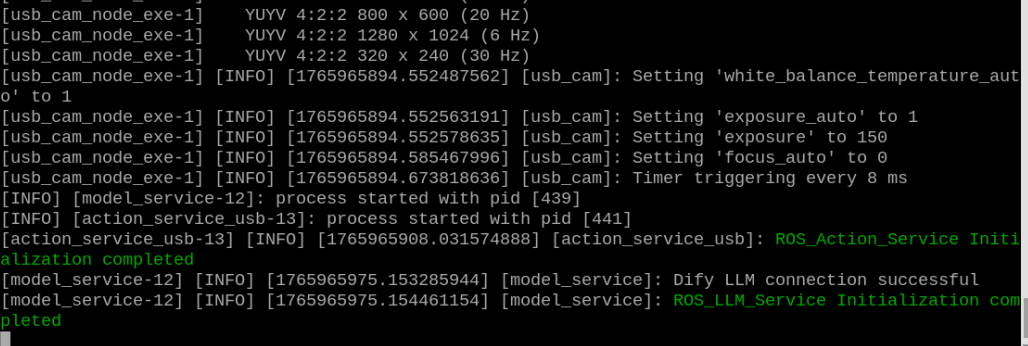
Open another terminal and enter the same Docker container terminal. For detailed steps, see [3. Docker Submission and Multi-Terminal Access] in the Docker course.
xxxxxxxxxxros2 run text_chat text_chat
Subsequently, enter conversation commands in this terminal.

3.2 Test Case
Here are some reference test cases; users are welcome to create their own conversation commands.
- Tell me a joke about a kitten and a puppy.
- Please quickly move forward 1 meter, then slowly back 0.5 meters like a turtle, then turn 30 degrees left and 90 degrees right.
3.2.1 Example 1
Open a terminal on the virtual machine and enter a test case. After the model has thought about it, it will respond to the user and execute the action according to the user's instructions.

3.2.2 Example 2
Similar to Example 1, enter Example 2 in the terminal. The model will respond and execute the action according to the instruction.
