Welcome to ROSMASTER M1 repository
1.Basic use of Lidar
Basic Use of Lidar
This lesson uses the Raspberry Pi as an example.
For Raspberry Pi and Jetson-Nano boards, you need to open a terminal on the host computer and enter the command to enter the Docker container. Once inside the Docker container, enter the commands mentioned in this lesson in the terminal. For instructions on entering the Docker container from the host computer, refer to [01. Robot Configuration and Operation Guide] -- [4.Enter Docker (For JETSON Nano and RPi 5)].
For RDKX5 and Orin boards, simply open a terminal and enter the commands mentioned in this lesson.
1. Program Functionality
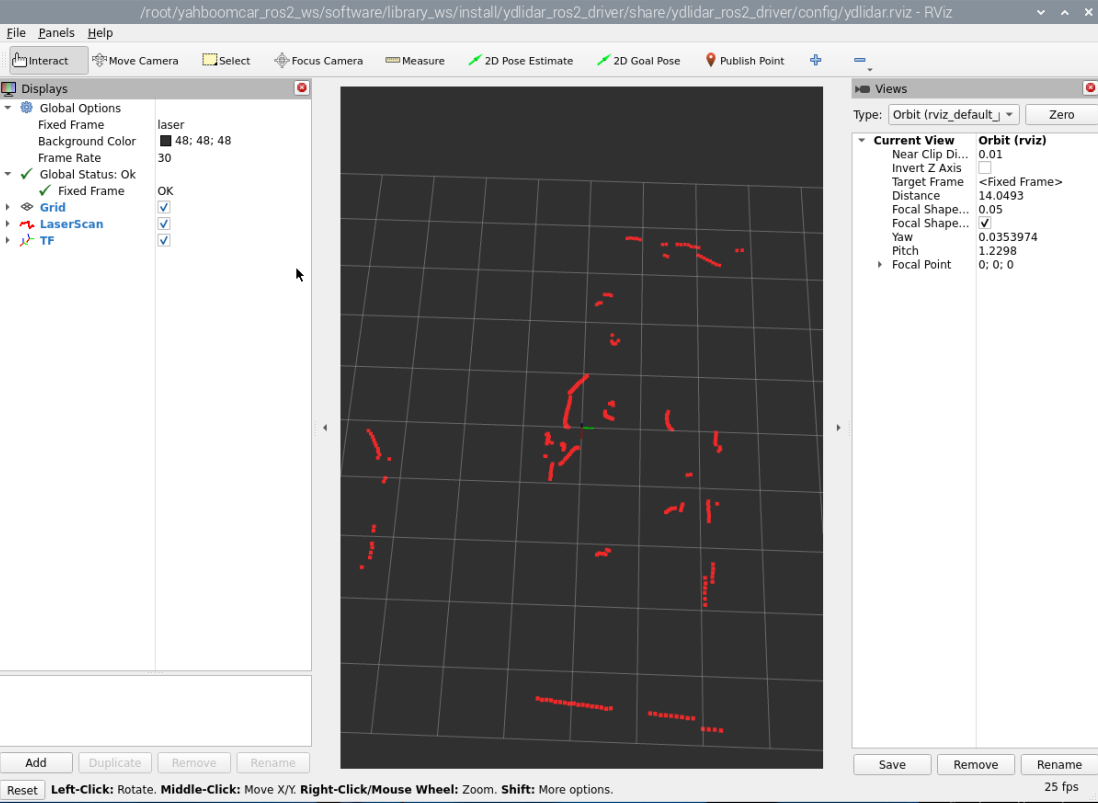
After running the program, it drives the Slamtem LiDAR or EAI LiDAR, enables Lidar scan data, and visualizes the LiDAR scan data in rviz.
2. Program Code Reference Path
The source code for this function is located at:
#C1 Lidar~/yahboomcar_ros2_ws/software/library_ws/src/sllidar_ros2/launch/sllidar_c1_launch.py#Timiniplus Lidar~/yahboomcar_ros2_ws/software/library_ws/src/ydlidar_ros2_driver-humble/launch/ydlidar_launch h.py#C1 Lidar visualization~/yahboomcar_ros2_ws/software/library_ws/src/sllidar_ros2/launch/view_sllidar_c1_launch.py#Timiniplus Lidar visualization~/yahboomcar_ros2_ws/software/library_ws/src/ydlidar_ros2_driver-humble/launch/ydlidar_launch_view.py3. Program Startup
For Raspberry Pi and Jetson-Nano boards, you need to enter the Docker container first. For RDKX5 and Orin controllers, this is not necessary.
Enter the Docker container (see [Docker course] --- [4. Docker Startup Script] for steps).
All the following commands must be executed within the same Docker container (see [Docker course] --- [3. Docker Submission and Multi-Terminal Access] for steps).
Run the corresponding program for your Lidar model.
xxxxxxxxxx#Start the Tminiplus Lidarros2 launch ydlidar_ros2_driver ydlidar_launch.py#Start the Tminiplus Lidar and visualize data with rvizros2 launch ydlidar_ros2_driver ydlidar_launch_view.py#Start the C1 Lidarros2 launch sllidar_ros2 sllidar_c1_launch.py#Start the C1 Lidar and visualize data with rvizros2 launch sllidar_ros2 view_sllidar_c1_launch.pyLet's use the Tminiplus Lidar and visualization as an example:
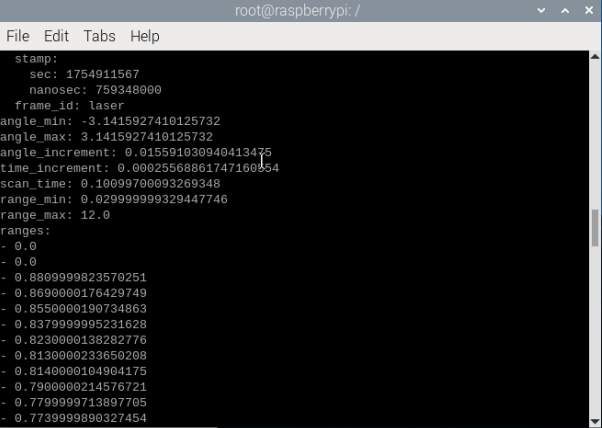
You can print the Lidar scan data using the following command:
xxxxxxxxxxros2 topic echo /scan