Welcome to ROSMASTER M1 repository
2.Lidar obstacle avoidance
Lidar obstacle avoidance
This lesson uses the Raspberry Pi as an example.
For Raspberry Pi and Jetson-Nano boards, you need to open a terminal on the host computer and enter the command to enter the Docker container. Once inside the Docker container, enter the commands mentioned in this lesson in the terminal. For instructions on entering the Docker container from the host computer, refer to [01. Robot Configuration and Operation Guide] -- [4.Enter Docker (For JETSON Nano and RPi 5)].
For RDKX5 and Orin boards, simply open a terminal and enter the commands mentioned in this lesson.
1. Program Functionality
After starting the program, the car will move forward. When an obstacle appears within its detection range, it will adjust its posture to avoid it and then continue moving forward.
2. Program Code Reference Path
For the Raspberry Pi PI5 controller, you must first enter the Docker container. The Orin controller does not need to enter this.
The source code for this function is located at:
~/yahboomcar_ros2_ws/yahboomcar_ws/src/yahboomcar_laser/yahboomcar_laser/laser_Avoidance_M1.py3. Program Startup
3.1. Startup Command
For Raspberry Pi and Jetson-Nano boards, you need to enter the Docker container first. For RDKX5 and Orin controllers, this is not necessary.
Enter the Docker container (see [Docker course] --- [4. Docker Startup Script] for steps).
All the following commands must be executed within the same Docker container (see [Docker course] --- [3. Docker Submission and Multi-Terminal Access] for steps).
This command must be modified to the corresponding lidar model.
Enter in the terminal:
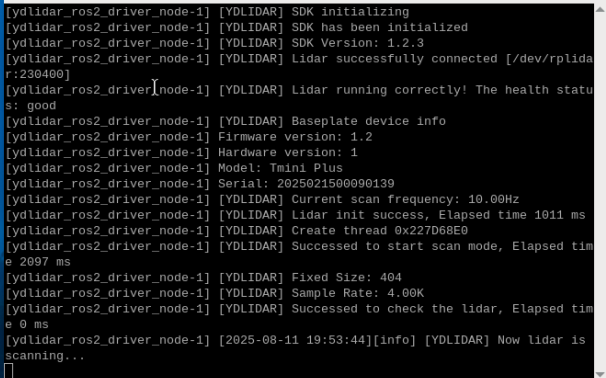
xxxxxxxxxx#Start the car chassisros2 run yahboomcar_bringup Mcnamu_driver_M1#Select one of the two lidars#timniros2 launch ydlidar_ros2_driver ydlidar_launch.py#c1ros2 launch sllidar_ros2 sllidar_c1_launch.py#Start the lidar obstacle avoidance programros2 run yahboomcar_laser laser_Avoidance_M1In the chassis terminal,
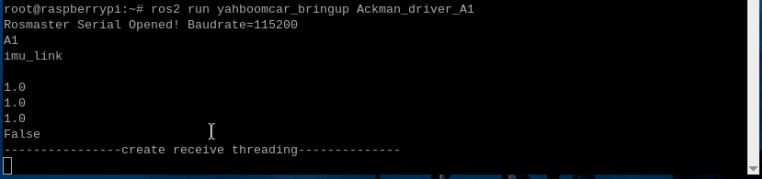
Start the lidar driver terminal.
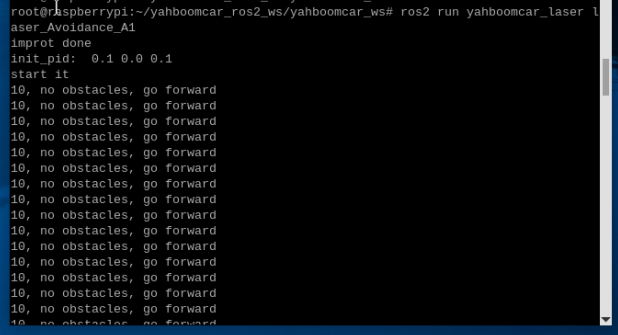
Start the obstacle avoidance program terminal. The log information shows that there are no obstacles directly ahead. Move forward.
3.2 Dynamic Parameter Regulator
You can also use the dynamic parameter regulator to set the parameter values. Enter in the terminal
xxxxxxxxxxros2 run rqt_reconfigure rqt_reconfigure
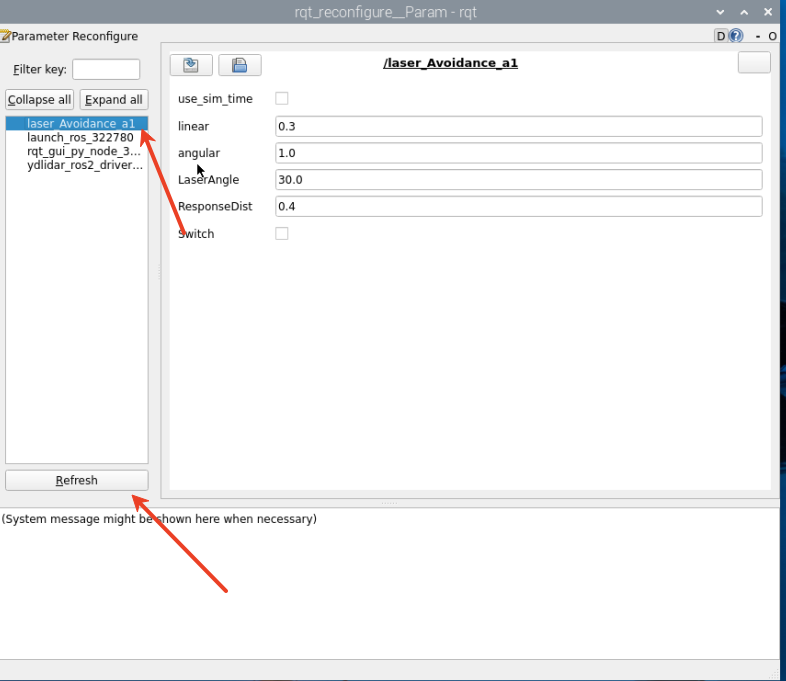
☑️ After modifying the parameters, click a blank space in the GUI to enter the parameter value. Note that this will only take effect for the current startup. To permanently take effect, you need to modify the parameters in the source code.
Parameter Analysis:
[linear]: Linear velocity of the vehicle during obstacle avoidance
[angular]: Angular velocity of the vehicle during obstacle avoidance
[LaserAngle]: lidar detection angle
[ResponseDist]: Obstacle detection distance
[Switch]: Gameplay switch, which can be used to enable and disable obstacle avoidance.
All of the above parameters are adjustable. Except for Switch, the other four must be set as decimals. After modifying, click a blank space to enter the value.
4. Core Code
4.1. laser_Avoidance_M1.py
This program has the following main functions:
- Subscribes to lidar topics and lidar-surrounding data;
- Divides the lidar data into regions to identify obstacle avoidance scenarios;
- Publishes the vehicle's forward speed, distance, and turning angle based on the obstacle avoidance strategy.
Some of the core code is as follows.
xxxxxxxxxx#雷达数据接收与转换 #Radar data reception and conversionranges = np.array(scan_data.ranges) # 将激光数据转为NumPy数组 Convert laser data to NumPy arrayangle = (scan_data.angle_min + scan_data.angle_increment * i) * RAD2DEG # 计算每个点的角度 Calculate the angle of each pointself.Right_warning = 0 # 右侧障碍计数器 Right obstacle counterself.Left_warning = 0 # 左侧障碍计数器 Left obstacle counterself.front_warning = 0 # 前方障碍计数器 Front obstacle counter#右前有障碍 There is an obstacle in the right frontelif front>10 and left<=10 and right>10: print ('2, There is an obstacle to the middle right, turn left') angular.z = self.angular # 后续检测是否左侧也出现障碍 #Follow up testing to see if there are any obstacles on the left side as well if left>10 and right<=10: angular.z = -self.angular #左前有障碍 There is an obstacle in the left frontelif front>10 and left>10 and right<=10: print ('4. There is an obstacle in the middle left, turn right') angular.z = -self.angular if left<=10 and right>10: angular.z = self.angular #控制执行与延时 #Control execution and delayself.pub_vel.publish(twist) # 发布速度指令 #Issue speed commandsleep(0.2~0.5) # 维持动作时间 #Maintain action time