Welcome to ROSMASTER M1 repository
6.Multimodal visual understand + Depth Camera Distance Question Answering
Multimodal visual understand + Depth Camera Distance Question Answering(Text Version)
Multimodal visual understand + Depth Camera Distance Question Answering(Text Version)1. Course Content2. Preparation2.1 Content Description3. Running the Example3.1 Starting the Program3.2 Test Cases3.2.1 Case 1: "Please tell me the distance between the fan in front of you and you."4. Source Code Parsing4.1 Example 1
1. Course Content
- Learn to use the robot's visual feedback to determine the distance to an object.
- Analyze newly discovered key source code.
2. Preparation
2.1 Content Description
This course uses the Raspberry Pi 5 as an example. For Raspberry Pi and Jetson Nano boards, you need to open a terminal on the host computer and enter the command to enter the Docker container. Once inside the Docker container, enter the commands mentioned in this course in the terminal. For instructions on entering the Docker container from the host computer, refer to [01. Robot Configuration and Operation Guide] -- [5.Enter Docker (For JETSON Nano and RPi 5)]. For Orin boards, simply open a terminal and enter the commands mentioned in this course.
📝 This example uses model: "qwen/qwen2.5-vl-72b-instruct:free", "qwen-vl-latest"
⚠️ The responses from the large model may not be exactly the same for the same test command and may differ slightly from the screenshots in the tutorial. To increase or decrease the diversity of the large model's responses, refer to the section on configuring the decision-making large model parameters in the [04.AI Large Model Development] -- [5.Deploy the RAG knowledge base] .
⚡️ It is recommended that you first try the previous visual example. This example adds voice functionality to the singleton example. The functionality is largely the same, so I will not further debug the program or describe the results in detail.
3. Running the Example
3.1 Starting the Program
Open the host terminal and start the Dify environment:
xxxxxxxxxxsh ~/bringup_dify.sh
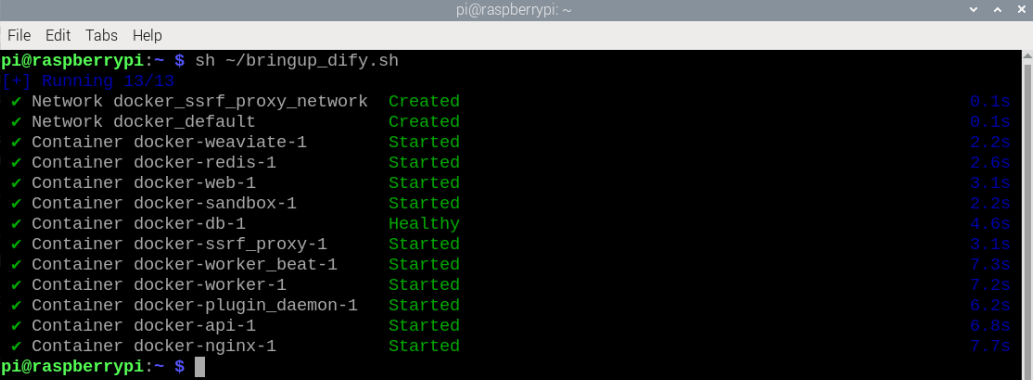
For Raspberry Pi 5 and Jetson Nano controllers, you must first enter the Docker container. For RDKX5 and Orin board, this is not necessary.
Open a terminal in Docker and enter the following command:
xxxxxxxxxxros2 launch multi_brains llm_agent_control.launch.py text_chat_mode:=True
After initialization, the following content will be displayed:
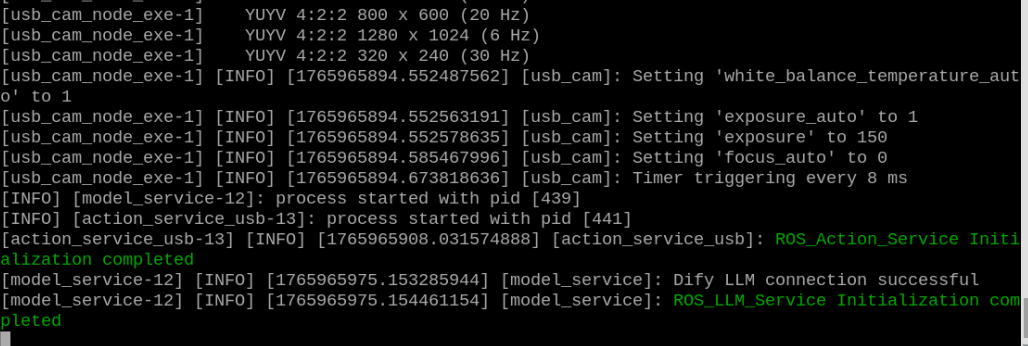
Open the same Docker container in multiple terminals and start it.
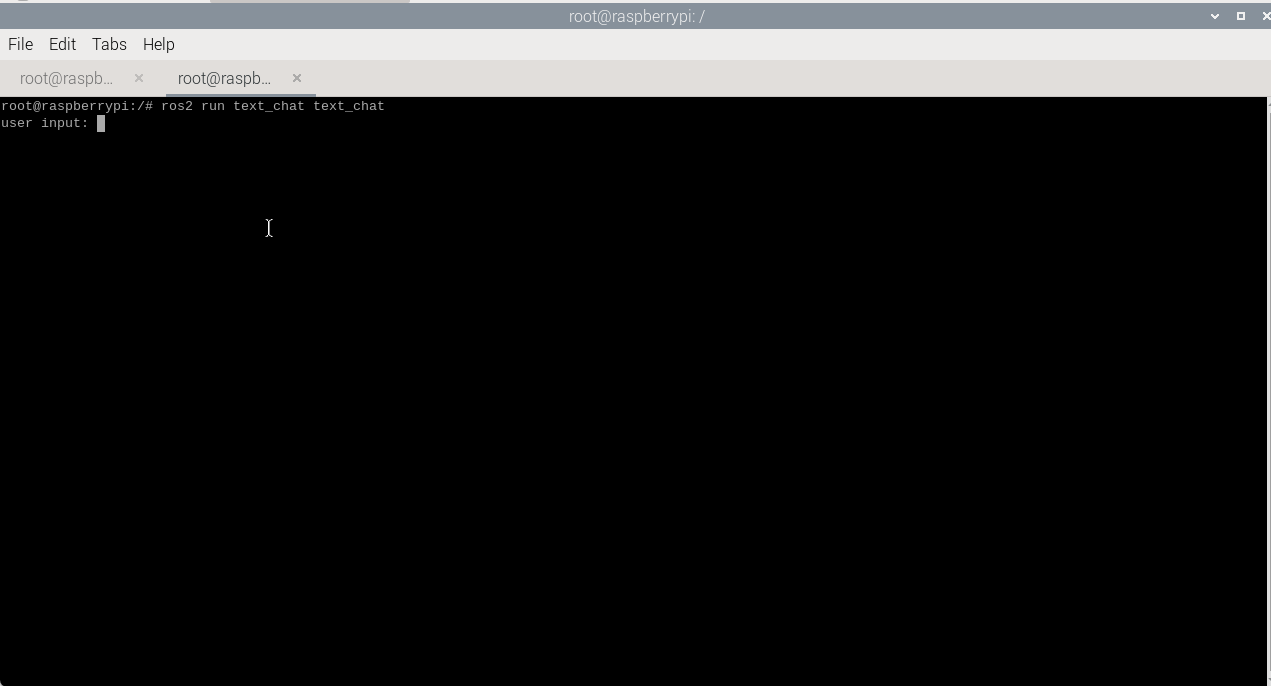
xxxxxxxxxxros2 run text_chat text_chat
3.2 Test Cases
Here are two reference test cases; users can create their own test commands.
Please tell me the distance between the object in front of you and you.
Example: Please tell me the distance between the fan in front of you and you.
⚠️ Please do not end the text with a period or any other characters!
3.2.1 Case 1: "Please tell me the distance between the fan in front of you and you."
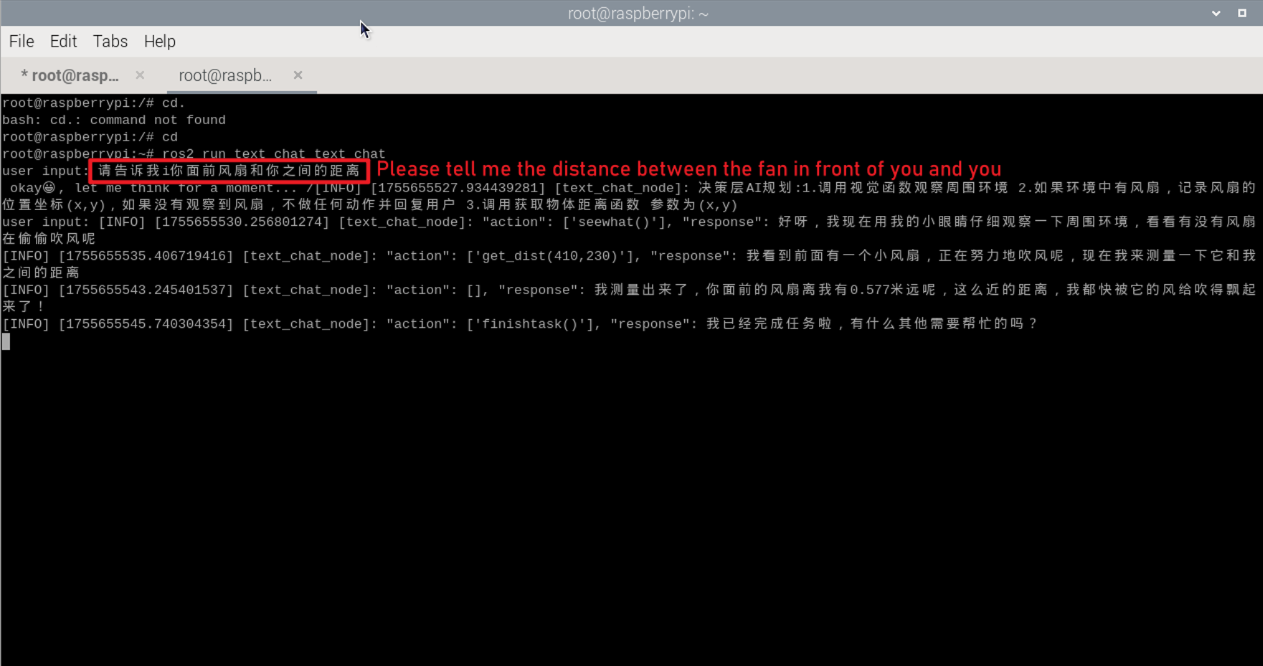
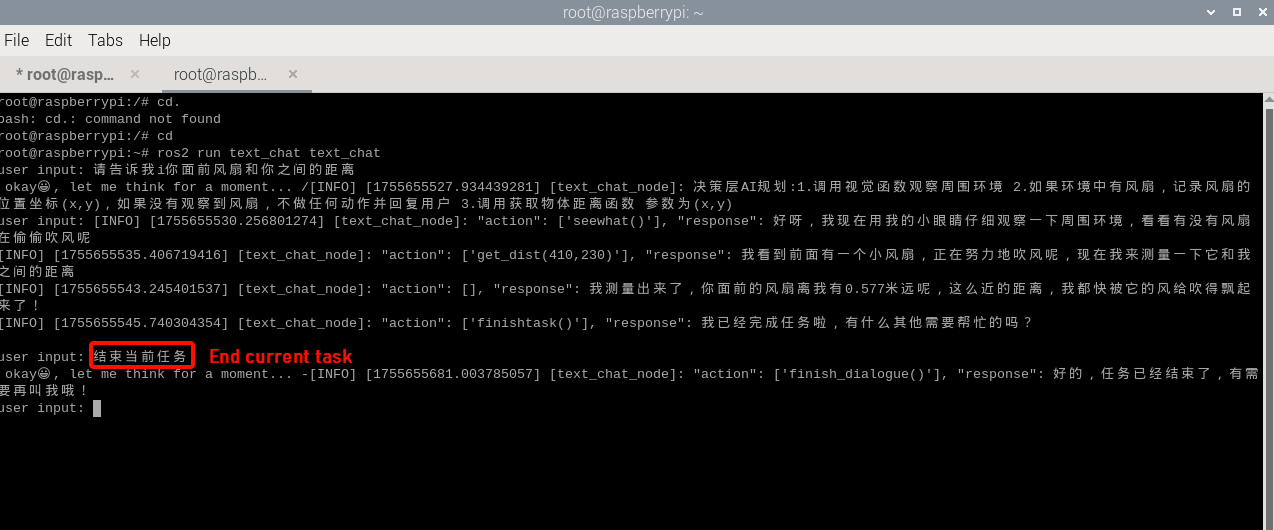
Type "Please tell me the distance between the fan in front of you and you." The terminal prints the following information.
You can see that the terminal responds with a distance of 0.577 meters. (Note: If the feedback is 0.0 meters, it may be because the object being recognized is too small, resulting in inaccurate center coordinates from the large vision model. This can be resolved by changing the vision model and the recognized object.)
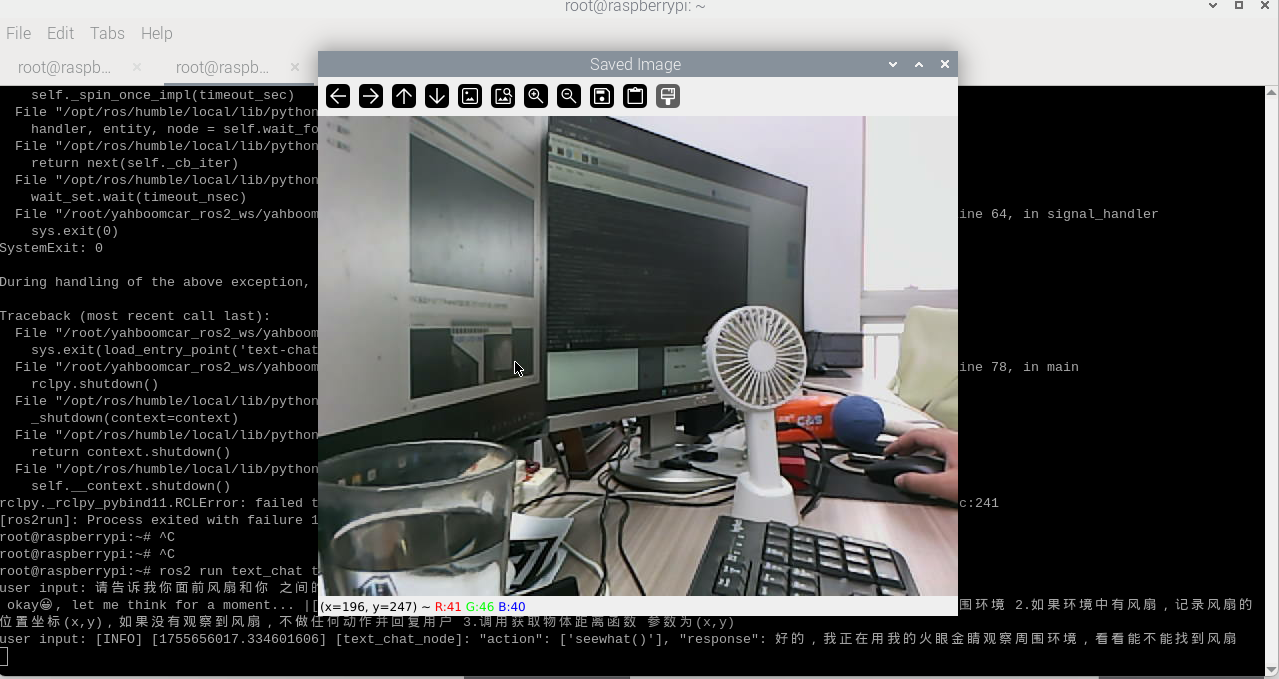
A window titled frame will open on the VNC screen and automatically close after 4 seconds.
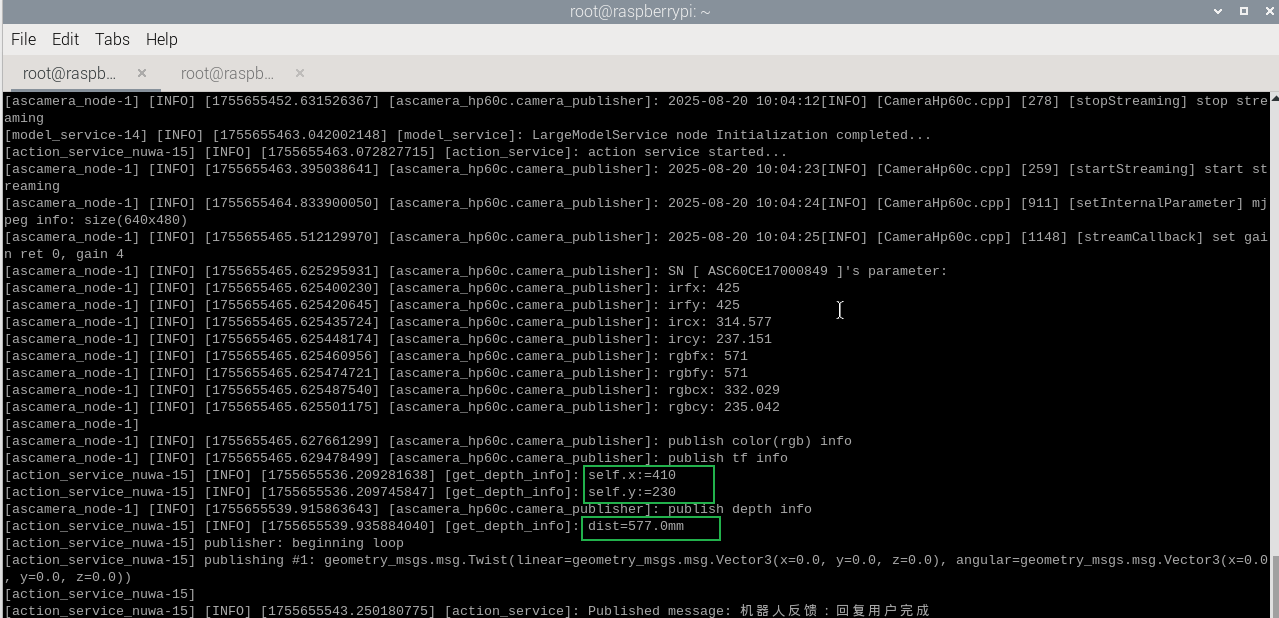
The other terminal will print the object's center coordinates and distance information.
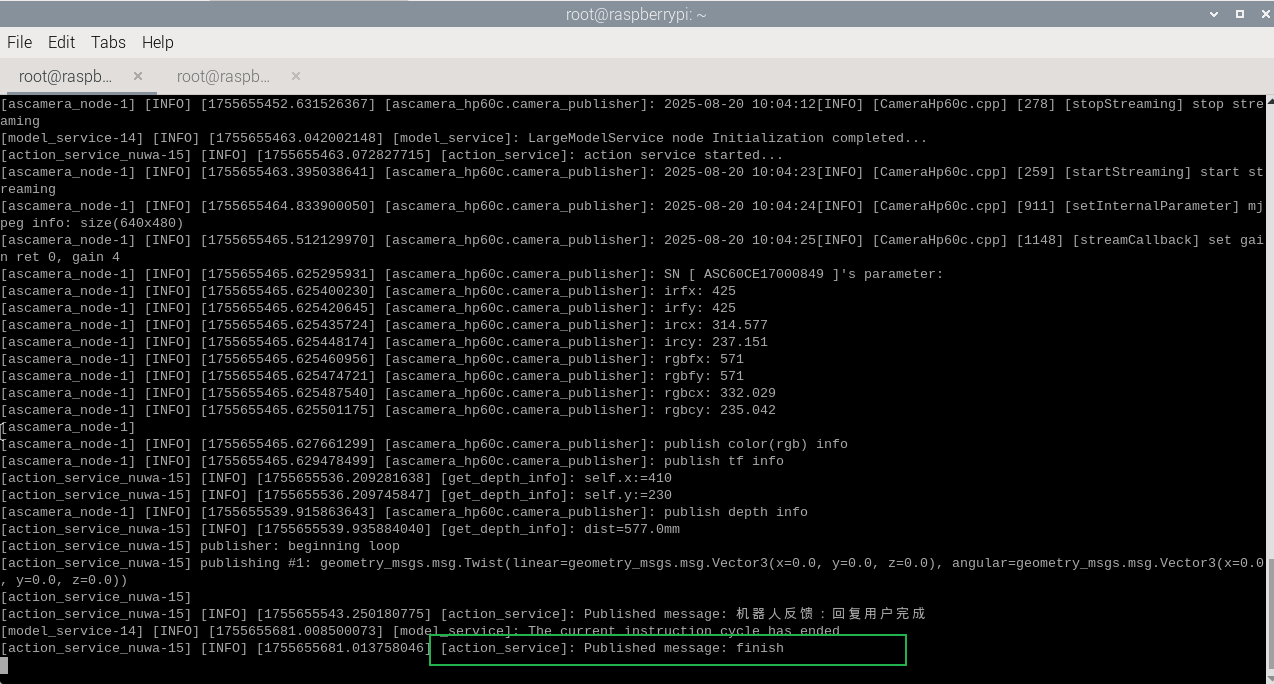
After completing a task, the robot enters a waiting state. Pressing the ENTER key allows you to continue the conversation. The command you entered is directly passed to the execution layer model, and all conversation history is retained. You can enter the "End current task" command again to terminate the current task cycle and start a new one.
4. Source Code Parsing
Source code located at:
Jetson Orin Nano:
xxxxxxxxxx#NUWA camera user/home/jetson/yahboomcar_ros2_ws/yahboomcar_ws/src/largemodel/largemodel/action_service_nuwa.py#USB camera user/home/jetson/yahboomcar_ros2_ws/yahboomcar_ws/src/largemodel/largemodel/action_service_usb.pyjetson Nano, Raspberry Pi:
You need to enter Docker first.
xxxxxxxxxx#NUWA Camera User/root/yahboomcar_ros2_ws/yahboomcar_ws/src/multi_brains/multi_brains/action_service_nuwa.py#USB Camera User/root/yahboomcar_ros2_ws/yahboomcar_ws/src/multi_brains/multi_brains/action_service_usb.pyRDKX5:
x
#NUWA Camera User/home/sunrise/yahboomcar_ros2_ws/yahboomcar_ws/src/multi_brains/multi_brains/action_service_nuwa.py#USB Camera User/home/sunrise/yahboomcar_ros2_ws/yahboomcar_ws/src/multi_brains/multi_brains/action_service_usb.py4.1 Example 1
action_service.py Program:
Example 1 uses the seewhat and get_dist(self,x,y) methods in the CustomActionServer class.
- The seewhat function primarily obtains the color image from the depth camera.
- The get_dist(self,x,y) function performs color tracking.
- dist_callback() receives the distance callback function
Here we mainly explain the get_dist(self,x,y) function. This function requires input parameters x and y, representing the center coordinates of the distance to be obtained.
Subscribe to the feedback distance
xxxxxxxxxxself.dist_sub = self.create_subscription(Int32,'dist_topic',self.dist_callback,10)Deep Distance Question and Answer Subprocess

xxxxxxxxxx# Start the Deep Distance Question and Answer subprocessprocess_1 = subprocess.Popen(['ros2', 'run', 'yahboomcar_voice_ctrl_depth', ['voice_get_dist','--ros-args','-p',f'x:={x1}','-p',f'y:={y1}'])The startup program source code path is:
~/yahboomcar_ros2_ws/yahboomcar_ws/src/yahboomcar_voice_ctrl_depth/yahboomcar_voice_ctrl_depth/voice_get_dist.py
xdef get_dist(self,x,y): self.get_dist_future = Future() #Reset the Future object x1 = int(x) y1 = int(y) process_1 = subprocess.Popen(['ros2', 'run', 'yahboomcar_voice_ctrl_depth', 'voice_get_dist','--ros-args','-p',f'x:={x1}','-p',f'y:={y1}']) while not self.get_dist_future.done(): if self.interrupt_flag: break time.sleep(0.1) self.kill_process_tree(process_1.pid) self.cancel()Wait for the callback function to feedback the distance and send the future.done signal. Then the while not self.get_dist_future.done() in the dist_callback function will exit the blocking state. Then the kill_process_tree method will be called to recursively kill the process tree of the child process. Finally, the status of the execution action will be fed back to the execution layer model.