Welcome to ROSMASTER M1 repository
02.Face Tracking
Face Tracking
Face Tracking1. Program Functionality2. Program Code Reference Path3. Program Startup3.1. Startup Commands3.2 Dynamic Parameter Adjustment4. Core Code4.1. faceTracker.py
1. Program Functionality
After starting the program, it automatically detects faces in the image. The servo gimbal will lock onto the detected face and keep it centered in the image. Press the
q/Q keyto exit the program.
⚠️ This function has a high recognition rate for faces in 2D images, but has a low recognition rate for real people!
2. Program Code Reference Path
xxxxxxxxxx~/yahboomcar_ros2_ws/yahboomcar_ws/src/yahboomcar_voice_ctrl/yahboomcar_voice_ctrl/faceTracker.py
faceTracker.py
Mainly performs face detection, calculates the servo rotation angle based on the face center coordinates, and publishes the servo angle control data to the car.
3. Program Startup
3.1. Startup Commands
For Raspberry Pi and Jetson-Nano boards, you need to enter the Docker container first. For RDKX5 and Orin controllers, this is not necessary.
Enter the Docker container (see [Docker course] --- [4. Docker Startup Script] for steps).
All the following commands must be executed within the same Docker container (see [Docker course] --- [3. Docker Submission and Multi-Terminal Access] for steps).
Enter the terminal:
xxxxxxxxxx# Start the car chassisros2 run yahboomcar_bringup Mcnamu_driver_M1# Start the color tracking programros2 run yahboomcar_astra faceTracker 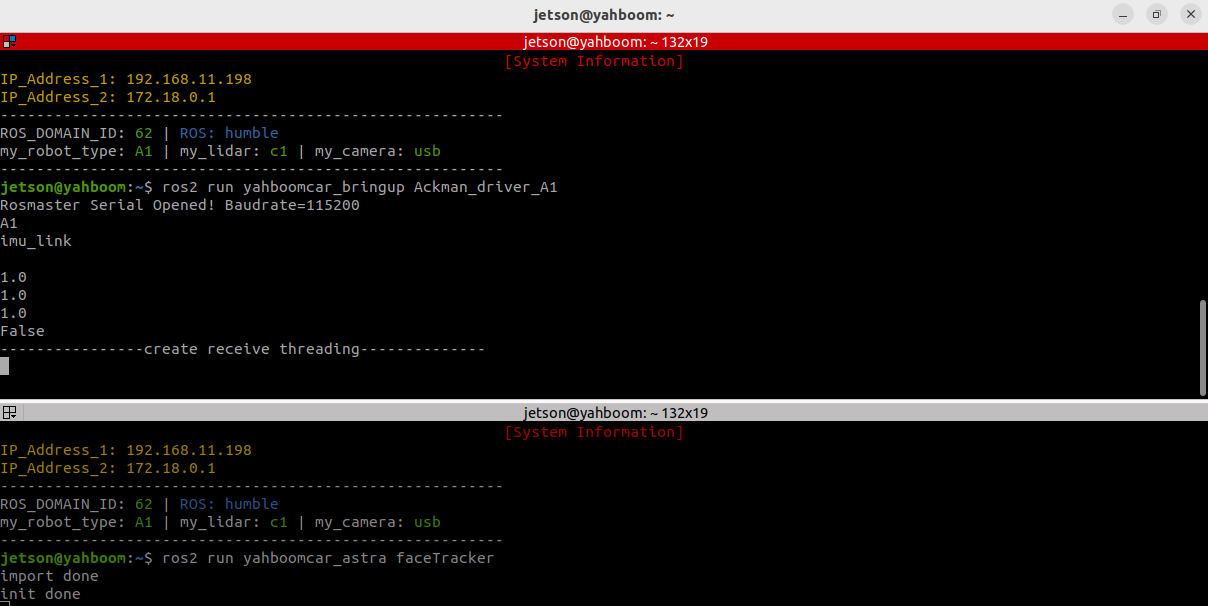
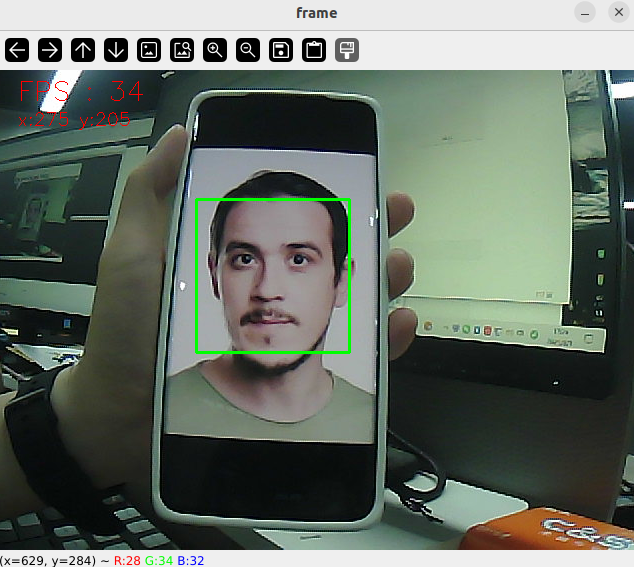
When a face is detected, the face area is automatically framed, and the servo gimbal begins tracking.
After the program starts, the following screen will appear:
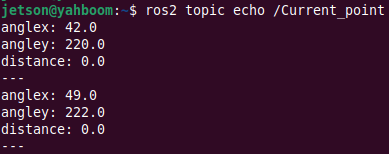
In addition, we can enter the following command to print information about the target center coordinates:
xxxxxxxxxxros2 topic echo /Current_point
3.2 Dynamic Parameter Adjustment
In the terminal, enter:
xxxxxxxxxxros2 run rqt_reconfigure rqt_reconfigure
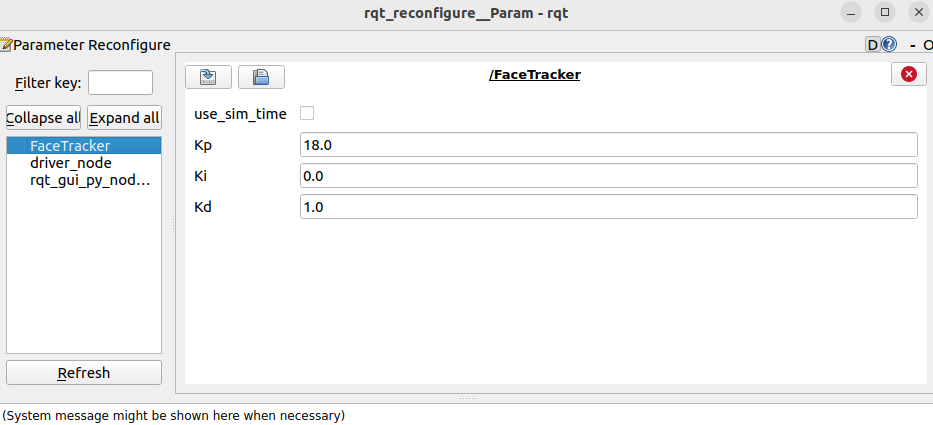
☑️ After modifying the parameters, click a blank area in the GUI to write the parameter values. Note that the values will only take effect for the current startup. To permanently apply them, you need to modify the parameters in the source code.
As shown in the figure above,
- FaceTracker is primarily responsible for servo gimbal movement. It adjusts PID-related parameters to optimize gimbal motion.
🛠 Parameter Analysis:
[Kp], [Ki], [Kd]: PID control of servo gimbal speed during tracking.
4. Core Code
4.1. faceTracker.py
This program has the following main functions:
- Opens the camera and acquires an image;
- Uses OpenCV's face detector to detect faces;
- Processes the image and publishes the center coordinates of the tracked object to the /Current_point topic;
- Calculates the servo angle and then publishes the angle data.
Some of the core code is as follows.
# Create a publisher to publish the face center coordinatesself.pub_position = self.create_publisher(Position, "/Current_point", 10)# Define the servo data publisherself.pub_Servo = self.create_publisher(ServoControl, 'Servo', 10)...# Load the face detection modelxml_path = os.path.join(get_package_share_directory('yahboomcar_astra'), 'config', 'haarcascade_frontalface_default.xml')self.face_patterns = cv.CascadeClassifier(xml_path)...# Face detectionfaces = self.face_patterns.detectMultiScale(frame, scaleFactor=1.2, minNeighbors=10, minSize=(65, 65))if len(faces) == 1: for (x, y, w, h) in faces: self.Center_x = x + w //2 self.Center_y = y + h //2 cv.rectangle(frame, (x, y), (x + w, y + h), (0, 255, 0), 2) self.execute(self.Center_x, self.Center_y)...def execute(self, point_x, point_y): position = Position() position.anglex = point_x * 1.0 position.angley = point_y * 1.0 position.distance = 0.0 # Publish the center coordinates message self.pub_position.publish(position) # PID calculation of servo angle [x_Pid, y_Pid] = self.PID_controller.update([point_x - 320, point_y - 240]) # Limit PID polarity and maximum value x_Pid = x_Pid * (abs(x_Pid) <=self.Kp/3.6) y_Pid = y_Pid * (abs(y_Pid) <=self.Kp/3.6) # Update the servo angle and publish self.PWMServo_X += x_Pid self.PWMServo_Y += y_Pid self.servo_angle.s1 = int(max(0, min(180, self.PWMServo_X))) self.servo_angle.s2 = int(max(0, min(100, self.PWMServo_Y))) self.pub_Servo.publish(self.servo_angle)