Welcome to ROSMASTER M1 repository
11.Google Gemma3 Visual Multimodal Large Model
Gemma3
Gemma31. Model Size2. Performance3. Using Gemma33.1 Running Gemma33.2 Start a conversation3.3 Visual Function3.4 Ending the ConversationReferences
Demo Environment
Development Board: Jetson Nano
SD (TF) Card: 64GB
Recommended for models with 4B parameters or less
Gemma is a family of lightweight models built by Google based on Gemini technology. Gemma 3 models are multimodal (capable of processing text and images), have a 128K context window, and support over 140 languages.
Model Storage Location
xxxxxxxxxx/usr/share/ollama/.ollama/models
1. Model Size
| Model | Volume |
|---|---|
| gemma3:1b | 815MB |
| gemma3:4b | 3.3GB |
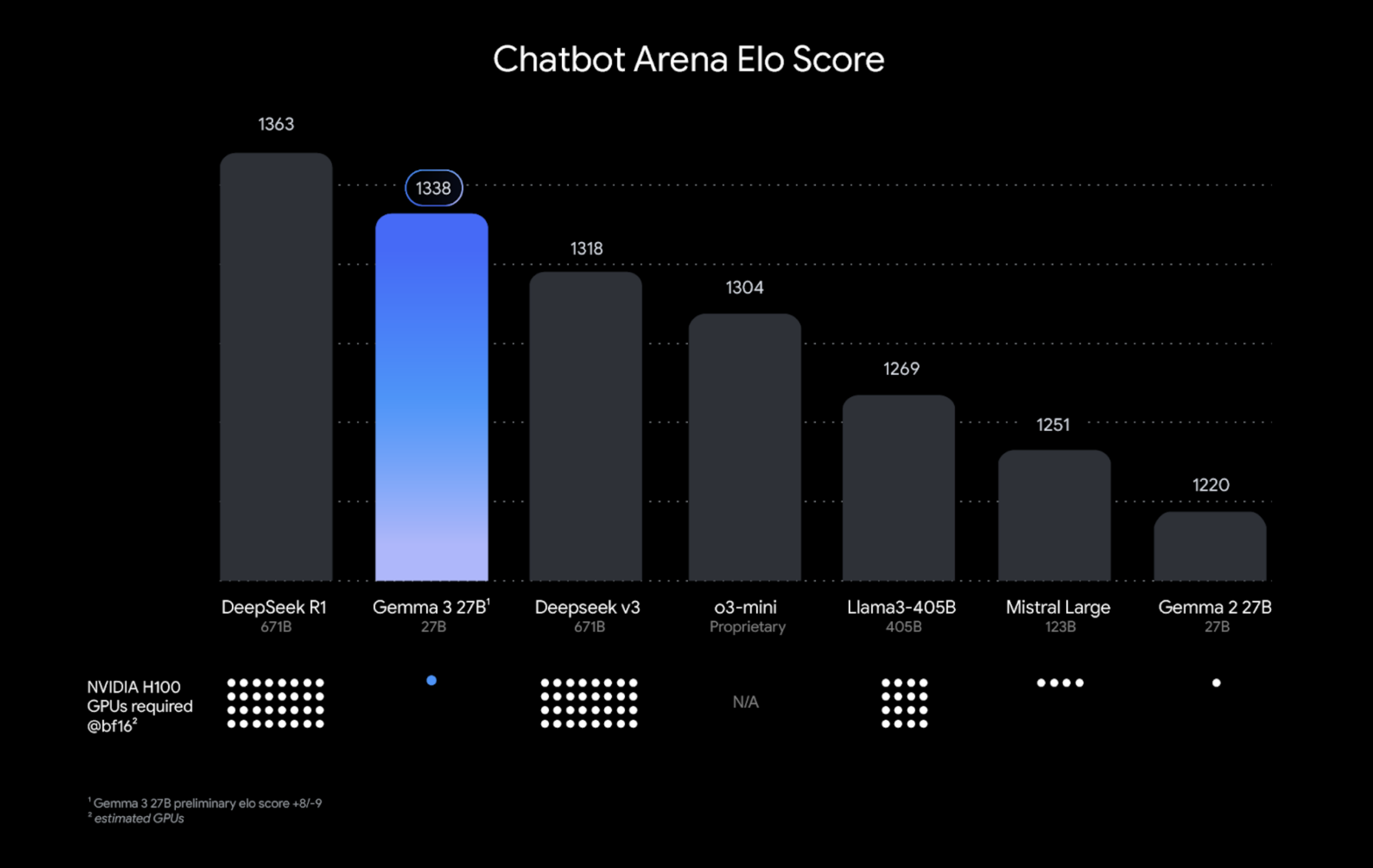
2. Performance
3. Using Gemma3
3.1 Running Gemma3
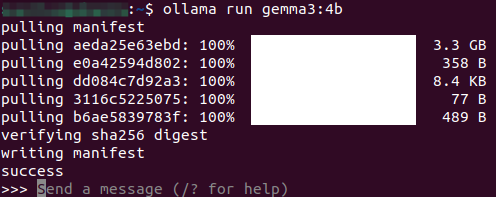
Use the run command to run the model. If the model is not already downloaded, it will automatically pull the model from the Ollama model library:
xxxxxxxxxxollama run gemma3:1b
3.2 Start a conversation
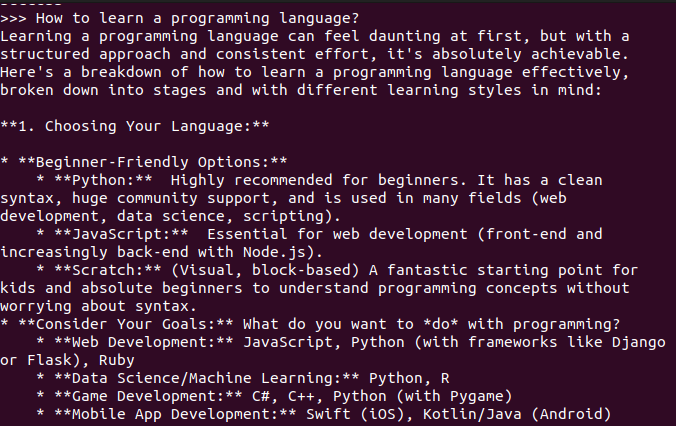
xxxxxxxxxxHow to learn a programming language?
Response time depends on hardware configuration, so please be patient!
3.3 Visual Function
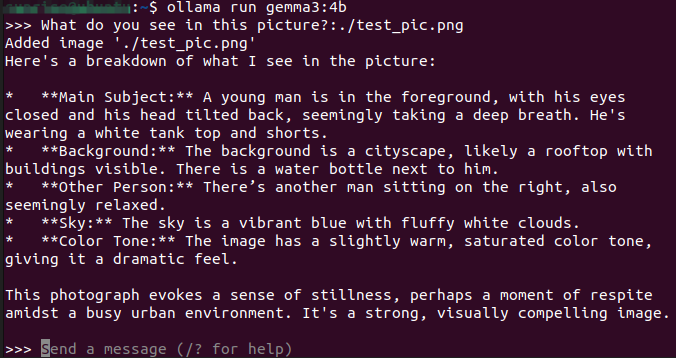
xxxxxxxxxxWhat do you see in this picture? :./test_pic.png#Use ": + image path" in the conversation to enable the model to use its visual function and interpret the information in the image.
3.4 Ending the Conversation
Use the Ctrl+d shortcut or /bye to end the conversation!
References
Ollama
Official Website: https://ollama.com/
GitHub: https://github.com/ollama/ollama
Gemma3
Ollama Compatible Model: https://ollama.com/library/gemma3