Welcome to ROSMASTER M1 repository
2. Constructing a Pose Map
Building a Pose Map
1. Course Content
- Building Raster Maps and Pose Maps using slam_toolbox
[!NOTE]
- At least one raster map is required before the road network .geojson file.
- The pose map is used for fast relocalization during waypoint marking and navigation, improving the accuracy of global localization and thus the accuracy of waypoint marking.
- This demonstration uses the RDKX5 motherboard. The rviz visualization is run in a virtual machine. The ORIN motherboard can run on the local machine.
2. Building a Raster Map
Open ~/.bashrc, uncomment this line, and change it as shown in the image. (After learning about road network planning, please restore this comment to avoid affecting previous examples.)
xxxxxxxxxxvim ~/.bashrc:wq #Save and exitsource ~/.bashrc #Update environment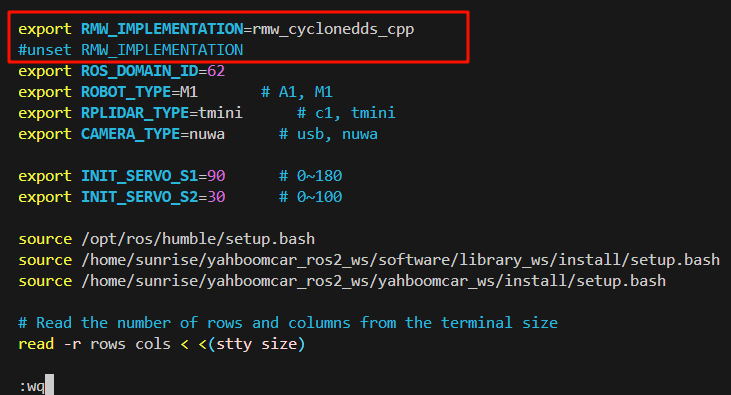
[!TIP]
- Before building the map, you can place some obstacles outside the roads on the map so that the actual position of the car can be referenced during navigation.
- Start slam_toolbox to build the map,
xxxxxxxxxxros2 launch yahboomcar_nav map_slam_toolbox_launch.py
- Launch RViz visualization,
xxxxxxxxxxros2 launch yahboomcar_nav display_map_launch.py
- Launch the keyboard control node (a gamepad can also be used),
xxxxxxxxxxros2 run yahboomcar_ctrl yahboom_keyboard- Control the car's movement to build the map
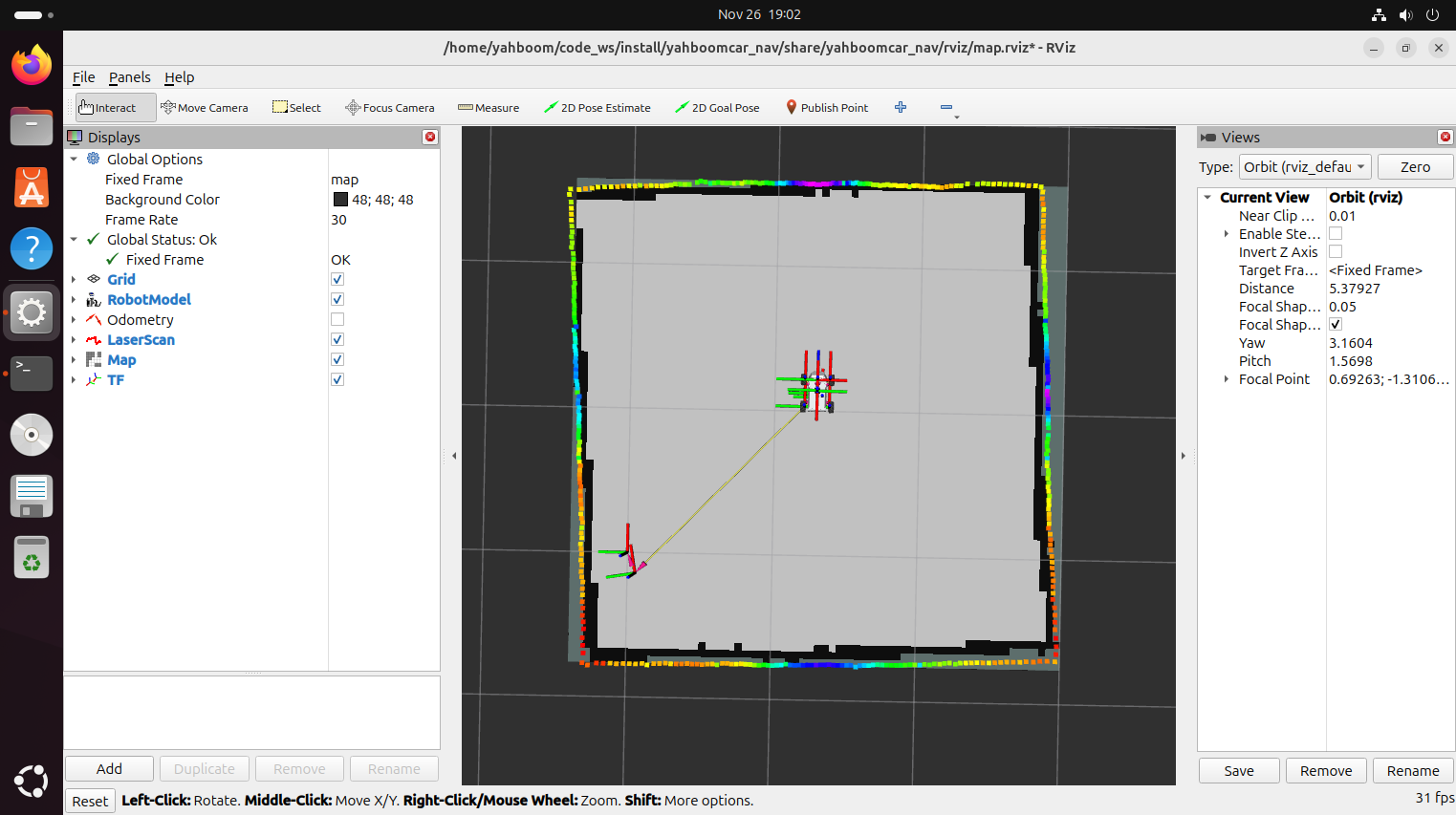
- Save the raster map
xxxxxxxxxx#RDKX5ros2 launch yahboomcar_nav save_map_stb.launch.py map_name:=citymap_2#ORINros2 launch yahboomcar_nav save_map.launch.py map_name:=citymap_2[!TIP]
- map_name specifies the map name for the saved raster map. If no startup parameter is specified, the default map name is
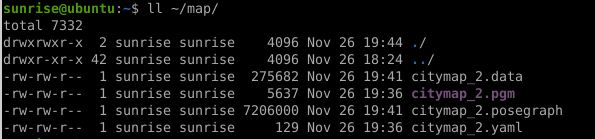
map. All map files are saved in the~/mapdirectory.
The terminal message Map saved successfully indicates that the map was saved successfully.
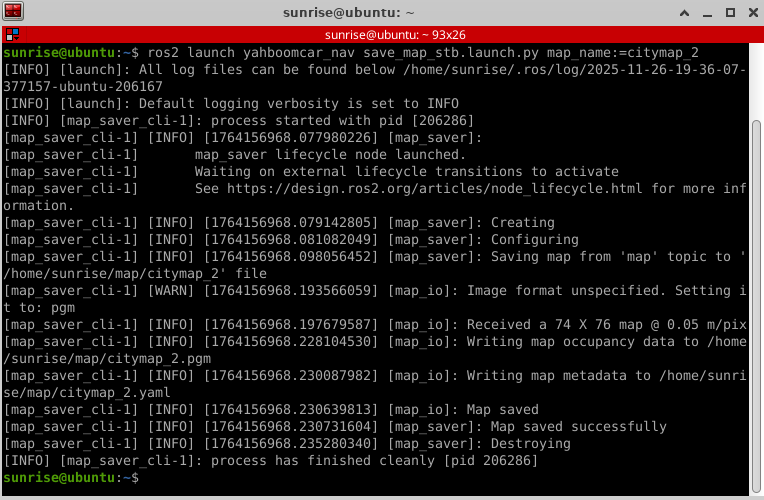
- Save the slam_toolbox pose map
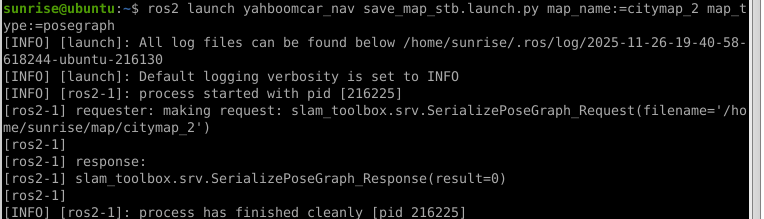
xxxxxxxxxx#RDKX5ros2 launch yahboomcar_nav save_map_stb.launch.py map_name:=citymap_2 map_type:=posegraph#ORINros2 launch yahboomcar_nav save_map.launch.py map_name:=citymap_2 map_type:=posegraph[!TIP]
map_typesaves the map type. The default isgridmapfor raster maps. Selectingposegraphsaves the pose map ofslam_toolbox.
The terminal displays slam_toolbox.srv.SerializePoseGraph_Response(result=0), indicating the pose map has been successfully saved.
- Map files are saved by default in the
~/mappath. You can also specify the map name using themap_nameparameter when saving the map.