Welcome to ROSMASTER M1 repository
01.Color tracking
Color tracking
Color tracking1. Program Functionality2. Program Code Reference Path3. Program Startup3.1. Startup Commands3.2 Dynamic Parameter Adjustment4. Core Code4.1. colorTracker.py
1. Program Functionality
After starting the program, the default tracking color is red. Press the
r/Rkey to enter color selection mode. Use the mouse to select a color, and the servo gimbal will lock onto that color. Press theSpacebarto enter tracking mode. The gimbal will always keep the tracked object in the center of the frame. Press theq/Qkey to exit the program.
2. Program Code Reference Path
xxxxxxxxxx~/yahboomcar_ros2_ws/yahboomcar_ws/src/yahboomcar_astra/yahboomcar_astra/colorTracker.py~/yahboomcar_ros2_ws/yahboomcar_ws/src/yahboomcar_astra/yahboomcar_astra/common/astra_common.py
- colorTracker.py
Mainly performs image processing. Based on the center coordinates of the tracked color object, it calculates the desired servo rotation angle and sends the servo control angle data to the car.
astra_common.py
- Color Tracking (color_follow class): Identifies and tracks objects of a specific color using the HSV color space.
- Image Processing Tools: Includes multi-image stitching and display (ManyImgs function)
- File Read/Write Functions: Used to save/read HSV color ranges
3. Program Startup
3.1. Startup Commands
For Raspberry Pi and Jetson-Nano boards, you need to enter the Docker container first. For RDKX5 and Orin controllers, this is not necessary.
Enter the Docker container (see [Docker course] --- [4. Docker Startup Script] for steps).
All the following commands must be executed within the same Docker container (see [Docker course] --- [3. Docker Submission and Multi-Terminal Access] for steps).
Enter the terminal:
xxxxxxxxxx# Start the car chassisros2 run yahboomcar_bringup Mcnamu_driver_M1# Start the color tracking programros2 run yahboomcar_astra ColorTracker 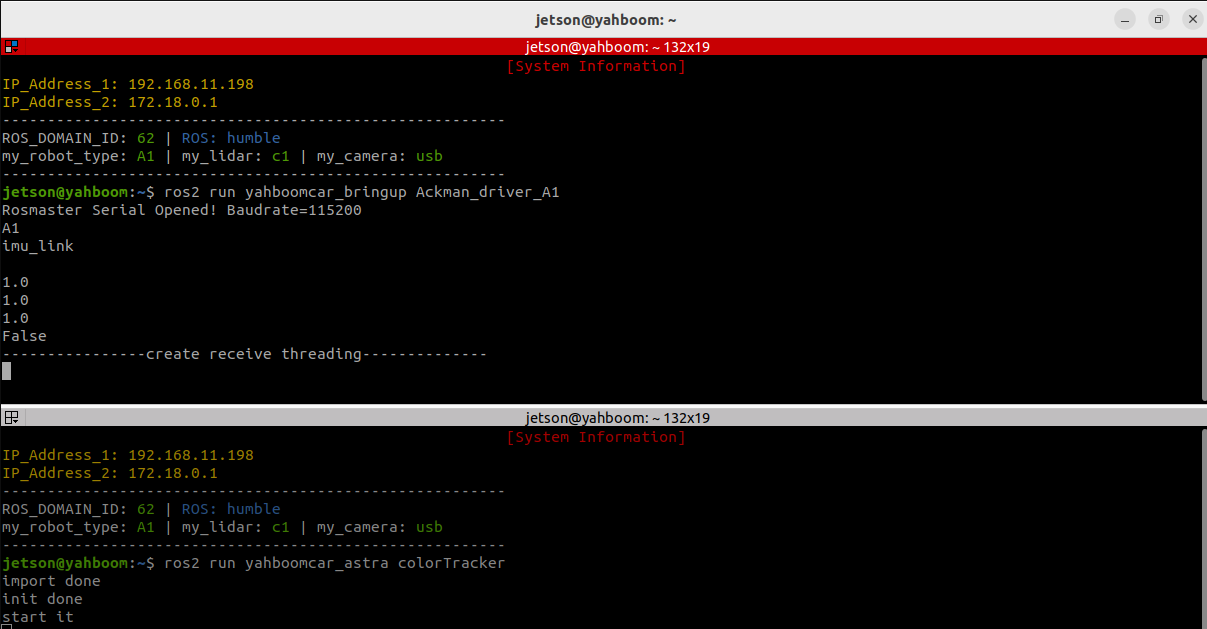
Using red as an example, the following screen will appear after the program is launched.
(The HSV values in the parameter file ~/yahboomcar_ros2_ws/yahboomcar_ws/src/yahboomcar_astra/yahboomcar_astra/colorHSV.text are loaded by default.)
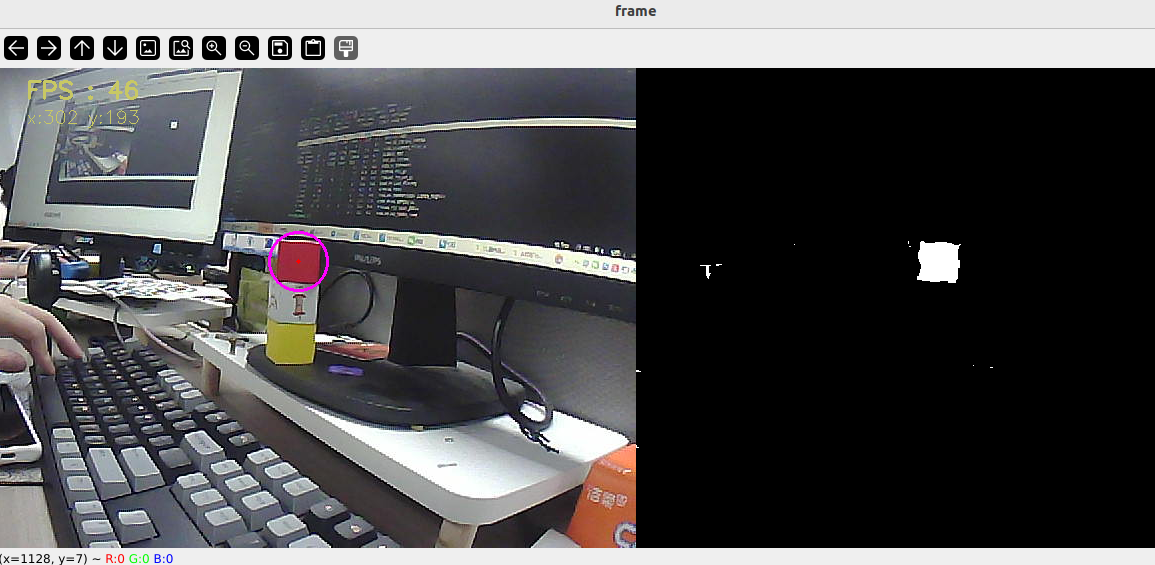
Then press the r/R key on your keyboard to enter color selection mode. Use your mouse to select an area (this area can only have one color).
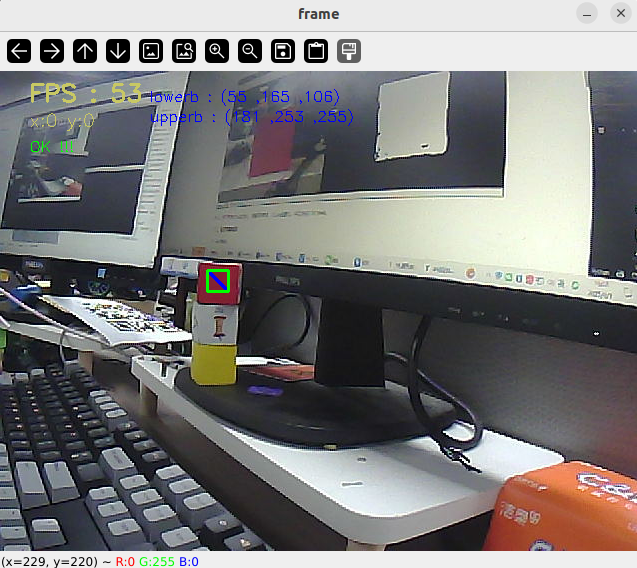
After making this selection, the effect should look like the image below.
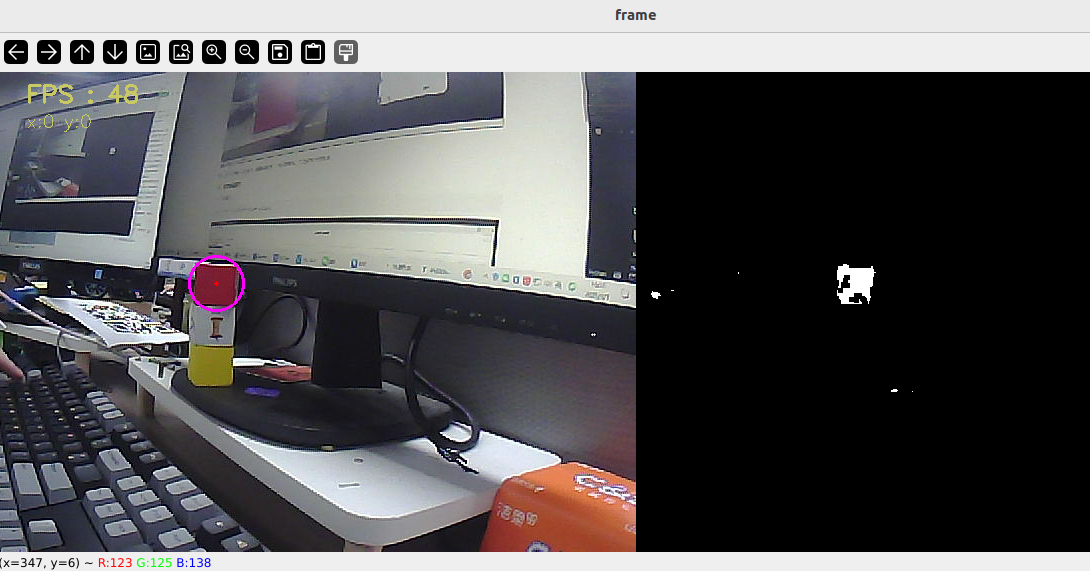
Then, press the spacebar to enter tracking mode. Slowly move the object, and the servo gimbal will follow.
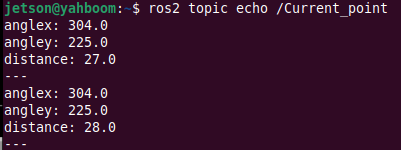
Alternatively, we can enter the following command to print information about the target center coordinates:
xxxxxxxxxxros2 topic echo /Current_point
3.2 Dynamic Parameter Adjustment
Enter in the terminal:
xxxxxxxxxxros2 run rqt_reconfigure rqt_reconfigure
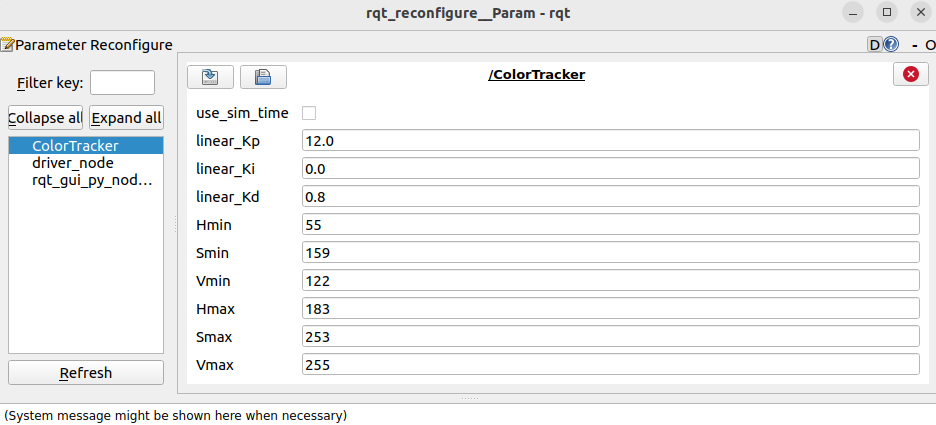
☑️ After modifying the parameters, click a blank area in the GUI to enter the parameter value. Note that this will only take effect for the current boot. To permanently effect the parameter, modify it in the source code.
As shown in the figure above,
- colorTracker is primarily responsible for servo gimbal movement, adjusting PID-related parameters to achieve optimal gimbal motion.
🛠 Parameter Analysis:
[linear_Kp], [linear_Ki], [linear_Kd]: PID control of the servo gimbal speed during tracking.
[Hmin], [Smin], [Vmin]: Indicates the lowest HSV value
[Hmax], [Smax], [Vmax]: Indicates the highest HSV value
4. Core Code
4.1. colorTracker.py
This program has the following main functions:
- Opens the camera and captures images;
- Receives keyboard and mouse events for mode switching and color selection;
- Processes the image and publishes the center coordinates of the tracked object to the /Current_point topic.
- Calculates the servo angle and publishes the angle data.
Some of the core code is as follows.
# Create a publisher to publish the center coordinates of the tracked objectself.pub_position = self.create_publisher(Position, "/Current_point", 10)# Define a servo data publisherself.pub_Servo = self.create_publisher(ServoControl, 'Servo', 10)...# Get keyboard and mouse events and obtain the hsv value;if action == 32: self.Track_state = 'tracking' print("Color Tracking!!!")elif action == ord('i') or action == ord('I'): self.Track_state = "identify"elif action == ord('r') or action == ord('R'): self.Reset()elif action == ord('q') or action == ord('Q'): self.cancel()if self.Track_state == 'init': self.servo_angle.s1 = self.init_servos1 self.servo_angle.s2 = self.init_servos2 self.pub_Servo.publish(self.servo_angle) cv.namedWindow(self.windows_name, cv.WINDOW_AUTOSIZE) cv.setMouseCallback(self.windows_name, self.onMouse, 0) if self.select_flags == True: cv.line(rgb_img, self.cols, self.rows, (255, 0, 0), 2) cv.rectangle(rgb_img, self.cols, self.rows, (0, 255, 0), 2) if self.Roi_init[0] != self.Roi_init[2] and self.Roi_init[1] != self.Roi_init[3]: rgb_img, self.hsv_range = self.color.Roi_hsv(rgb_img, self.Roi_init) self.gTracker_state = True self.dyn_update = True else: self.Track_state = 'init'...# Calculate the center coordinates. self.circle stores the x and y values.rgb_img, binary, self.circle = self.color.object_follow(rgb_img, self.hsv_range)...# Publish the center coordinates.threading.Thread(target=self.execute, args=(self.circle[0], self.circle[1], self.circle[2])).start()def execute(self, x, y, z=None): position = Position() position.anglex = x * 1.0 position.angley = y * 1.0 if z is not None: position.distance = z * 1.0 self.pub_position.publish(position)...# Important function, obtains the x value, y value, and distance_valuedef process(self, rgb_img, action):...# Calculates the servo angle using the PID algorithm based on the x and y valuesself.execute(x,y,z)def execute(self, x, y, z=None): position = Position() position.anglex = x * 1.0 position.angley = y * 1.0 if z is not None: position.distance = z * 1.0 self.pub_position.publish(position) [x_Pid, y_Pid] = self.linear_pid.update([(x - 320), y - 240]) # Limit PID polarity and maximum value x_Pid = x_Pid * (abs(x_Pid) <=self.linear_Kp/2.4) y_Pid = y_Pid * (abs(y_Pid) <=self.linear_Kp/2.4) ... # Publish the calculated servo angle self.pub_Servo.publish(self.servo_angle)