Welcome to ROSMASTER M1 repository
3. YOLOv11 Model Training
YOLOv11 Model Training
YOLOv11 Model Training1. Course Content2. Pre-trained Models3. Training Traffic Sign Recognition Model (Case 1)3.1 Start Training4. Training Lane Detection Model (Case 2)5. Source Code Analysis5.1 YOLOv11 Training Program
[!IMPORTANT]
- The factory image already includes a pre-trained traffic sign recognition model. This tutorial is provided for users who need to train their own YOLOv11 object detection models and master model training methods.
- If you want to experience the complete functionality directly, you can skip this section!!!
- If using the dataset from the factory image to train the model, you need to first decompress the .zip format dataset compressed package.
- This tutorial is mainly conducted on the Orin Nano board
1. Course Content
- Master the method of training YOLOv11 object detection models
2. Pre-trained Models
- Only Orin boards are recommended for on-board model training. RDK boards have insufficient performance and require annotation and training on a host with GPU. The training source code is in the yolo_train folder under Model Training in the source code summary. If training is needed, you can place the yolo_train folder programs in the root directory of the board
- yolo11n.pt base model
/home/jetson/yolo_train/yolo11n.pt

- Lane detection model path:
xxxxxxxxxx/home/jetson/yahboomcar_ros2_ws/yahboomcar_ws/src/auto_drive/tools/lane_V6.engine
- Traffic sign recognition model path:
xxxxxxxxxx/home/jetson/yahboomcar_ros2_ws/yahboomcar_ws/src/auto_drive/tools/sign_model.engine

3. Training Traffic Sign Recognition Model (Case 1)
The program path for training YOLOv11 object detection models: /home/jetson/yolo_train/train.py
Optional Launch Parameters Description:
- project: Training output folder, default is
./project - MODEL_PATH: YOLOv11 base model path, default is
/home/jetson/MODELS/yolov11/yolo11n.pt - epochs: Training rounds, more rounds generally lead to better recognition model performance, default is 100 rounds
- imgsz: Training image size, default is 640
- train_config: Configuration file path, used to describe dataset path and target categories
3.1 Start Training
- Here we take training for 50 rounds as an example (it is recommended to train for 100 rounds or more):
xxxxxxxxxxcd ~/yolo_train
xxxxxxxxxxpython3 train.py --epochs 50 --train_config=/home/jetson/yolo_train/train_sign/sign.yaml
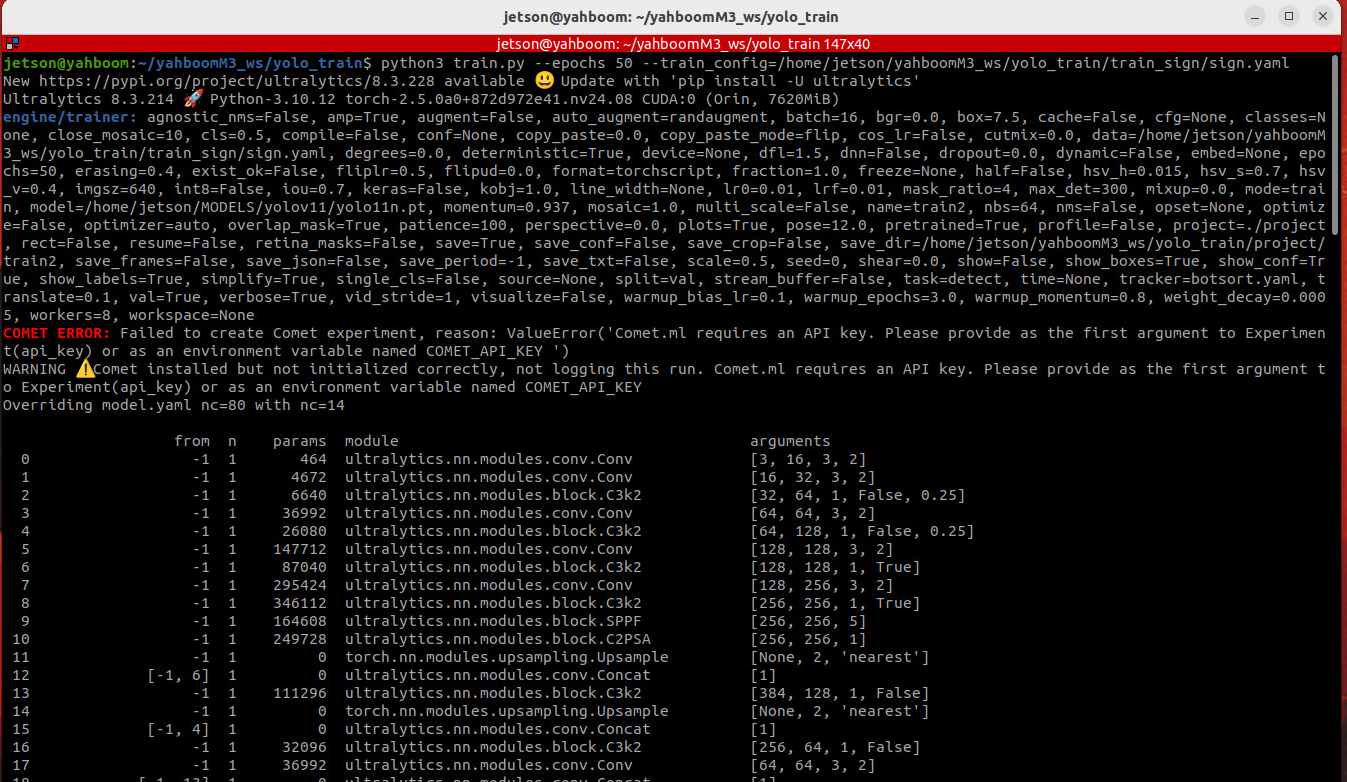
- During the training process, the training duration and loss value for each round will be displayed
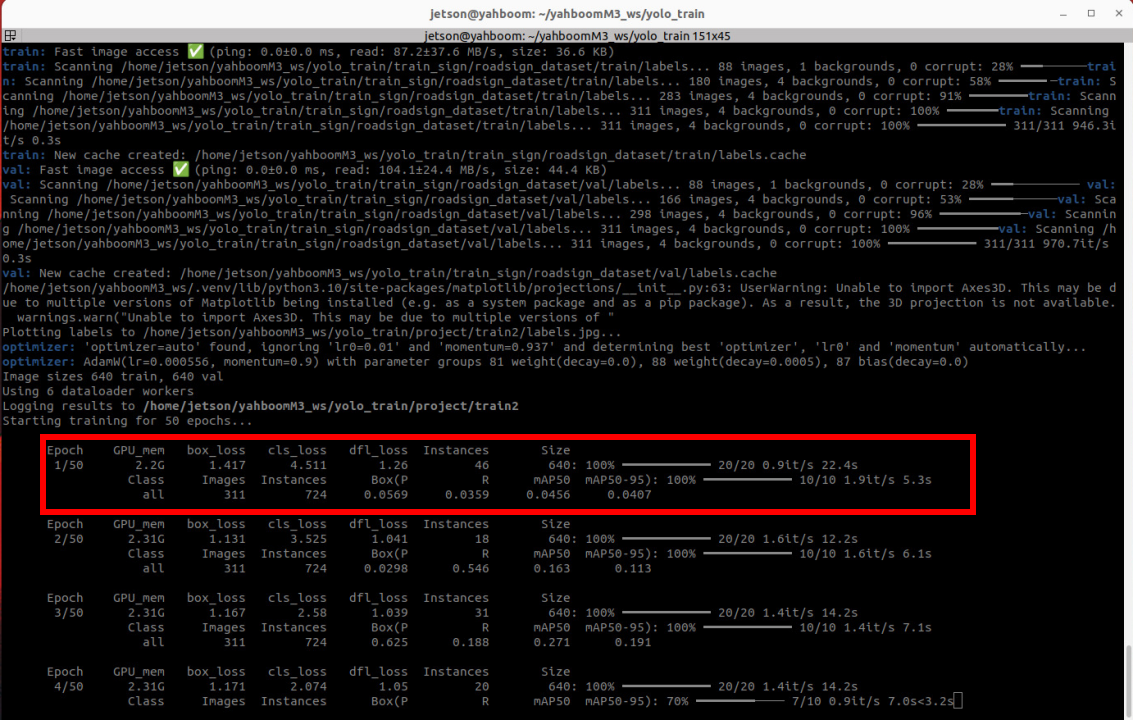
- Epoch Current training round
- GPU_mem GPU memory currently occupied by training
- box_loss Bounding box regression loss value, measuring the difference between predicted boxes and ground truth boxes (position, size). The smaller the value, the more accurate the box positioning
- cls_loss Classification loss value, measuring the difference between predicted class and ground truth class. The smaller the value, the more accurate the classification.
- dfl_loss Distribution focal loss, used to optimize bounding box regression accuracy, especially for small targets. The smaller the value, the more accurate the bounding box detail prediction.
- Instances 46: Total number of target instances contained in the current batch.
- Size 640: Input image size is 640x640 (YOLOv11 default training input size).
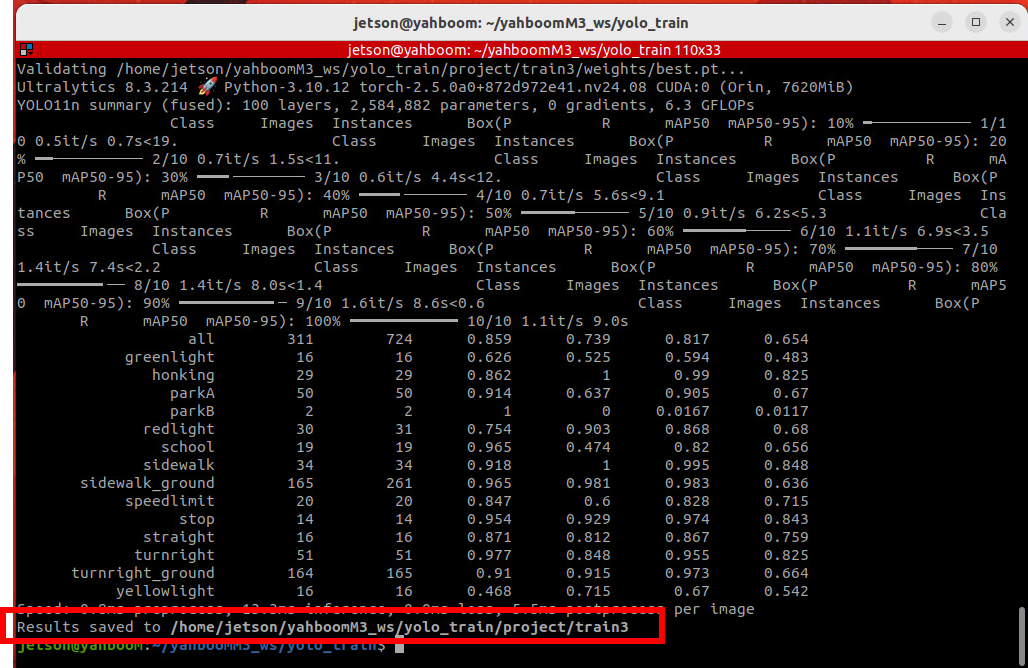
- After training is completed, the terminal will prompt the save path of the training output files
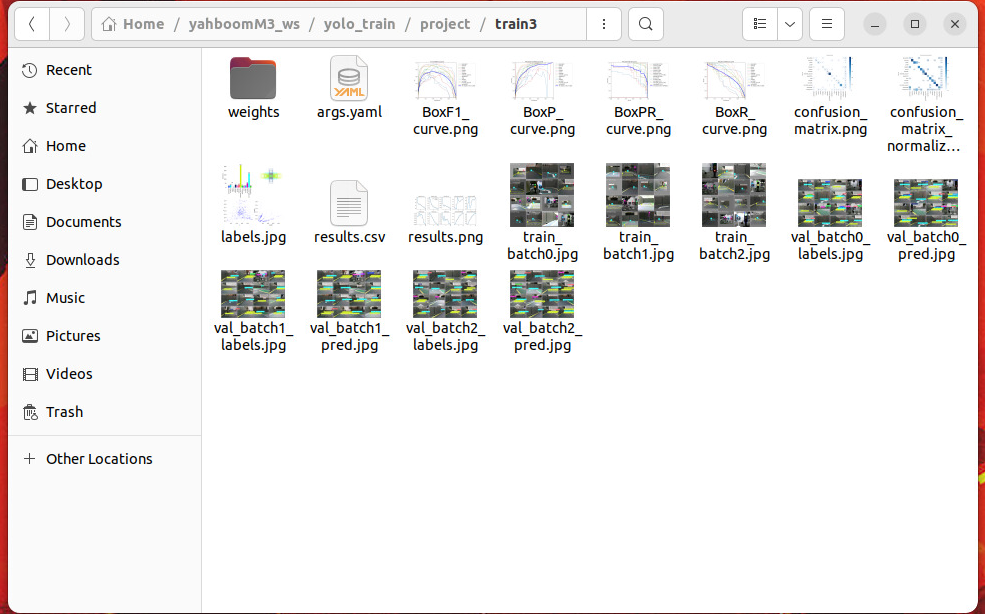
- In the output folder we can see the following contents
- weights Trained model weight files
- .png Score data during training process
4. Training Lane Detection Model (Case 2)
- The training method is the same as before
xxxxxxxxxxcd ~/yolo_train
- Start training
xxxxxxxxxxpython3 train.py --epochs 50 --train_config=/home/jetson/yolo_train/train_lane/lane.yaml --project './project2'Here the --project parameter specifies the folder for training output files, used to distinguish from the previous traffic sign recognition model. Here the path is set to './project2'. After training is completed, the model weight files will be saved in the path specified by the project parameter
5. Source Code Analysis
5.1 YOLOv11 Training Program
The program source code is located at /home/jetson/yolo_train/train.py
- Configuration parameters required during the training process are defined through the
argparselibrary, allowing parameters to be passed via command line when running the script - During the training process, logs, loss curves, evaluation metrics (such as mAP), and model weight files (best.pt, last.pt, etc.) will be automatically generated and saved in the directory specified by
--project.
ximport argparsefrom ultralytics import YOLOdef get_args(): ''' ''' parser = argparse.ArgumentParser() parser.add_argument('--project', default='./project', help='Project file output directory', type=str) parser.add_argument('--MODEL_PATH',default='/home/jetson/MODELS/yolov11/yolo11n.pt' ,help='原始模型权重文件路径Original model weight file path', type=str) parser.add_argument('--epochs', default=100, help='Training rounds', type=int) parser.add_argument('--imgsz', default=640, help='Image size', type=int) parser.add_argument('--train_config', default='', help='Configuration file path', type=str) return parser.parse_args()if __name__ == "__main__": args = get_args() model = YOLO(args.MODEL_PATH) # load a pretrained model results = model.train(data=args.train_config, epochs=args.epochs, imgsz=args.imgsz,project=args.project)#start training