Welcome to ROSMASTER M3 PRO repository
1. Quick start handle to control the car
Quick start handle to control the car
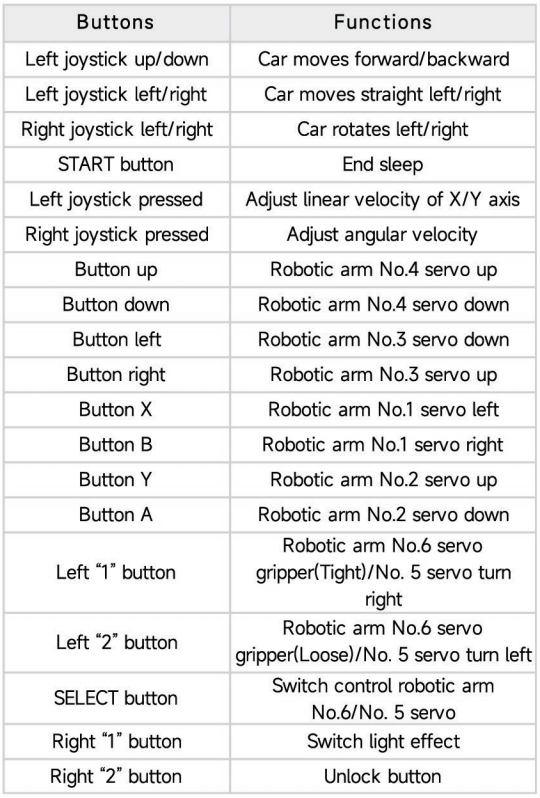
Plug the controller receiver into the mainboard or HUB expansion board. After the robot is powered on, the system will automatically connect to the proxy and start the controller control program. Press the [START] button on the controller to activate the controller, then press R2 to unlock the buttons. You can then use the remote control to control the robot according to the table below.
1. Turn off controller control
Raspberry Pi and Jetson-nano motherboard
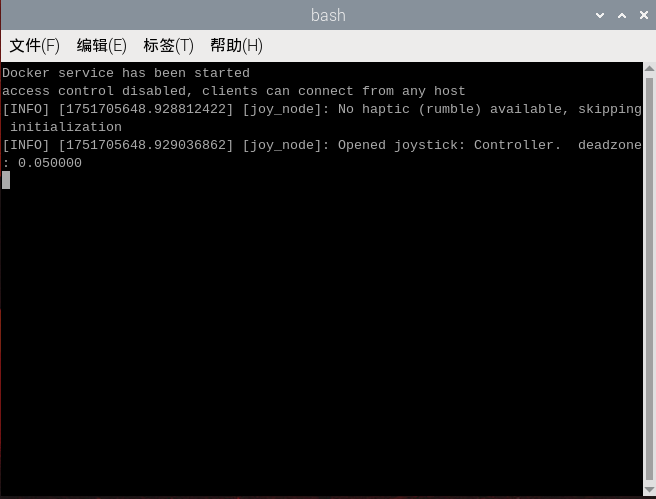
Close the window running the handle control program, as shown in the figure below, and press ctrl c to close the terminal.
Orin Motherboard
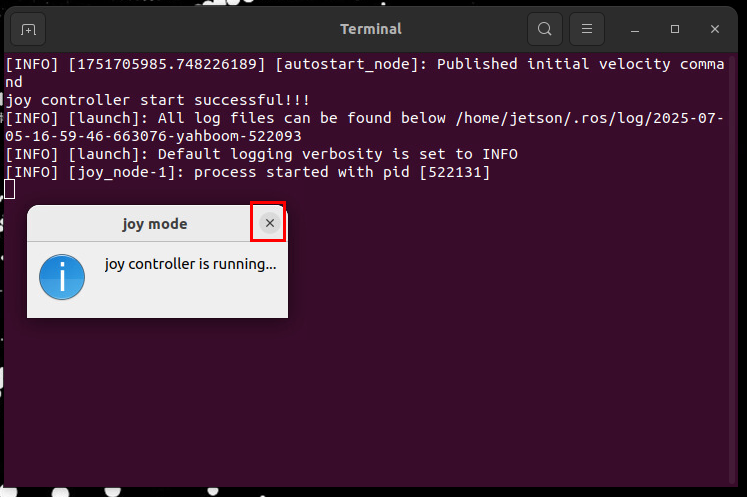
Click the [x] in the pop-up window below to close the handle control program.
2. Temporarily start the handle control
If we shut down the handle control node that was started at startup, and want to restart the handle control program without shutting down and restarting, the method is as follows:
Raspberry Pi and Jetson-nano motherboard
Terminal input,
xxxxxxxxxxsh Docker_M3Pro.shOrin Motherboard
Terminal input,
xxxxxxxxxxsh ~/joy_control/joy.sh
3. Permanently turn off the handle to control the startup
If you want to permanently turn off the handle control self-start function, the method is as follows:
Raspberry Pi and Jetson-nano motherboard
Terminal input,
xxxxxxxxxxmv ~/.config/autostart/uros.desktop ~Cut uros.desktop to the ~ directory. It is recommended to save this file. Next time you want to restore handle control at startup, just copy it to the ~/.config/autostart directory.
Orin Motherboard
Terminal input,
xxxxxxxxxxmv ~/.config/autostart/joy_control.desktop ~Cut joy_control.desktop to the ~ directory. It is recommended to save this file. Next time you want to restore handle control at startup, just copy it to the ~/.config/autostart directory.