Welcome to ROSMASTER M3 PRO repository
4.Forward kinematics design
Forward kinematics design
Preface: ROS on Raspberry Pi 5 and Jetson-nano runs in Docker, so the performance of running MoveIt2 is average. It is recommended that users of Raspberry Pi 5 and Jetson-nano motherboards run MoveIt2 related cases in a virtual machine. ROS on Orin motherboard runs directly on the motherboard, so users of Orin motherboard can run MoveIt2 related cases directly on the motherboard. The instructions are the same as running in a virtual machine.
The following content uses running on a virtual machine as an example.
1. Content Description
This course explains how to use functions in the MoveIt library to implement forward kinematics for a robotic arm. Forward kinematics involves calculating the pose of the robotic arm's end effector based on joint angles. In rviz, we specify the angles for each joint and have MoveIt2 program the robot to achieve these poses.
2. Start
Open a terminal in the virtual machine and enter the following command to start MoveIt2.
xxxxxxxxxxros2 launch test_moveit_config demo.launch.py
After the program is started, when the terminal displays "You can start planning now!" , it indicates that the program has been successfully started, as shown in the figure below.
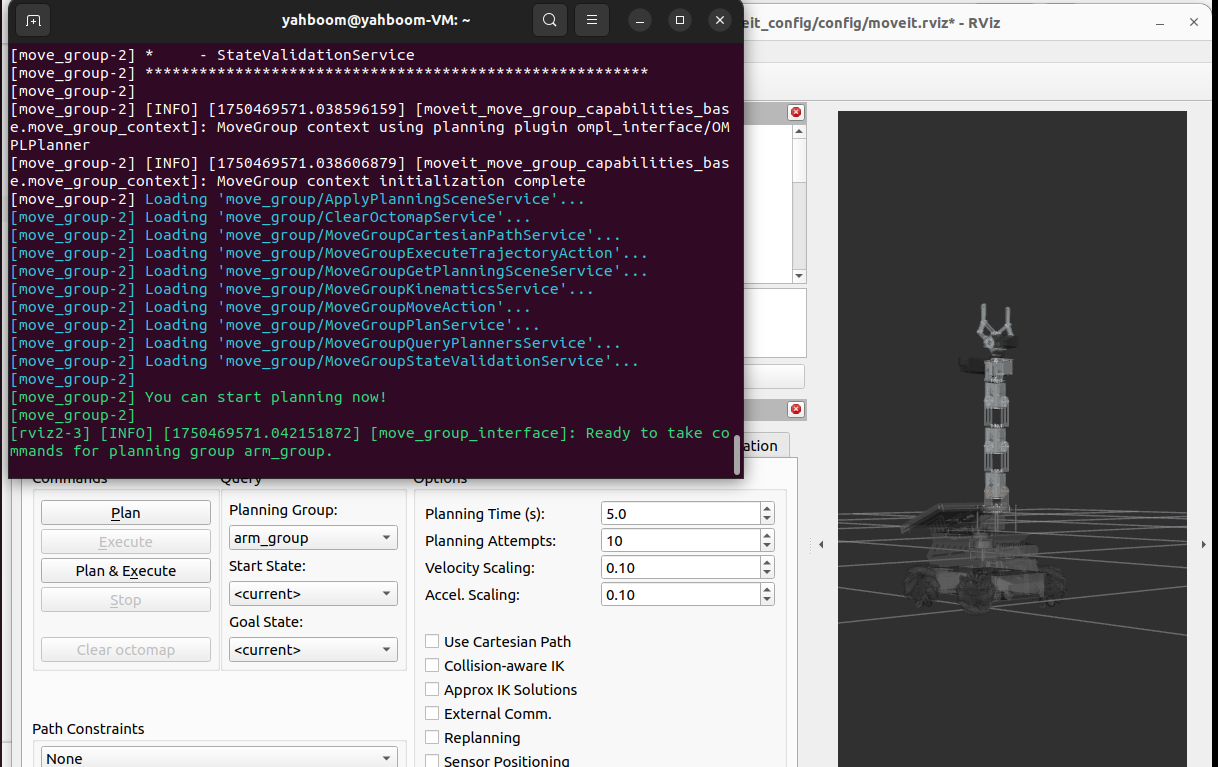
Then enter the following command in the terminal to start the positive kinematics design program,
xxxxxxxxxxros2 run MoveIt_demo set_target_joints
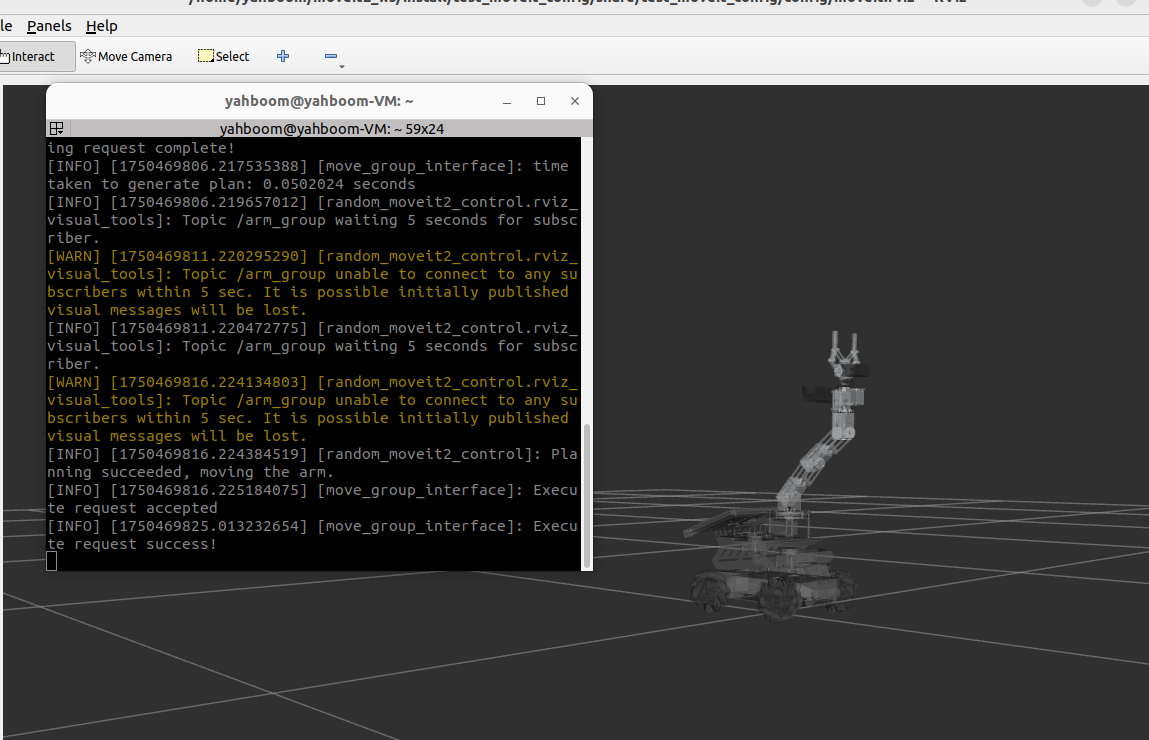
After the program runs, the robotic arm in rviz will plan to move to the posture of each joint we set, as shown in the figure below.
3. Core code analysis
The code path in the virtual machine is:/home/yahboom/moveit2_ws/src/MoveIt_demo/src/set_target_joints.cpp
class RandomMoveIt2Control : public rclcpp::Node{public: RandomMoveIt2Control() : Node("random_moveit2_control") { RCLCPP_INFO(this->get_logger(), "Initializing RandomMoveIt2Control."); } void initialize() { int max_attempts = 5 ; // Maximum number of planning attempts int attempt_count = 0 ; // Current number of attempts //Initialize move_group_interface_ in this function and create a planning group named arm_group move_group_interface_ = std::make_shared<moveit::planning_interface::MoveGroupInterface>(shared_from_this(), "arm_group"); //The following is the setting for the planning group move_group_interface _-> setNumPlanningAttempts ( 10 ); // Set the maximum number of planning attempts to 10 move_group_interface _-> setPlanningTime ( 5.0 ); // Set the maximum time for each planning to 5 seconds move_group_interface _-> allowReplanning ( true ); //Allow replanning after failure move_group_interface _-> setReplanAttempts ( 5 ); //Run replanning 5 times while (attempt_count < max_attempts) { attempt_count++; std::vector < double > target_joints = { 0 , - 0.69 , - 0.17 , 0.86 , 0 }; // Target joint angles (unit: radians) // Set the target joint space value setJointValueTarget move_group_interface_->setJointValueTarget(target_joints); // Initialize plan moveit::planning_interface::MoveGroupInterface::Plan my_plan; //Execute plan plan(my_plan) bool success = (move_group_interface_->plan(my_plan) == moveit::core::MoveItErrorCode::SUCCESS); if (success) { //If the plan is successful, execute the plan, execute(my_plan) RCLCPP_INFO(this->get_logger(), "Planning succeeded, moving the arm."); move_group_interface_->execute(my_plan); return; } else { RCLCPP_ERROR(this->get_logger(), "Planning failed!"); } } RCLCPP_ERROR(this->get_logger(), "Exit!"); }private: std::shared_ptr<moveit::planning_interface::MoveGroupInterface> move_group_interface_;};int main(int argc, char **argv){ rclcpp::init(argc, argv); auto node = std::make_shared<RandomMoveIt2Control>(); // Delayed initialization node->initialize(); rclcpp::spin(node); rclcpp::shutdown(); return 0;}