Welcome to DOGZILLA-Lite repository
12. Screen display of expressions
Screen display emoticons
1. Purpose of the experiment
Learn how to display expressions on your dog's screen
2. Experimental path source code
Enter the dog's system, end the dog program, enter "ip (ip is the dog's ip): 8888" in the browser, and enter the password "yahboom" after entering
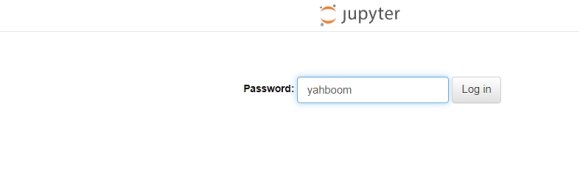
Then log in and go to cd ~/DOGZILLA_Lite_class/2.Base Control/11.show expression and run show_expression.ipynb .
3. Experimental Phenomenon
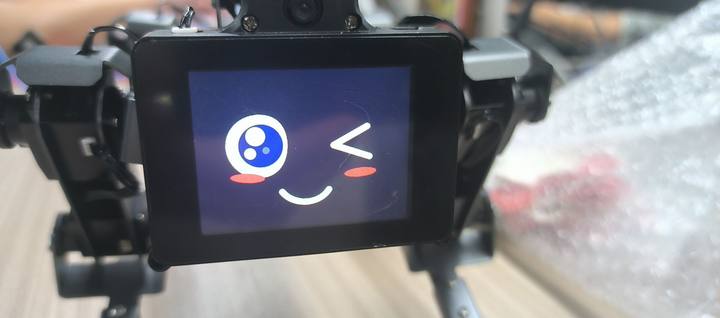
After running the code, you can find that the dog's screen has turned into an animated expression.
4. Experimental source code analysis and principles
while True: #写法1 way1 XGO_edu.lcd_picture("my1.png") time.sleep(.2) XGO_edu.lcd_picture("my2.png") time.sleep(.2) XGO_edu.lcd_picture("my3.png") time.sleep(.2) XGO_edu.lcd_picture("my4.png") time.sleep(.2) XGO_edu.lcd_picture("my5.png") time.sleep(.2) XGO_edu.lcd_picture("my6.png") time.sleep(.2) XGO_edu.lcd_picture("my7.png") time.sleep(.2) XGO_edu.lcd_picture("my8.png") time.sleep(.2) XGO_edu.lcd_picture("my9.png") time.sleep(.2) XGO_edu.lcd_picture("my10.png") time.sleep(.2) XGO_edu.lcd_picture("my11.png") time.sleep(.2) XGO_edu.lcd_picture("my12.png") time.sleep(.2) XGO_edu.lcd_picture("my13.png") time.sleep(.2) XGO_edu.lcd_picture("my14.png") time.sleep(.2) XGO_edu.lcd_picture("my15.png") time.sleep(.2) XGO_edu.lcd_picture("my16.png") time.sleep(.2) #写法2 way2 for i in range(1,9): XGO_edu.lcd_picture("cute"+str(i)+".png") time.sleep(.2)- From the above source code, we can see that the playback of action expressions is actually a carousel of pictures, and the interval between each picture is 200ms.
- Just put the corresponding emoticon picture into /home/pi/xgoPictures.
- This system provides a variety of optional expression paths: /home/pi/software/expression. Each folder corresponds to a set of expressions. Note: Because the provided expression pictures are named with numbers, if you want to store multiple expression actions in /home/pi/xgoPictures, there are two methods.
- Copy the entire expression folder path to /home/pi/xgoPictures. For example, if the expression folder name is angry_r, the copy command to execute is
xxxxxxxxxxcp -rf /home/pi/software/expression/angry_r /home/pi/xgoPicturesThen the code is written as follows: for i in range(1, the maximum number of expressions + 1): XGO_edu.lcd_picture("angry_r/"+str(i)+".png") time.sleep(.2)
- The source code provided in this tutorial is the second way. First rename the expression group, for example, rename 1.png in the angry_r folder to angry1.png, and then copy it to the /home/pi/xgoPictures folder. The name of the expression folder is: angry_r, then the copy command executed is
xxxxxxxxxxcp -rf /home/pi/software/expression/angry_r/*.png /home/pi/xgoPicturesThe code is written as follows: for i in range(1, the maximum number of expressions + 1): XGO_edu.lcd_picture("angry"+str(i)+".png") time.sleep(.2)