Welcome to DOGZILLA-Lite repository
4. Ball tracking
Ball Tracking
1. Purpose of the experiment
This tutorial will teach you how to make the robot dog identify balls of specific colors (red/green/blue/yellow) through visual sensors, calculate the target position in real time, adjust the movement posture through PID control algorithm, and realize automatic tracking function.
2. Main source code path
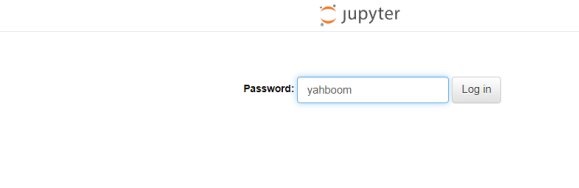
First, end the big program, then open the browser and enter "ip (ip is the ip of the robot dog): 8888", enter the password "yahboom" and enter
the path to ~/DOGZILLA_Lite_class/6.AI Visual Interaction Course/04.Ball Tracking. Open the Ball_Tracking.ipynb program and run it , or enter it in the terminal
xxxxxxxxxxcd ~/DOGZILLA_Lite_class/6.AI Visual Interaction Course/04.Ball Trackingpython3 Ball_Tracking.py
3. Experimental Phenomenon
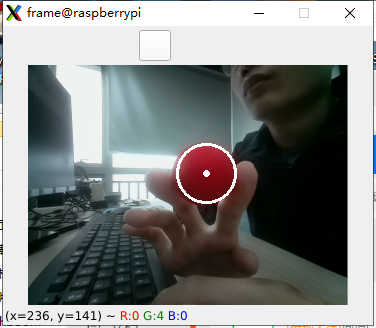
After running the source code, put the ball into the recognition box and press the upper right corner of the screen to confirm.
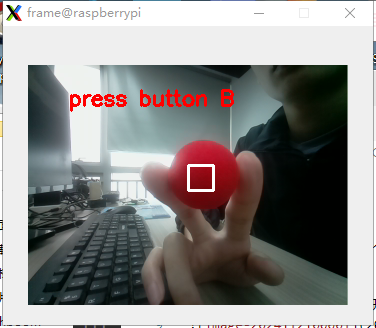
When the robot dog recognizes the ball, its body will follow and track the ball.
4. Main source code analysis
xxxxxxxxxx#初始化pid init pidPx = 0.35Ix = 0Dx = 0.0001X_Middle_error = 160 #图像X轴中心 #Image X-axis centerX_track_PID = PID.PositionalPID(Px, Ix, Dx) Py = 0.23Iy = 0Dy = 0.0001Y_Middle_error = 120 #图像Y轴中心 #Image Y-axis centerY_track_PID = PID.PositionalPID(Py, Iy, Dy)Pa = 1Ia = 0Da = 0Area_Middle_error = 20 #小球的距离 The distance of the ballArea_track_PID = PID.PositionalPID(Pa, Ia, Da) Adjust the parameters of the tracking pid, which can be adjusted as needed
xxxxxxxxxxtry: while True: if XGO_edu.xgoButton("c"): #c键按下退出循环 #Press the C key to exit the loop XGO_edu.display.clear() XGO_edu.splash = Image.new("RGB",(320,240),"black") XGO_edu.display.ShowImage(XGO_edu.splash) break result=XGO_edu.BallRecognition(color) #填入获取的颜色 #Fill in the obtained color #print(result) if result[0]==0 and result[1]==0 and result[2]==0: #识别不到的情况 #Unrecognized situations continue X_track_PID.SystemOutput = result[0] #X X_track_PID.SetStepSignal(X_Middle_error) X_track_PID.SetInertiaTime(0.01, 0.1) x_real_value = int(X_track_PID.SystemOutput) x_real_value = limit_fun(x_real_value ,-18,18) Y_track_PID.SystemOutput = result[1] #y Y_track_PID.SetStepSignal(Y_Middle_error) Y_track_PID.SetInertiaTime(0.01, 0.1) y_real_value = int(Y_track_PID.SystemOutput) y_real_value = limit_fun(y_real_value + 90,75,115) Area_track_PID.SystemOutput = result[2] #area Area_track_PID.SetStepSignal(Area_Middle_error) Area_track_PID.SetInertiaTime(0.01, 0.1) area_real_value = int(Area_track_PID.SystemOutput) area_real_value = limit_fun(area_real_value ,-35,35) dog.translation(['x','y','z'],[area_real_value,x_real_value,y_real_value])except: dog.reset() XGO_edu.display.clear() XGO_edu.splash = Image.new("RGB",(320,240),"black") XGO_edu.display.ShowImage(XGO_edu.splash) del dog del XGO_eduThe source code above is a process of identifying the ball by its color. After identifying the ball, the translation function is used to control the movement of the robot dog.