Welcome to DOGZILLA-Lite repository
5.OpenCV pixel operations
5. OpenCV pixel operation
3.1. Pixel operation
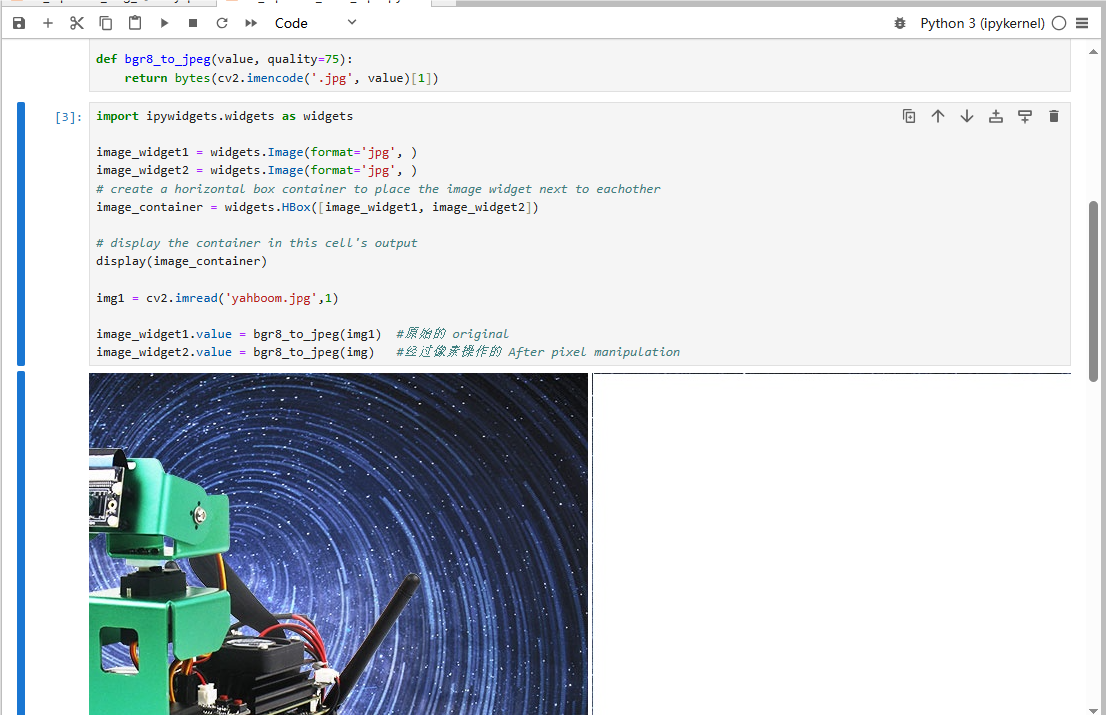
We can change the pixel color at any position to a new one. Here we first read the image and then assign an area to white.
3.2. Actual effect display
Code path:
/home/pi/DOGZILLA_Lite_class/4.Open Source CV/A.introduction/Introduction_to_OpenCV/05_OpenCV_Pixel_Ops.ipynb
ximport cv2img = cv2.imread('yahboom.jpg',1)(b,g,r) = img[100,100]print(b,g,r)# bgr#10 100 --- 110 100i=j=0for j in range(1,500): img[i,j] = (255,255,255) for i in range(1,500): img[i,j] = (255,255,255)# cv2.imshow('image',img)# cv2.waitKey(0) #1000 msxxxxxxxxxx#bgr8 to jpeg formatimport enumimport cv2def bgr8_to_jpeg(value, quality=75): return bytes(cv2.imencode('.jpg', value)[1])xxxxxxxxxximport ipywidgets.widgets as widgetsimage_widget1 = widgets.Image(format='jpg', )image_widget2 = widgets.Image(format='jpg', )# create a horizontal box container to place the image widget next to eachotherimage_container = widgets.HBox([image_widget1, image_widget2])# display the container in this cell's outputdisplay(image_container)img1 = cv2.imread('yahboom.jpg',1)image_widget1.value = bgr8_to_jpeg(img1) #Originalimage_widget2.value = bgr8_to_jpeg(img) #After pixel manipulation