Welcome to DOGZILLA-Lite repository
6. QR code recognition exercise
QR code recognition sports
1. Purpose of the experiment
This tutorial will guide you on how to make the robot dog recognize QR code information through the camera and perform preset actions (such as forward, backward, turn, etc.) based on different QR code contents. The system uses OpenCV for image processing and combines motion control algorithms to achieve precise response, which is suitable for the development of intelligent robot interactive applications.
2. Main source code path
First, end the big program, then open the browser and enter "ip (ip is the ip of the robot dog): 8888", enter the password "yahboom" and enter
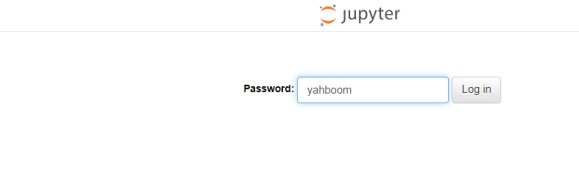
the path to ~/DOGZILLA_Lite_class/6.AI Visual Interaction Course/06.QR code recognition. Open the qr_sport.ipynb program and run it, or enter it in the terminal
xxxxxxxxxxcd ~/DOGZILLA_Lite_class/6.AI Visual Interaction Course/06.QR code recognitionpython3 qr_sport.py
3. Experimental Phenomenon
After running the source code, the robot dog will recognize the corresponding QR code and perform the corresponding action.
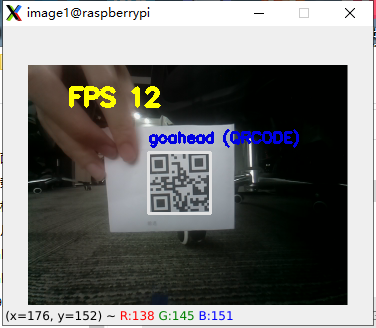
4. Main source code analysis
xxxxxxxxxx# 检测二维码 detect qrcodedef Detect_Qrcode_Task(): t_start = time.time() fps = 0 while True: ret, frame = cap.read() # 转为灰度图像 Convert to grayscale image gray = cv2.cvtColor(frame, cv2.COLOR_BGR2GRAY) frame = decodeDisplay(gray, frame) fps = fps + 1 mfps = fps / (time.time() - t_start) cv2.putText(frame, "FPS " + str(int(mfps)), (40,40), cv2.FONT_HERSHEY_SIMPLEX, 0.8, (0,255,255), 3) cv2.imshow("image1",frame) b,g,r = cv2.split(frame) img = cv2.merge((r,g,b)) imgok = Image.fromarray(img) display.ShowImage(imgok) if (cv2.waitKey(1)) == ord('q'): break if button.press_b(): break# 解析图像中的二维码信息 Analyze the qrcode information in the imagedef decodeDisplay(image, qrdisplay): global g_barcodeData barcodes = pyzbar.decode(image) for barcode in barcodes: # 提取二维码的边界框的位置, 画出图像中条形码的边界框 # Extract the position of the bounding box of the qrcode, # and draw the bounding box of the barcode in the image (x, y, w, h) = barcode.rect cv2.rectangle(qrdisplay, (x, y), (x + w, y + h), (225, 225, 225), 2) # 提取二维码数据为字节对象,转换成字符串 # The qrcode data is extracted as byte objects and converted into strings g_barcodeData = barcode.data.decode("utf-8") barcodeType = barcode.type # 绘出图像上条形码的数据和条形码类型 # Plot the barcode data and barcode type on the image text = "{} ({})".format(g_barcodeData, barcodeType) cv2.putText(qrdisplay, text, (x, y - 10), cv2.FONT_HERSHEY_SIMPLEX, 0.5, (225, 0, 0), 2) print("[INFO] Found {} barcode: {}".format(barcodeType, g_barcodeData)) return qrdisplayThe above source code mainly detects and analyzes the information of the QR code. goahead: forward goback: backward turnright: turn right turnleft: turn left updown: squat up and down shake: shake left and right armup: grab up armmiddle: grab in the middle armdown: grab down
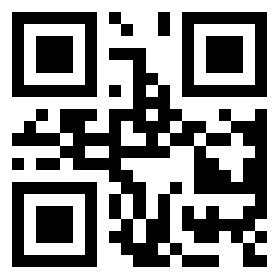
Appendix: Recognizable QR codes
go ahead:
Back:
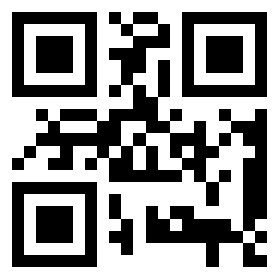
Turn left:
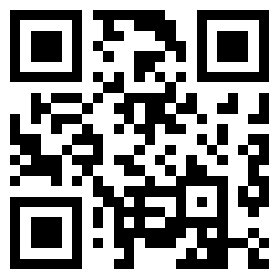
Turn right:
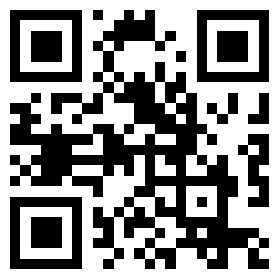
Squat:
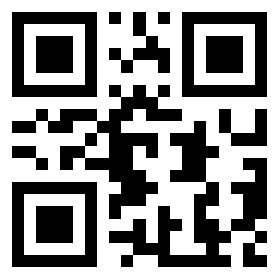
Rotate left and right:
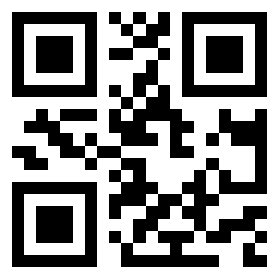
Upper catch:
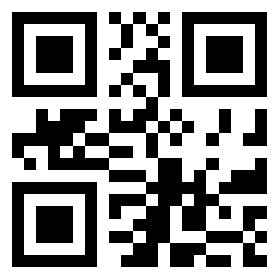
Middle catch:
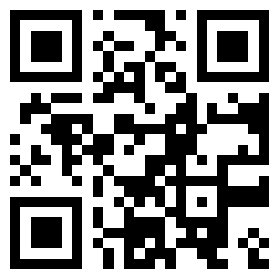
Catch below: