Welcome to DOGZILLA-Lite repository
3. HSV value test
3.HSV value test
1. Purpose of the experiment
Drive the robot dog to calibrate HSV values and identify colors
2. Experimental path source code
Enter the robot dog system, end the robot dog program, enter "ip (ip is the robot dog's ip): 8888" in the browser, enter the password "yahboom"

and log in. Enter the path of DOGZILLA_Lite_class/5.AI Visual Recognition Course/3. HSV value test and run color_recognition+hsv.ipynb .
3. Experimental Phenomenon
By calling the HSV slider, first determine the HSV value of the color. If you don't want to adjust it, you can skip this step and directly use the HSV value that has been adjusted in the tutorial.
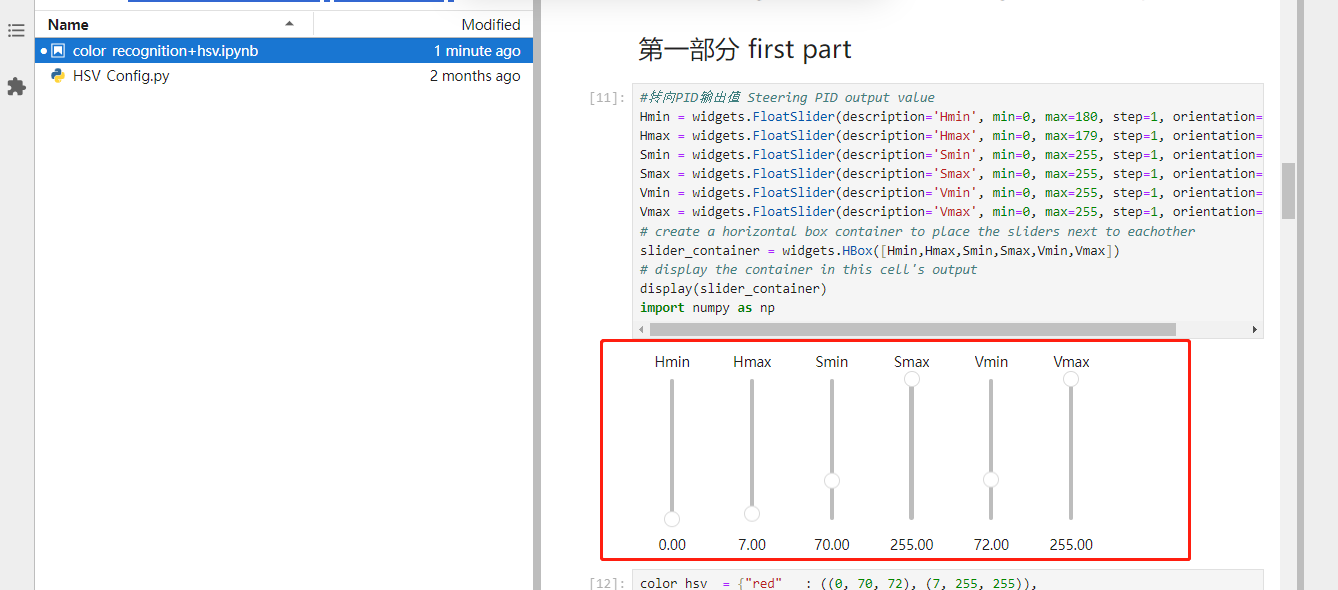
Overwrite the program value with the adjusted value. If it has not been adjusted, you can skip it directly.

Then, the robot dog will select the color to be recognized according to the adjusted HSV value and perform the corresponding color recognition.
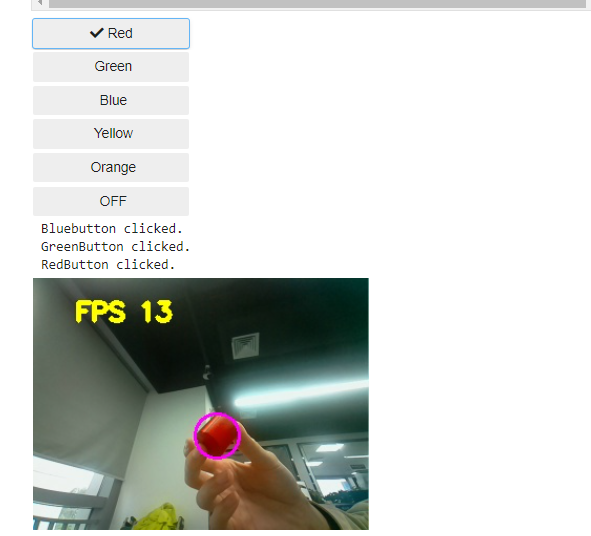
4. Analysis of main source code parameters
xxxxxxxxxxdef Color_Recongnize(): global color_lower, color_upper, g_mode t_start = time.time() fps = 0 while True: ret, frame = image.read()#USB摄像头 USB Camera # frame = picam2.capture_array() #CSI摄像头 CSI Camera #frame = cv2.resize(frame, (400, 400)) frame_ = cv2.GaussianBlur(frame,(5,5),0) hsv = cv2.cvtColor(frame,cv2.COLOR_BGR2HSV) mask = cv2.inRange(hsv,color_lower,color_upper) mask = cv2.erode(mask,None,iterations=2) mask = cv2.dilate(mask,None,iterations=2) mask = cv2.GaussianBlur(mask,(3,3),0) cnts = cv2.findContours(mask.copy(),cv2.RETR_EXTERNAL,cv2.CHAIN_APPROX_SIMPLE)[-2] if g_mode == 1: # 按钮切换开关 Push button switch if len(cnts) > 0: cnt = max (cnts, key = cv2.contourArea) (color_x,color_y),color_radius = cv2.minEnclosingCircle(cnt) if color_radius > 10: # 将检测到的颜色用原形线圈标记出来 Mark the detected color with a prototype circle cv2.circle(frame,(int(color_x),int(color_y)),int(color_radius),(255,0,255),2) # Proportion-Integration-Differentiation fps = fps + 1 mfps = fps / (time.time() - t_start) cv2.putText(frame, "FPS " + str(int(mfps)), (40,40), cv2.FONT_HERSHEY_SIMPLEX, 0.8, (0,255,255), 3) # 实时传回图像数据进行显示 Real-time image data transmission for display image_widget.value = bgr8_to_jpeg(frame) image_widget1.value = bgr8_to_jpeg(mask) #显示在机械狗的lcd屏幕上 Displayed on the LCD screen of the robot dog b,g,r = cv2.split(frame) img = cv2.merge((r,g,b)) imgok = Image.fromarray(img) mydisplay.ShowImage(imgok) # print(g_mode)Color_Recongnize: is a function thread for color recognition. By recognizing the target color, the result is displayed on the screen of the robot dog and the computer screen.