Welcome to DOGZILLA-Lite repository
2. OpenCV image reading and display
2. OpenCV image reading and display
2.1. Image reading
img = cv2.imread('yahboom.jpg', 0) The first parameter is the path of the image, and the second parameter is how to read the image.
cv2.IMREAD_UNCHANGED: Keep the original format unchanged, -1;
cv2.IMREAD_GRAYSCALE: Read the image in grayscale mode, which can be represented by 0;
cv2.IMREAD_COLOR: Read a color image, which can be represented by 1; the default value
cv2.IMREAD_UNCHANGED: Read an image and include its alpha channel, which can be represented by 2.
2.2. Image display
cv.imshow('frame', frame): Open a window named frame and display frame data (image/video data)
Parameter meaning:
The first parameter indicates the name of the window to be created
The second parameter indicates the image to be displayed
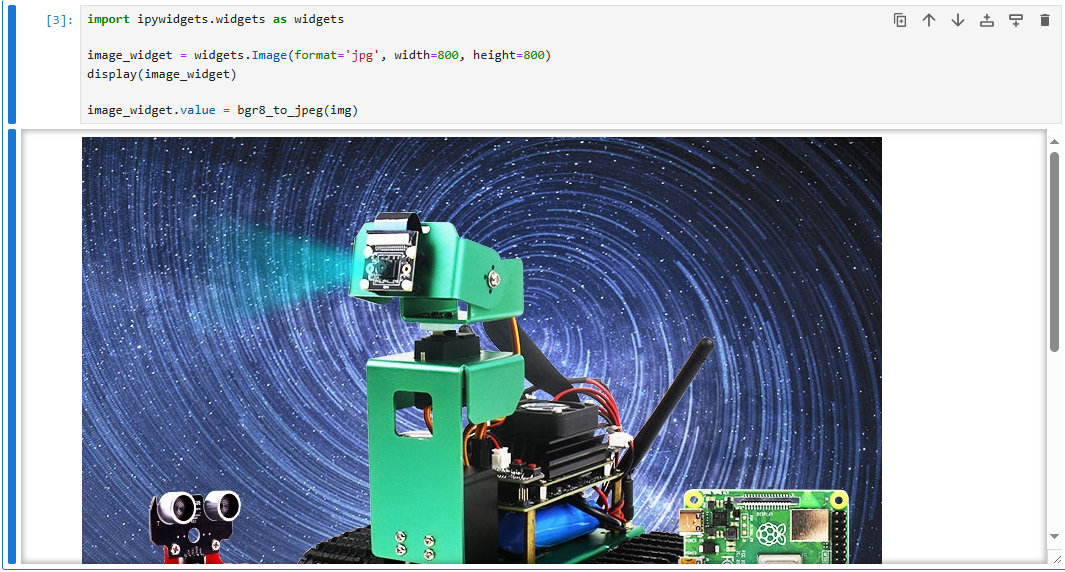
2.3. Actual effect display
Code path:
/home/pi/DOGZILLA_Lite_class/4.Open Source CV/A.introduction/Introduction_to_OpenCV/02_OpenCV_Img_Read_Display.ipynb
ximport cv2 img = cv2.imread('yahboom.jpg', 1)#cv2.imshow('image', img) #cv2.waitKey (0)xxxxxxxxxx#bgr8转jpeg格式import enumimport cv2def bgr8_to_jpeg(value, quality=75): return bytes(cv2.imencode('.jpg', value)[1])xxxxxxxxxximport ipywidgets.widgets as widgetsimage_widget = widgets.Image(format='jpg', width=800, height=800)display(image_widget)image_widget.value = bgr8_to_jpeg(img)