Welcome to Muto RS Robot repository
10.Core module testing tools
Core Module Testing Tools
Core Module Testing Tools1. Course Content2. Start the Dify service3. Enter the test tool path4. Test if the robot can access Dify normally5. Online Voice Service for International Users5.1 iFlytek Speech Recognition Service5.2 iFlytek Speech Synthesis Service
1. Course Content
- muto-llm provides minimal test programs for testing the core functional modules of a large model, used to quickly locate problems in abnormal situations.
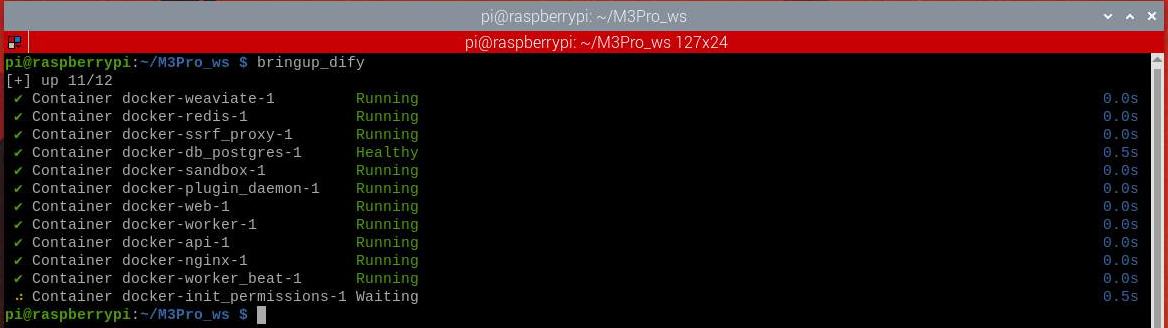
2. Start the Dify service
xxxxxxxxxxbringup_dify
3. Enter the test tool path
xxxxxxxxxxcd /root/muto-llm-2.0/testls
- Test tools are as follows:

4. Test if the robot can access Dify normally
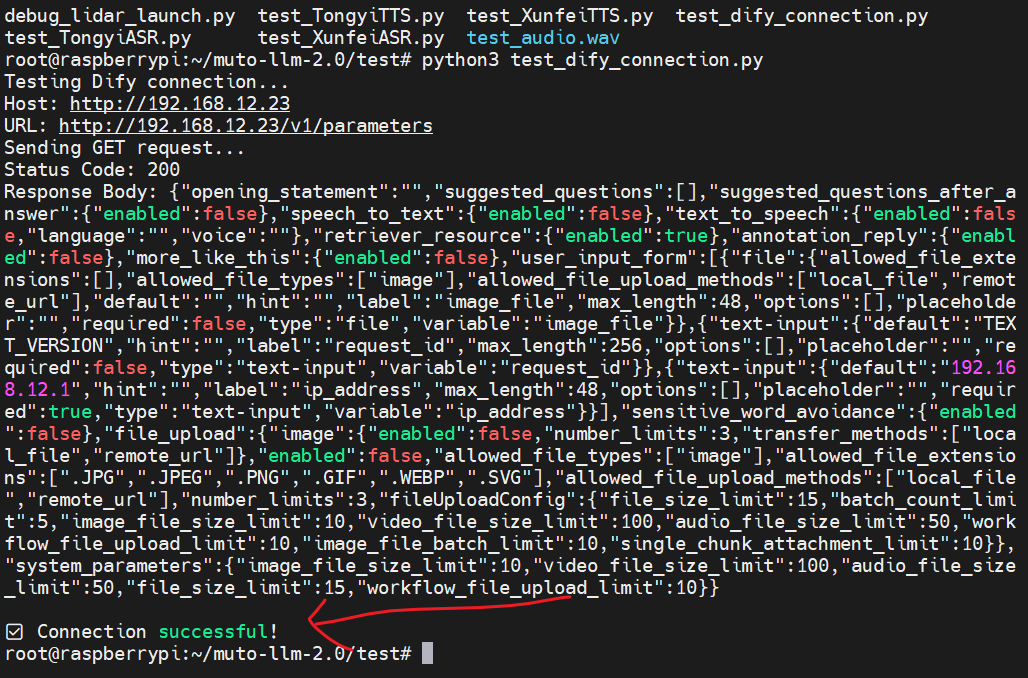
- When the program displays that the model service is unavailable, and it is unclear whether the robot's inability to access Dify is due to an incorrect network address, you can test this:
xxxxxxxxxxpython3 test_dify_connection.py
If the robot displays the following information normally, it proves that the robot is connected to Dify normally. Otherwise, it may be that Dify is not running or the Dify program has crashed and needs to be restarted.
5. Online Voice Service for International Users
5.1 iFlytek Speech Recognition Service
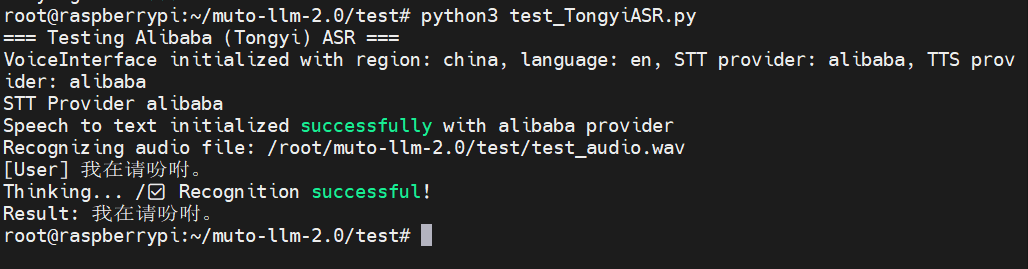
- If online speech recognition encounters errors, you can test the Bailian speech recognition service separately.
xxxxxxxxxxpython test_XunfeiASR.py
- After running, it will perform speech recognition tests on the preset test audio.
5.2 iFlytek Speech Synthesis Service
- If errors occur during online speech synthesis, you can test Bailian's speech recognition service separately.
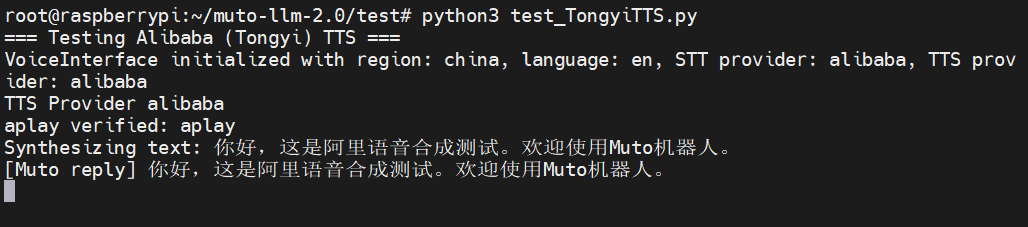
xxxxxxxxxxpython test_XunfeiTTS.py
After running, it will first perform speech synthesis on the default text, and then play the corresponding audio.