Welcome to Muto RS Robot repository
2)Robot information release
2.Robot information release
1. Program function description
After the program is run, combined with the ROS expansion board, you can obtain the sensor information on the ROS expansion board, control Muto movement, control the buzzer and other functions.
2. Program code reference path
After entering the docker container, the source code of this function is located at
/root/yahboomcar_ros2_ws/yahboomcar_ws/src/yahboomcar_bringup/yahboomcar_bringup/muto_driver.py
3. Program startup
3.1.Startup command
After entering the docker container, enter the terminal according to the actual car model,
xxxxxxxxxxros2 run yahboomcar_bringup muto_driver
3.2. View node topics
Open the terminal and enter the container and enter,
xxxxxxxxxxros2 topic list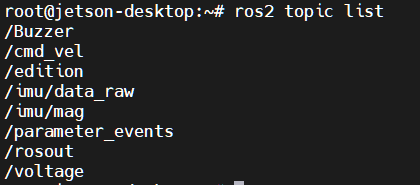
| Topic name | Topic content |
|---|---|
| /Buzzer | buzzer |
| /cmd_vel | speed control |
| /edition | Version Information |
| /imu/data_raw | IMU sensor data |
| /imu/mag | IMU-Magnetometer data |
| /voltage | Battery voltage information |
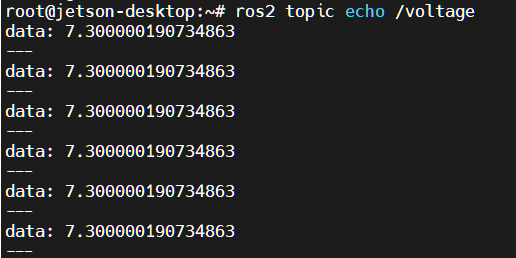
3.3. Read topic data
Open the terminal and enter the container and enter, taking reading the voltage as an example,
xxxxxxxxxxros2 topic echo /voltage
3.4. Publish topic data
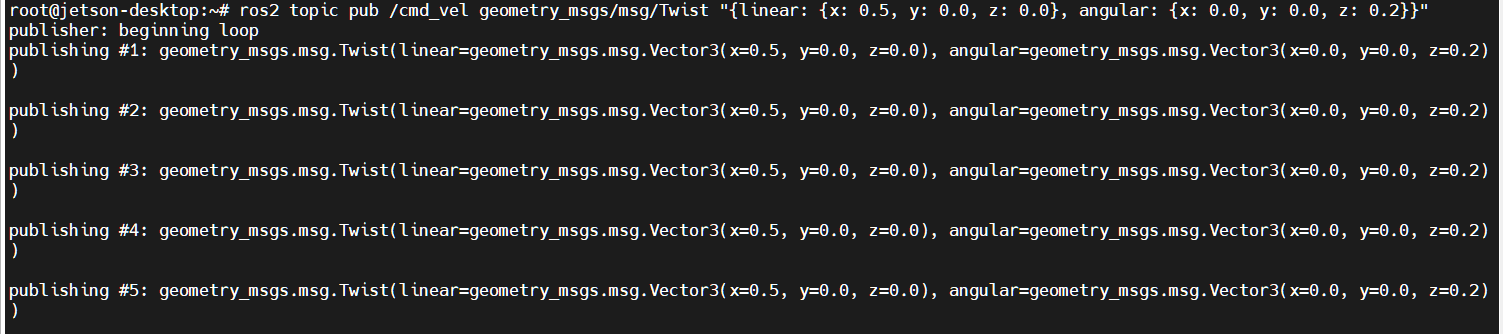
Open the terminal and enter the container and enter. Take publishing /cmd_vel data to control Muto movement as an example.
xxxxxxxxxxros2 topic pub /cmd_vel geometry_msgs/msg/Twist "{linear: {x: 0.5, y: 0.0, z: 0.0}, angular: {x: 0.0, y: 0.0, z: 0.2}}"
4. Program core source code analysis
Take Mcnamu_driver_X3.py as an example,
xfrom MutoLib import Muto #Import driver libraryself.muto = Muto() #Instantiating a Muto object#create subcriber Create a subscriberself.sub_cmd_vel = self.create_subscription(Twist,"cmd_vel",self.cmd_vel_callback,1)self.sub_BUzzer = self.create_subscription(Bool,"Buzzer",self.Buzzercallback,100)#create publisher Create publisherself.EdiPublisher = self.create_publisher(Float32,"edition",100)self.volPublisher = self.create_publisher(Float32,"voltage",100)self.imuPublisher = self.create_publisher(Imu,"/imu/data_raw",100)self.magPublisher = self.create_publisher(MagneticField,"/imu/mag",100)#Call the library to read the information of the ros expansion boardversion =int(self.muto.read_version(),16)edition.data = version*1.0battery.data = self.muto.read_battery()ax, ay, az , gx, gy, gz, mx, my, mz= self.muto.read_IMU_Raw()#Publish topic dataself.imuPublisher.publish(imu)self.magPublisher.publish(mag)self.volPublisher.publish(battery)self.EdiPublisher.publish(edition)#Subscriber callback functiondef cmd_vel_callback(self,msg)def Buzzercallback(self,msg):Please refer to the code for detailed code:muto_driver.py