Welcome to Muto RS Robot repository
1.Control Muto motion
2. Voice Control Muto Motion
Before running this program, you need to bind the port numbers of the voice board and the ROS expansion board on the host machine. You can refer to the previous chapter for binding. When entering the Docker container, you need to mount this voice board so that it can be recognized within the container.
1. Program Function Description
After the program starts, say "Hello, yahboom" to the module. The module will reply with "I'm here" to wake up the voice board. Then you can issue voice commands to control Muto's basic movements, such as moving forward, backward, turning left/right. The movement will stop after 5 seconds.
2. Program Code Reference Path
After entering the Docker container, the source code for this function is located at:
/root/yahboomcar_ros2_ws/yahboomcar_ws/src/yahboomcar_voice_ctrl/yahboomcar_voice_ctrl/Voice_Ctrl_driver.py3. Program Startup
3.1. Startup Command
Open two terminals and enter the Docker container in each.
If there is no running Docker container, use the
start_muto_dockerscript to start one. If a container is already running, use theenter_muto_dockerscript to enter it.
In the first terminal, enter:
xxxxxxxxxxros2 launch yahboom_speech speech.launch.py
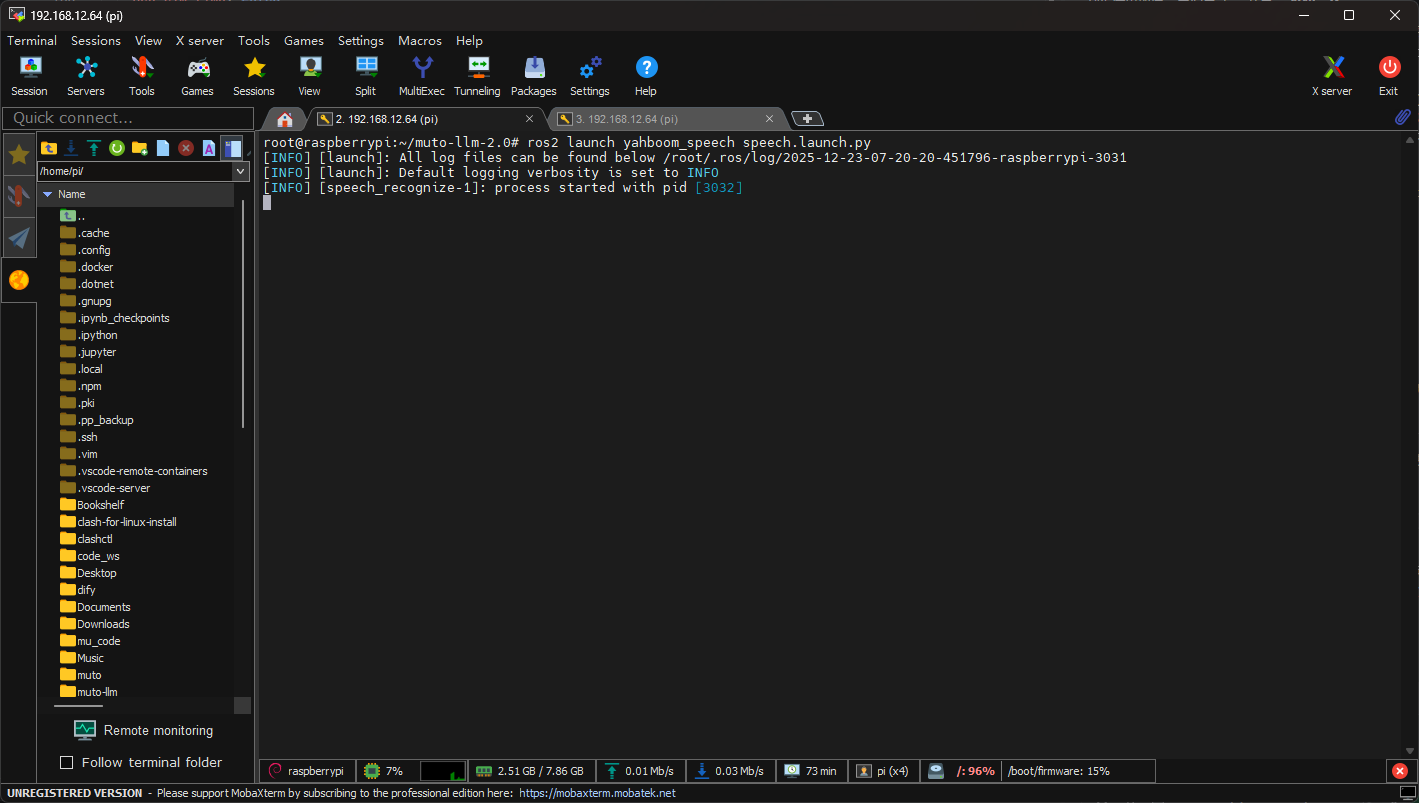
In the second terminal, enter:
xxxxxxxxxxros2 run yahboomcar_voice_ctrl Voice_Ctrl_driver
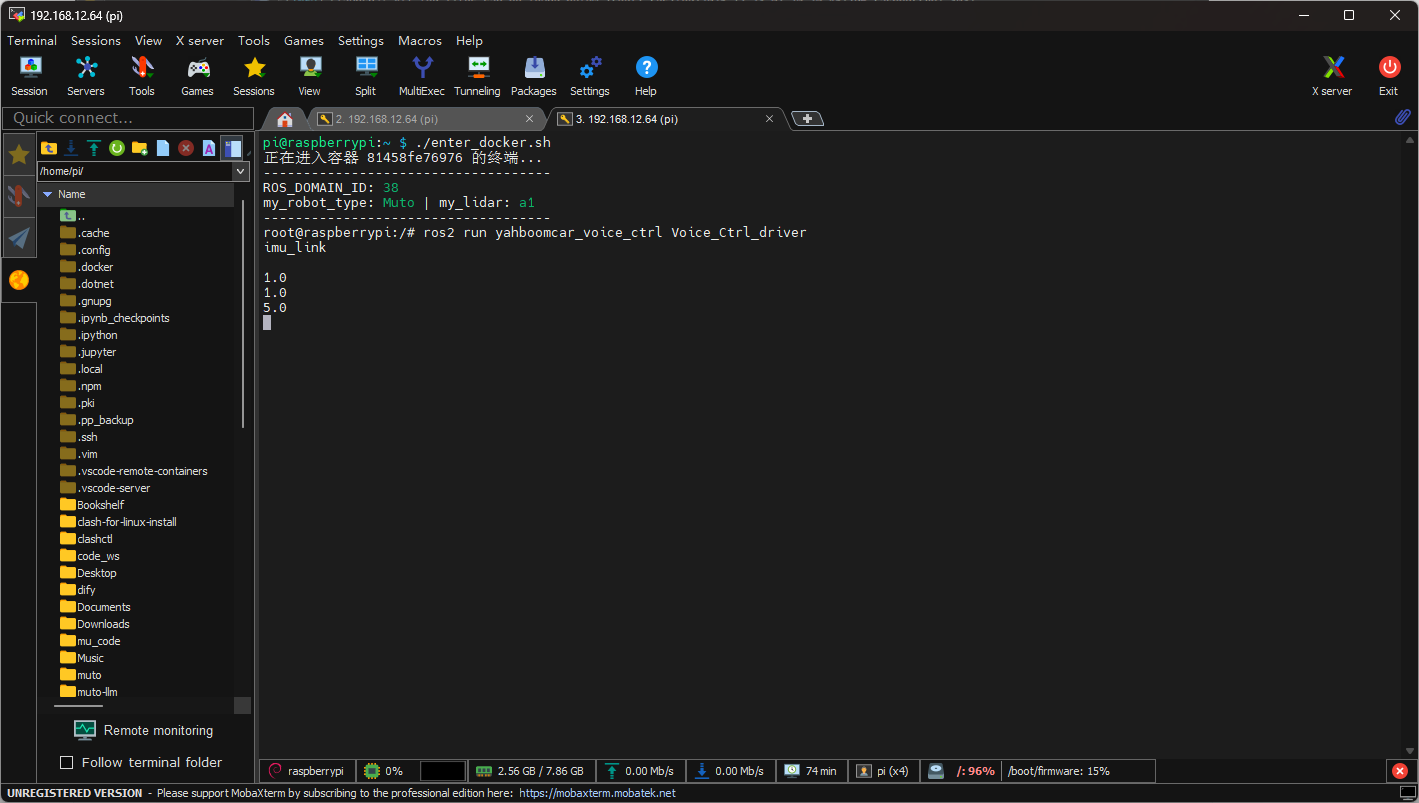
After successful startup, you need to say the wake-up word "Hello yahboom".
Muto will reply: "I'm here".
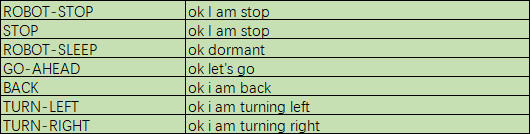
At this point, you can begin voice-controlled movement. The supported command words are as follows (function description on the left, supported command words on the right):
- Motion Control
4. Core Code
The code in this section is largely similar to muto_driver.py in yahboomcar_bringup, with the addition of receiving and parsing voice control commands. The following explains how this part is implemented:
xxxxxxxxxx def voice_callback(self, msg): if not isinstance(msg, Int8): return speech_r = msg.data # Stop if speech_r == 2 or speech_r == 0 : print("stop!") self.execute_vel(0.0, 0.0, 0) # Go ahead elif speech_r == 4 : print("Go ahead!") self.speech_and_move(0.5, 0.0, 0) # Back off elif speech_r == 5 : print("Back off!") self.speech_and_move(-0.5, 0.0, 0) # Turn left elif speech_r == 6 : print("Turn left") self.speech_and_move(0.3, 0.0, 1) # Turn right elif speech_r == 7 : print("Turn right") self.speech_and_move(0.3, 0.0, -1)The command words for this lesson correspond as follows:
- Motion Control