Welcome to ROSMASTER X3 Plus repository
16.5 MoveIt cartesian path
5. MoveIt Cartesian path
This lesson takes MoveIT simulation as an example. If you need to set up the real machine and simulation to be synchronized, please see the lesson [02, MoveIt Precautions and Controlling the Real Machine]. ! ! ! be safe! ! !
The effect demonstration is a virtual machine and other main control running conditions (related to the main control performance, depending on the actual situation).
5.1, Introduction
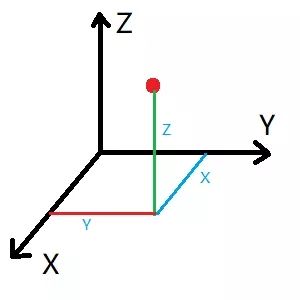
The Cartesian coordinate system is the collective name for the Cartesian coordinate system and the oblique coordinate system. A Cartesian path is actually a line connecting any two points in space.
5.2, Start
xxxxxxxxxx#Raspberry Pi 5 master needs to enter docker first, please perform this step#If running the script into docker fails, please refer to ROS/07, Docker tutorial~/run_docker.shStart MoveIT
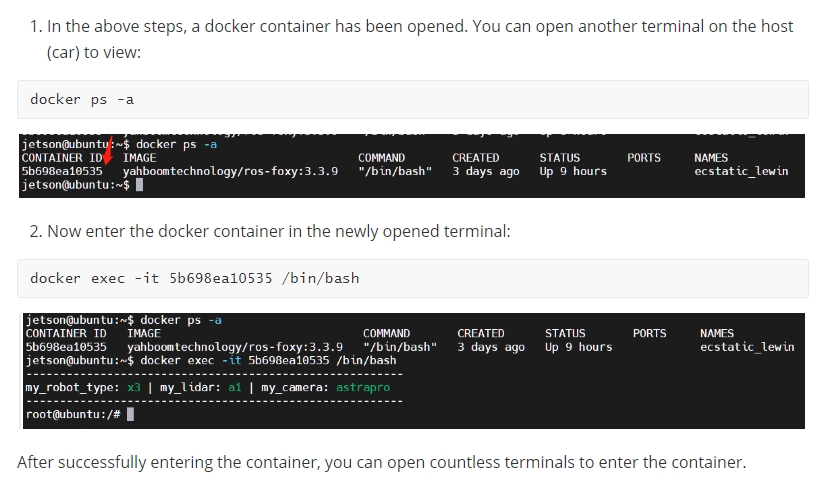
xxxxxxxxxxroslaunch arm_moveit_demo x3plus_moveit_demo.launch sim:=true<PI5 needs to open another terminal to enter the same docker container
Start Cartesian Path Node
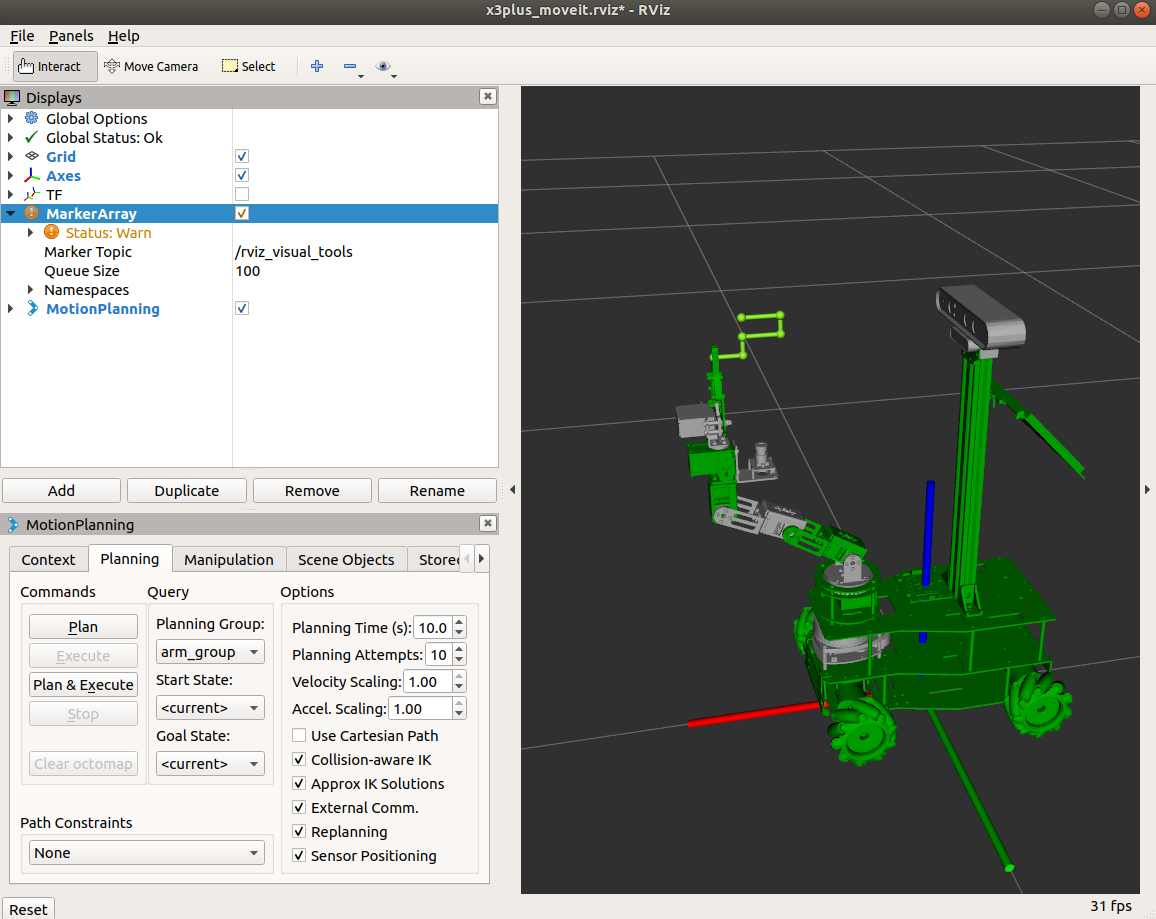
xxxxxxxxxxrosrun arm_moveit_demo 04_cartesian # C++rosrun arm_moveit_demo 04_cartesian.py # pythonC++ code examples
To view the trajectory, you need to add the [MarkerArray] plug-in and select the [/rviz_visual_tools] topic.
python code examples
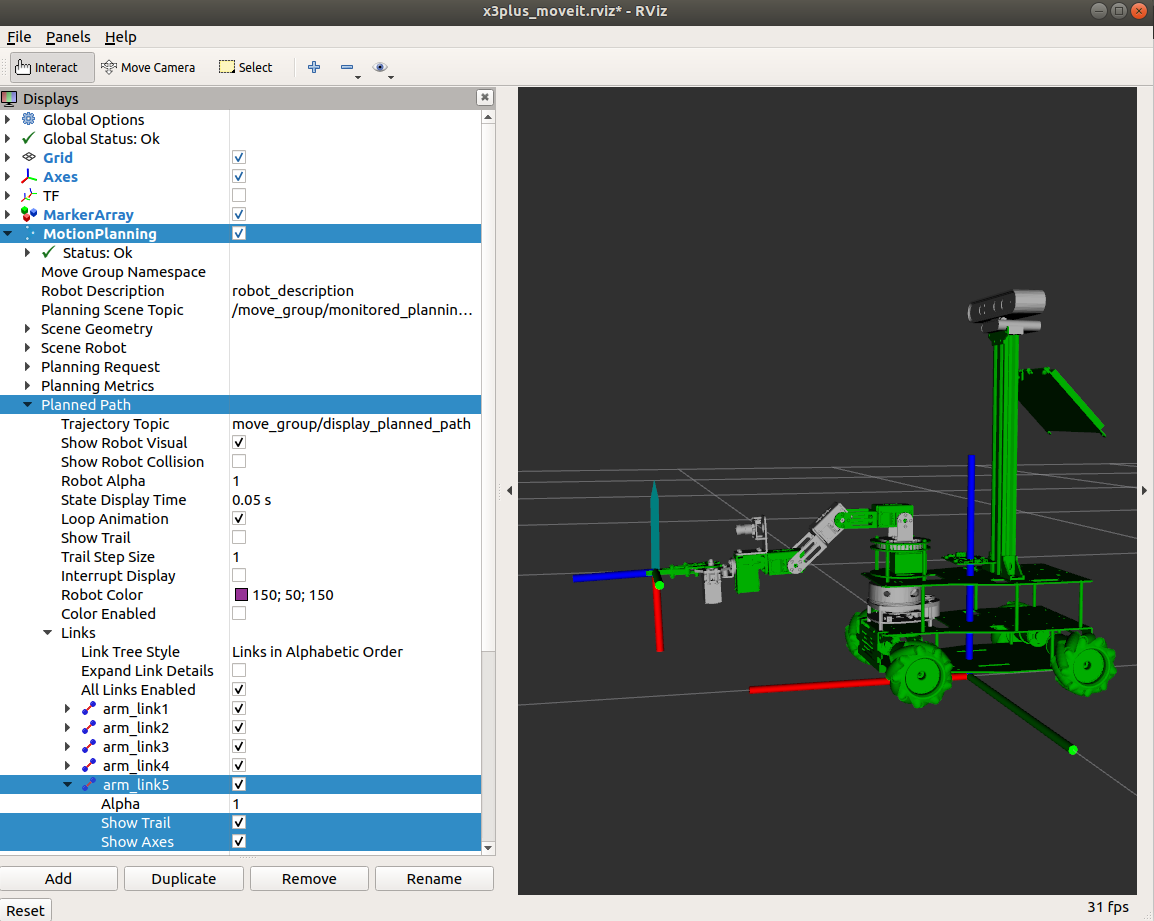
The python code does not have a similar trajectory to C++, but you can view the end description and open it as shown in the figure below.
5.3, source code
5.3.1, py file
Set a specific location
xxxxxxxxxx rospy.loginfo("Set Init Pose") joints = [0, -1.57, -0.74, 0.71, 0] yahboomcar.set_joint_value_target(joints) yahboomcar.execute(yahboomcar.plan())Add waypoint
xxxxxxxxxx #Initialize the waypoint list waypoints = [] # If True, add the initial pose to the waypoint list waypoints.append(start_pose) for i in range(3): #Set waypoint data and add it to the waypoint list wpose = deepcopy(start_pose) wpose.position.z += 0.13 waypoints.append(deepcopy(wpose)) wpose.position.z -= 0.13 waypoints.append(deepcopy(wpose))waypoint planning
xxxxxxxxxx ''' waypoints: list of waypoints eef_step: terminal step value, calculate the inverse solution every 0.1m to determine whether it is reachable jump_threshold: Jump threshold, set to 0 to disallow jumping plan: path, fraction: path planning coverage ''' (plan, fraction) = yahboomcar.compute_cartesian_path(waypoints, 0.1, 0.0, True)5.3.2, C++ files
Set a specific location
xxxxxxxxxx ROS_INFO("Set Init Pose."); //Set specific location vector<double> pose{0, -0.69, -0.17, 0.86, 0}; yahboomcar.setJointValueTarget(pose);Add waypoint
//Initialize path point vector std::vector<geometry_msgs::Pose> waypoints; //Add the initial pose to the waypoint list waypoints.push_back(start_pose); start_pose.position.x -= 0.04; waypoints.push_back(start_pose); start_pose.position.z -= 0.02; waypoints.push_back(start_pose); start_pose.position.x += 0.04; waypoints.push_back(start_pose); start_pose.position.z -= 0.02; waypoints.push_back(start_pose); start_pose.position.x += 0.03; waypoints.push_back(start_pose);waypoint planning
xxxxxxxxxxfraction = yahboomcar.computeCartesianPath(waypoints, eef_step, jump_threshold, trajectory);