Welcome to ROSMASTER X3 Plus repository
3.Robot information release
3 Robot information release
3 Robot information release 3.1 Node subscription and publishing topics 3.1.1 Function package path: 3.2 node data view 3.2.1 Start 3.2.2 View topic list 3.2.3 Program flow chart 3.2.4 Core code(Mcunamu_driver.py) 3.2.5 Analysis of three callback functions 3.2.6 Use rostopic pub command to send running water light control, speed control, buzzer control commands 3.2.7 Use the rostopic echo command to view speed information and battery voltage
According to different models, you only need to set the purchased model in [.bashrc], X1(ordinary four-wheel drive) X3(Mike wheel) X3plus(Mike wheel mechanical arm) R2(Ackerman differential) and so on. Section takes X3 as an example
Open the [.bashrc] file
xxxxxxxxxxsudo vim .bashrc Find the [ROBOT_TYPE] parameter and modify the corresponding model
xxxxxxxxxxexport ROBOT_TYPE=X3 # ROBOT_TYPE: X1 X3 X3plus R2 X7 This section takes X3, Mecanum wheeler as an example.
3.1 Node subscription and publishing topics
3.1.1 Function package path:
xxxxxxxxxx~/yahboomcar_ws/src/yahboomcar_bringup
Functions that ROSMASTER needs to implement: speed control, speed information feedback, battery voltage feedback, buzzer control, running water lamp control.(Note: In the version with a robotic arm, it is also necessary to implement robotic arm control, robotic arm status feedback and PTZ control)
3.2 node data view
3.2.1 Start
xxxxxxxxxx#You need to enter docker first, perform this step more#If running the script to enter docker fails, please refer to Jetson Orin-Docker/05, Enter the robot's docker container~/run_docker.sh#Multiple ros commands require multiple terminals to enter the same docker container for execution, please refer to Jetson Orin-Docker/05, Section 5.8 tutorialxxxxxxxxxxroslaunch yahboomcar_bringup yahboomcar.launch
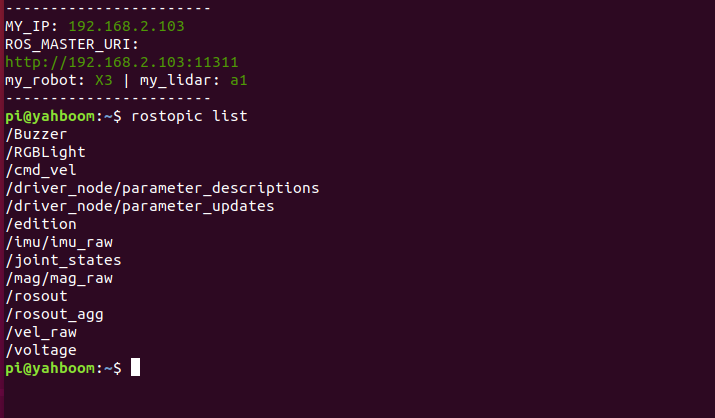
3.2.2 View topic list
xxxxxxxxxxrostopic list
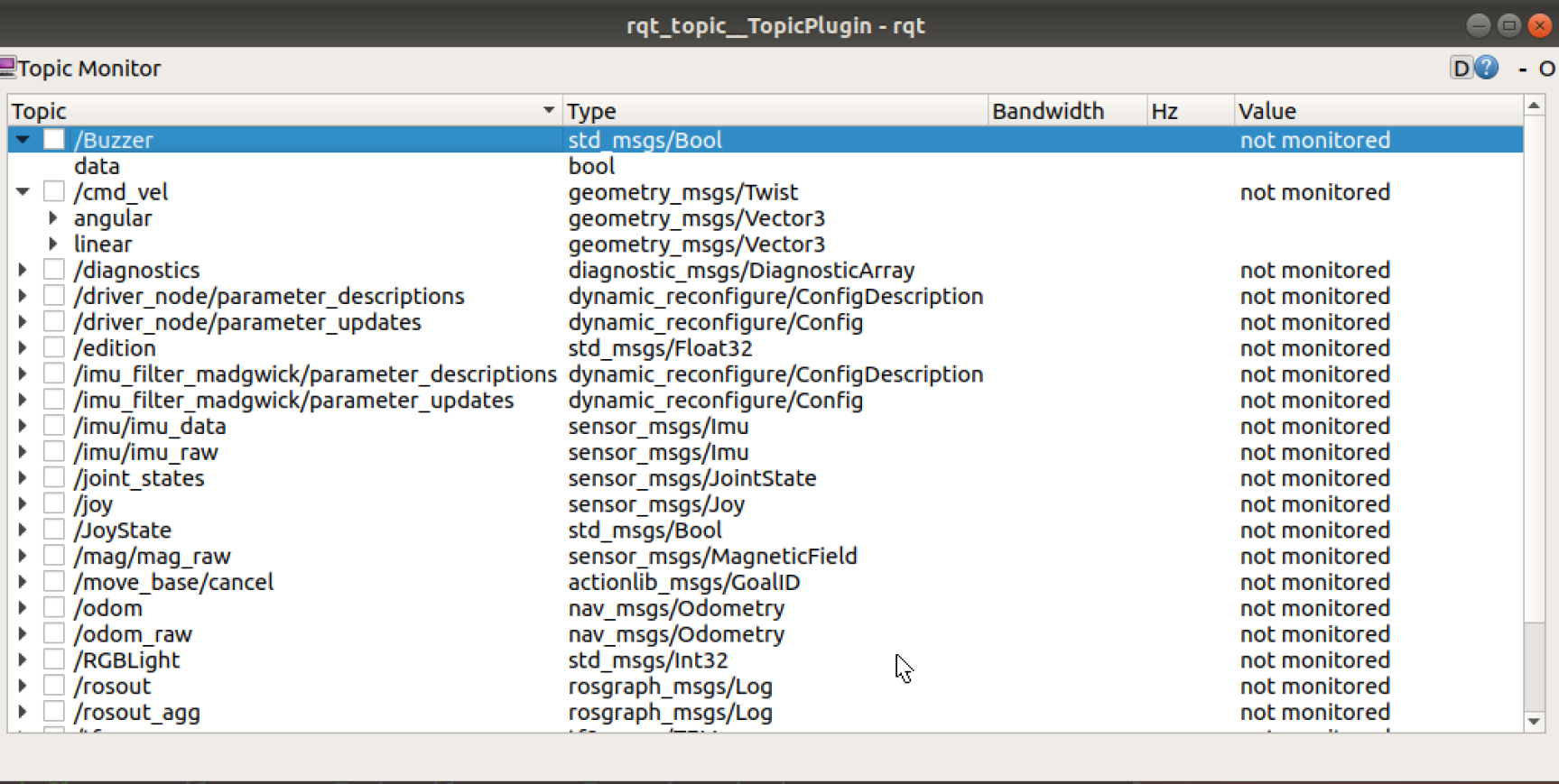
xxxxxxxxxxrosrun rqt_topic rqt_topic #Graphically view the topic
3.2.3 Program flow chart
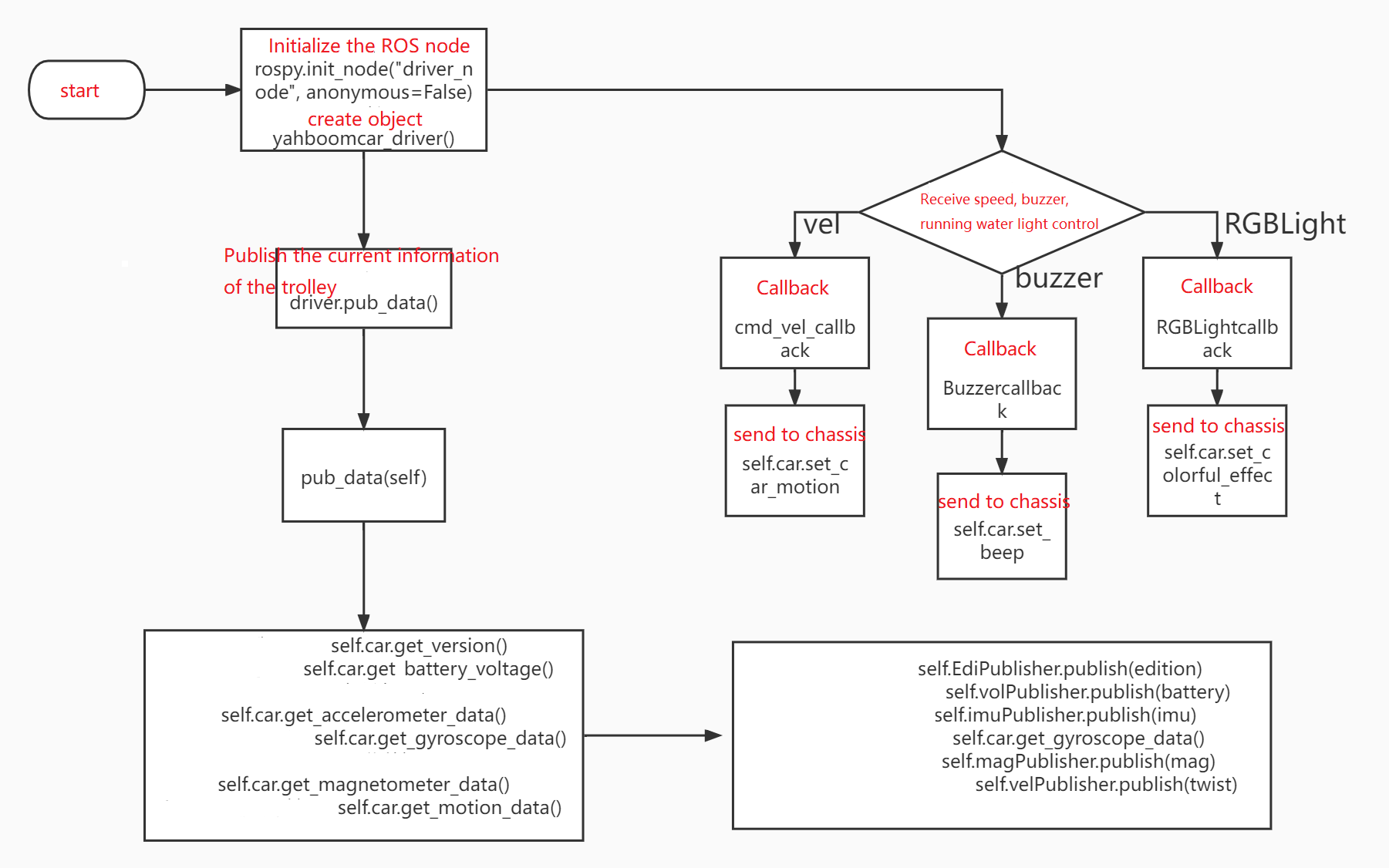
3.2.4 Core code(Mcunamu_driver.py)
xxxxxxxxxxGet data(core board -> host computer) edition.data = self.car.get_version() battery.data = self.car.get_battery_voltage() ax, ay, az = self.car.get_accelerometer_data() gx, gy, gz = self.car.get_gyroscope_data() mx, my, mz = self.car.get_magnetometer_data() vx, vy, angular = self.car.get_motion_data() Publish data(host computer -> host computer) self.EdiPublisher.publish(edition) self.volPublisher.publish(battery) self.imuPublisher.publish(imu) Note: The imu data here is the combined data of gyroscope and acceleration data self.magPublisher.publish(mag) self.velPublisher.publish(twist) Process the acquired data(topic receiving data, transferring data between nodes) cmd_vel_callback(self, msg) RGBLightcallback(self, msg) Buzzercallback(self, msg) Publish data(host computer -> core board) self.car.set_car_motion(vx, vy, angular) self.car.set_colorful_effect(msg.data, 6, parm = 1) self.car.set_beep _ self.car.set_beep _ _(1) or _ _ _ _(1) 3.2.5 Analysis of three callback functions
xxxxxxxxxx # Water light control, server callback function RGBLight control ''' effect=[0, 6], 0: stop light effect, 1: running water light, 2: marquee light, 3: breathing light, 4: gradient light, 5: starlight, 6: battery display speed=[1, 10], the smaller the value, the faster the speed changes. ''' # Car motion control, subscriber callback function ''' vx = msg.linear.x vy = msg.linear.y angular = msg.angular.z Note: Because this model is a Mecanum wheel, it can be moved on the y-axis, other models are not applicable ''' #Buzzer control, subscriber callback function ''' self.car.set_beep(1): turn on the buzzer self.car.set_beep(0): turn off the buzzer ''' 3.2.6 Use rostopic pub command to send running water light control, speed control, buzzer control commands
xxxxxxxxxxWater light control rostopic pub /RGBLight std_msgs/Int32 1 # turn on water lightspeed control rostopic pub /cmd_vel geometry_msgs/Twist "linear: x : 0.0 y : 0.0 z : 0.0 angular : x : 0.0 y : 0.0 z : 0.1 " #The car moves at an angular velocity of 0.1 Buzzer control rostopic pub /Buzzer std_msgs/Bool true # true on the buzzer, send false when off 3.2.7 Use the rostopic echo command to view speed information and battery voltage
speed informationrostopic echo /cmd_velbattery voltagerostopic echo /voltage